Popular Courses

Brand
Awarding body image

Overview of Zoom Video Conferencing Course

Zoom Video Conferencing has become a global essential as workplaces shift toward virtual communication. The challenge many individuals face today is the inability to communicate confidently online, despite the rapid rise of digital collaboration tools. According to Statista, more than 300 million daily meeting participants rely on Zoom to connect worldwide. Moreover, McKinsey reports that over 60% of global organisations now operate in hybrid formats, making virtual communication a mandatory skill.

The solution lies in developing strong proficiency in Zoom Video Conferencing, allowing individuals to communicate with clarity, manage online meetings, and present confidently. Furthermore, companies around the world expect employees to navigate digital tools with ease—Forbes highlights that remote collaboration tools are among the top five digital skills required for employability in 2025. Therefore, learners who master this platform gain a significant advantage in international job markets.

This course responds to that demand by offering a clear, structured pathway that shows learners exactly how to use Zoom professionally. In addition, the content supports both beginners and intermediate users, providing helpful techniques drawn from online learning Zoom environments and real workplace scenarios. Consequently, learners build the confidence they need to participate, present, and collaborate in Zoom Video Conferencing settings.

By the End of This Course, You’ll Be Able To:

Design efficient virtual sessions using proven techniques inspired by online learning Zoom delivery models.
Analyse device, audio, and video settings to understand how to use Zoom for professional interactions.
Apply features from this Zoom Masterclass to manage participants, control engagement, and maintain smooth meeting flow.
Create polished online presentations using screen sharing, annotations, and visual aids.
Evaluate core functions within Zoom Video Conferencing to enhance clarity, efficiency, and collaboration in any global environment.

Course Features

  • Developed by expert instructors with global experience

  • International CPD-accredited qualification

  • Lifetime access

  • 24/7 tutor support

  • Accessible on all devices

Description of Zoom Video Conferencing Course

This course provides a streamlined learning experience where learners explore essential features of Zoom Video Conferencing step by step. Moreover, the curriculum begins with simple interface navigation and gradually expands to include advanced tools such as screen sharing, annotation, shortcuts, and calendar integrations. Furthermore, learners discover how Zoom functions in different professional contexts, including business meetings, virtual classrooms, webinars, and international communication.

In addition, the training demonstrates workflows that enhance digital performance in remote teams worldwide. As learners progress, they understand how to use Zoom confidently in online learning Zoom environments and professional online settings. Consequently, the course builds competencies aligned with global digital workplace expectations. Overall, the programme helps learners improve communication, adaptability, and virtual collaboration through consistent practice with Zoom Video Conferencing tools.

Course Sections

Virtual Backgrounds – Introduces how to activate and customise backgrounds for professional presentations.
Custom Virtual Background – Explains how to upload personalised backgrounds for enhanced visual branding.
Video Settings – Shows how to optimise lighting, clarity, and camera preferences for better visibility.
Calendar Zoom Extension – Demonstrates how to integrate Zoom with calendars for faster scheduling.
Hiding Floating Menu – Describes how to clear on-screen clutter for distractionless presentations.
Mute All Shortcut – Teaches essential shortcuts for managing participants efficiently.
New Share – Guides learners on switching between shared screens without ending the session.
Pause Share – Explains how to pause screen sharing to prepare content privately.
Annotate – Outlines how annotation tools improve engagement and interactive communication.

Why Choose Us?​

  • Structured and globally relevant Zoom Video Conferencing training

  • Moreover, CPD-accredited content recognised internationally

  • Furthermore, flexible learning with lifetime access

  • In addition, expert tutor support ensures smooth progression

  • Consequently, learners build digital confidence for worldwide teamwork

  • Therefore, this programme supports remote work, global communication, and virtual collaboration skills

Who Is This Course For?​

The Zoom Video Conferencing course is ideal for:

  • Professionals seeking global digital communication skills

  • Career changers entering remote or hybrid workplaces

  • Employees preparing for management or team-lead roles

  • Individuals wanting a digital communication skills course online

  • Learners seeking a certificate course in video communication

  • People wanting stronger remote meeting and presentation skills

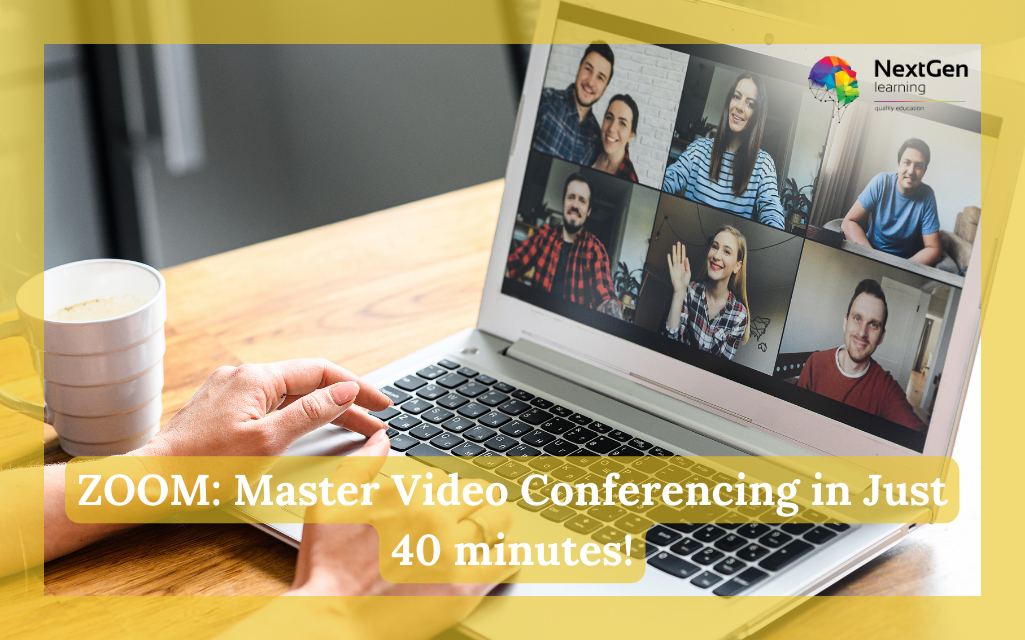
Learner participating in a Zoom Video Conferencing training session on a laptop.

Requirements​

The ZOOM: Master Video Conferencing in Just 40 Minutes! course requires no prior degree or experience. Therefore, all you require is English proficiency, numeracy literacy, and a gadget with a stable internet connection. Consequently, you can learn and train for a prosperous career in the thriving and fast-growing industry, without any fuss.

Moreover, this course is designed to guide learners step by step. In addition, the lessons are organised in a logical flow, ensuring that each concept builds smoothly on the previous one. Consequently, learners gain confidence as they progress. Furthermore, the content connects theory with practical examples, making the learning experience more engaging. Similarly, complex topics are simplified so that beginners can understand them easily. As a result, learners can apply the knowledge in real situations. On the other hand, those with prior experience can refine their existing skills. Therefore, the course supports continuous improvement for all learners. Ultimately, it provides a structured pathway that helps students achieve their learning goals effectively.online communication skills

Career Path of Zoom Video Conferencing Course

With the help of Zoom Video Conferencing, you can explore diverse career options, such as:

  • Virtual Meeting Host

  • Remote Communication Assistant

  • Digital Collaboration Support Officer

  • Online Training Coordinator

  • Remote Client Relations Associate

Learners may later advance into global training, virtual team leadership, or remote project management roles.

Order Your Certificate

To order your Certificate, we kindly invite you to visit the following link

FAQs - Zoom Video Conferencing Course

Yes. The course explains how to use Zoom in a clear, step-by-step format suitable for all skill levels.

Absolutely. Zoom Video Conferencing is widely used across global industries, making it valuable for remote and hybrid roles.

Absolutely. Zoom Video Conferencing is widely used across global industries, making it valuable for remote and hybrid roles.

Zoom continues to upgrade its security protocols, including encryption, waiting rooms, and host controls. According to Zoom’s transparency reports, global security updates are applied regularly to maintain user protection.

Yes. In addition to basic features, the course covers advanced tools like annotations, screen-sharing controls, custom backgrounds, scheduling extensions, and shortcuts for efficient meeting management.

Course Curriculum

ZOOM: Master Video Conferencing in Just 40 minutes!
Intro 00:01:00
Zoom Intro and signing up 00:02:00
Hosting Your First Zoom Meeting 00:01:00
Inviting Participants 00:02:00
Manage Participants 00:02:00
Sharing Screens and Whiteboards 00:04:00
More Screen Share Options 00:01:00
Chat, Recording and Reactions 00:04:00
TIPS 01- Virtual Backgrounds 00:02:00
TIPS 02 – Custom Virtual Background 00:02:00
TIPS 03 – Video Settings 00:02:00
TIPS 04 – Calendar Zoom Extension 00:04:00
TIPS 05 – Hiding Floating Menu 00:02:00
TIPS 06 – Mute All Shortcut 00:02:00
TIPS 07 – New Share 00:02:00
TIPS 08 – Pause Share 00:02:00
TIPS 09 – Annotate 00:02:00
Order Your Certificate
Order Your Certificate 00:00:00

Related Courses

A product of

© 2026 NextGen Learning. All rights reserved

Home Search Cart Offers
Select your currency
GBP Pound sterling