Popular Courses

Brand Brand Brand Brand
Awarding body image

Overview of Microsoft Excel Accounting Training

Microsoft Excel Accounting Training | Excel for Accounting Skills

Let’s be honest—accounting without Excel today is like calculating profit on a calculator from the 1990s. Possible? Yes. Efficient? Not even close. Despite this, many learners and professionals still struggle with messy spreadsheets, wrong formulas, and financial reports that never quite balance.

The Microsoft Excel Accounting Training exists because this problem is still everywhere. Over 85% of accounting and finance roles require Excel skills, yet many people only “sort of” know Excel without understanding how it supports accurate bookkeeping, data organisation, and financial reporting.

This is where Excel for accounting stops being optional. Modern employers expect professionals to manage transactions, adjustments, and financial statements using proper Microsoft Excel accounting tools—not guesswork. Without strong Excel bookkeeping skills, even good accounting knowledge falls short.

This CPD-accredited course combines accounting fundamentals with  Excel use, covering real-world bookkeeping with Excel, accounting spreadsheets, and Excel financial analysis. With flexible online study, lifetime access, clear materials, and an instant certificate, it helps Excel finally work for you, not against you.

Why Choose Us?​

  • Cost-effective, easy-to-access, and well-organised learning resources

  • Achieve a globally recognised, fully accredited qualification

  • Enjoy lifetime access so you can study whenever it suits you

  • Receive your certificate instantly after completing the course

  • Learn flexibly with no fixed deadlines or time pressure

  • Clear and honest pricing with no hidden charges

  • Quick assessments with immediate results

  • Strong opportunities for career progression or career change

  • Access 24/7 support and guidance via email and live chat

Description of Microsoft Excel Accounting Training

This Microsoft Excel Accounting Training introduces the combined use of spreadsheet tools and accounting principles for financial accuracy. Moreover, it explains how Excel features such as formulas, functions and data analysis tools support bookkeeping and reporting tasks. Therefore, learners build a strong foundation in organising, analysing and presenting accounting data.

In addition, the training covers accounting fundamentals including journals, adjustments, worksheets and financial statements. It also demonstrates how Excel simplifies complex processes through structured layouts and calculations. Furthermore, by completing this training, learners develop essential skills for handling accounting information efficiently and accurately.


Curriculum Overview

  • Module 01: Microsoft Excel Foundations for Accounting
    This module introduces Excel basics including worksheets, workbooks, formatting and printing. It explains how Excel supports structured  records.
  • Module 02: Calculations, Functions and Formula Auditing
    This section explores calculations, common functions, lookup tools and formula checking methods used in accounting spreadsheets.
  • Module 03: Managing and Organising Accounting Data
    This module covers lists, multiple worksheets, workbook protection and data organisation for accounting accuracy.
  • Module 04: Data Analysis and Visualisation
    This section explains charts, PivotTables, PivotCharts, sparklines and forecasting tools used in financial analysis.
  • Module 05: Introduction to Bookkeeping and Accounting
    This module introduces professional bookkeeping, accounting basics and business concepts essential for financial records.
  • Module 06: Accounting Equation and Transaction Analysis
    This section explains the accounting equation, transaction analysis and posting entries using structured spreadsheet methods.
  • Module 07: Adjusting Process and Worksheets
    This module covers adjusting entries, summaries and worksheet preparation for accurate financial reporting.
  • Module 08: Financial Statements and Accounting Cycle
    This section explains financial statements, accounting cycles and fiscal year concepts with spreadsheet organisation.
  • Module 09: Integrating Excel with Accounting Practice
    This final module focuses on applying Excel tools to complete accounting cycles, analyse data and support financial decision-making.

Certificate of Achievement

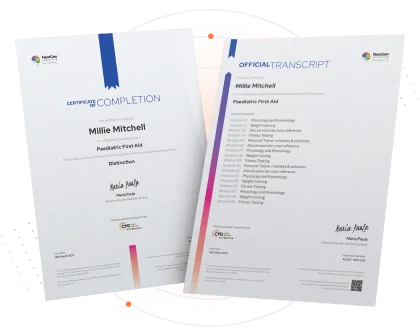
After completing the final exam, you’ll receive a CPD QS Accredited Certificate from NextGen Learning — a recognised credential that strengthens your CV.

  • Digital Certificate: £9.99

📌 Limited-time discounted pricing — secure your certificate while the offer lasts.

Nextgen Certificate

Who Is This Course For ?

  • Individuals learning accounting with spreadsheet tools

  • Beginners interested in bookkeeping and financial analysis

  • Office professionals working with financial data

  • Students preparing for accounting-related roles

  • Anyone wanting stronger Excel-based accounting skills

Microsoft Excel Accounting Training illustrating spreadsheet calculations, bookkeeping workflows and financial data organisation. This image represents Excel for accounting tasks such as formulas, charts and financial statements. It highlights accounting spreadsheets used for analysis, reporting and accuracy. Visual overview of Excel-based accounting and bookkeeping processes.

Requirements of Microsoft Excel Accounting Training

The Microsoft Excel Accounting Training requires no prior degree or experience. Therefore, all you require is English proficiency, numeracy literacy, and a gadget with a stable internet connection. Consequently, you can learn and train for a prosperous career in the thriving and fast-growing industry, without any fuss.

Moreover, this course is designed to guide learners step by step. In addition, the lessons are organised in a logical flow, ensuring that each concept builds smoothly on the previous one. Consequently, learners gain confidence as they progress. Furthermore, the content connects theory with practical examples, making the learning experience more engaging. Similarly, complex topics are simplified so that beginners can understand them easily. As a result, learners can apply the knowledge in real situations. On the other hand, those with prior experience can refine their existing skills. Therefore, the course supports continuous improvement for all learners. Ultimately, it provides a structured pathway that helps students achieve their learning goals effectively.online communication skills

Moreover, this course is designed to guide learners step by step. In addition, the lessons are organised in a logical flow, ensuring that each concept builds smoothly on the previous one. Consequently, learners gain confidence as they progress. Furthermore, the content connects theory with practical examples, making the learning experience more engaging. Similarly, complex topics are simplified so that beginners can understand them easily. As a result, learners can apply the knowledge in real situations. On the other hand, those with prior experience can refine their existing skills. Therefore, the course supports continuous improvement for all learners. Ultimately, it provides a structured pathway that helps students achieve their learning goals effectively.online communication skills

Career Path​ of Microsoft Excel Accounting Training

  • Accounting Assistant – supports bookkeeping and financial data management using spreadsheets.

  • Bookkeeping Support Officer – assists with transaction records and worksheet preparation.

  • Finance Administrator – manages financial data and reporting in Excel.

  • Accounts Clerk – supports accounting processes and record accuracy.

  • Financial Data Analyst (Junior) – assists with financial analysis and reporting tasks.

Moreover, this course is designed to guide learners step by step. In addition, the lessons are organised in a logical flow, ensuring that each concept builds smoothly on the previous one. Consequently, learners gain confidence as they progress. Furthermore, the content connects theory with practical examples, making the learning experience more engaging. Similarly, complex topics are simplified so that beginners can understand them easily. As a result, learners can apply the knowledge in real situations. On the other hand, those with prior experience can refine their existing skills. Therefore, the course supports continuous improvement for all learners. Ultimately, it provides a structured pathway that helps students achieve their learning goals effectively.online communication skills

Order Your Certificate

To order CPD Quality Standard Certificate, we kindly invite you to visit the following link:

FAQs - Microsoft Excel Accounting Training

Yes, learners receive 24/7 support through our email and live chat teams.

Yes, an accredited certificate is issued instantly upon successful course completion.

Data entry, basic formulas, formatting, charts, and simple data analysis.

Excel is used to record transactions, track expenses, prepare financial statements, and analyse financial data.

SUM, AVERAGE, COUNT, IF, VLOOKUP/XLOOKUP, MIN, and MAX.

Yes, Excel is widely used for bookkeeping, financial reporting, budgeting, and data analysis in accounting.

Course Curriculum

**Microsoft Excel**
Getting Started with Microsoft Office Excel 2016
Navigate the Excel User Interface 00:28:00
Use Excel Commands 00:10:00
Create and Save a Basic Workbook 00:19:00
Enter Cell Data 00:12:00
Use Excel Help 00:05:00
Performing Calculations
Create Worksheet Formulas 00:15:00
Insert Functions 00:17:00
Reuse Formulas and Functions 00:17:00
Modifying a Worksheet
Insert, Delete, and Adjust Cells, Columns, and Rows 00:10:00
Search for and Replace Data 00:09:00
Use Proofing and Research Tools 00:07:00
Formatting a Worksheet
Apply Text Formats 00:16:00
Apply Number Format 00:07:00
Align Cell Contents 00:09:00
Apply Styles and Themes 00:12:00
Apply Basic Conditional Formatting 00:11:00
Create and Use Templates 00:08:00
Printing Workbooks
Preview and Print a Workbook 00:10:00
Set Up the Page Layout 00:09:00
Configure Headers and Footers 00:07:00
Managing Workbooks
Manage Worksheets 00:05:00
Manage Workbook and Worksheet Views 00:07:00
Manage Workbook Properties 00:06:00
Working with Functions
Work with Ranges 00:18:00
Use Specialized Functions 00:11:00
Work with Logical Functions 00:23:00
Work with Date & Time Functions 00:08:00
Work with Text Functions 00:11:00
Working with Lists
Sort Data 00:10:00
Filter Data 00:10:00
Query Data with Database Functions 00:09:00
Outline and Subtotal Data 00:09:00
Analyzing Data
Welcome to my course FREE 00:01:00
Apply Intermediate Conditional Formatting 00:07:00
Apply Advanced Conditional Formatting 00:05:00
Visualizing Data with Charts
Create Charts 00:13:00
Modify and Format Charts 00:12:00
Use Advanced Chart Features 00:12:00
Using PivotTables and PivotCharts
Create a PivotTable 00:13:00
Analyze PivotTable Data 00:12:00
Present Data with PivotCharts 00:07:00
Filter Data by Using Timelines and Slicers 00:11:00
Working with Multiple Worksheets and Workbooks
Use Links and External References 00:12:00
Use 3-D References 00:06:00
Consolidate Data 00:05:00
Using Lookup Functions and Formula Auditing
Use Lookup Functions 00:12:00
Trace Cells 00:09:00
Watch and Evaluate Formulas 00:08:00
Sharing and Protecting Workbooks
Collaborate on a Workbook 00:19:00
Protect Worksheets and Workbooks 00:08:00
Automating Workbook Functionality
Apply Data Validation 00:13:00
Search for Invalid Data and Formulas with Errors 00:04:00
Work with Macros 00:18:00
Creating Sparklines and Mapping Data
Create Sparklines 00:07:00
MapData 00:07:00
Forecasting Data
Determine Potential Outcomes Using Data Tables 00:08:00
Determine Potential Outcomes Using Scenarios 00:09:00
Use the Goal Seek Feature 00:04:00
Forecasting Data Trends 00:05:00
**Accounting Training**
Professional Bookkeeper Introduction
Professional Bookkeeper 00:09:00
Introduction to Accounting and Business
Defining a Business 00:07:00
Ethics in Accounting 00:05:00
Generally Accepted Accounting Principles (GAAP) 00:10:00
The Accounting Equation
The Accounting Equation 00:07:00
 Transactions  00:11:00
Financial Statements 00:13:00
Analyzing Transactions
The Accounting Equation and Transactions 00:16:00
Double-Entry System 00:11:00
Transactions – Journalizing 00:17:00
Journal entries 00:07:00
Entering Information - Posting Entries
Posting Entries 00:10:00
The Trial Balance 00:10:00
Finding Errors Using Horizontal Analysis 00:09:00
Horizontal Trend : Balance Sheet 00:21:00
Horizontal Trend: Income Statement 00:36:00
Adjusting Process
The Purpose of the Adjusting Process 00:15:00
Adjusting Entries
Adjusting Entries – Prepaid Expenses 00:13:00
Adjusting Entries – Accrued Revenues 00:10:00
Adjusting Entries – Depreciation Expense 00:09:00
Adjustment Summary
Adjustment Summary – Review 00:13:00
Vertical Analysis 00:33:00
Preparing a Worksheet
Preparing a Worksheet 00:06:00
Financial Statements
The Income Statement 00:11:00
Financial Statements – Definitions 00:12:00
Completing the Accounting Cycle
Temporary vs. Permanent Accounts 00:19:00
The Accounting Cycle Illustrated
Accounting Cycle Illustrated – Steps 1-5 00:11:00
Accounting Cycle Illustrated – Steps 6-10 00:12:00
Fiscal Year
Fiscal Year 00:09:00
Spreadsheet Exercise
Spreadsheet Exercise – Steps 1-4 00:11:00
Spreadsheet Exercise – Steps 5-7 00:37:00
Order Your Certificate
Order Your Certificate 00:00:00

Related Courses

A product of

© 2026 NextGen Learning. All rights reserved

Home Search Cart Offers
Select your currency
GBP Pound sterling