




Top 10 Excel Skills Employers Look for in Job Candidates
In today’s data-driven workplace, having strong Microsoft Excel skills can be the difference between landing a job and being overlooked. From finance to marketing, operations to human resources, Excel is a tool that helps professionals analyze, organize, and present data efficiently. Employers increasingly expect candidates to be proficient in Excel, even at entry-level positions (LinkedIn Top Skills 2024).
Whether you’re a job seeker aiming to stand out or a professional looking to upskill, understanding the Excel skills most valued by employers can help you improve your employability, salary potential, and workplace efficiency.
In this guide, we’ll cover the top 10 Excel skills employers look for, real-world applications, and how learning these skills through structured training can give you a competitive edge.
Table of Contents
Pivot Tables
Why it matters:
Pivot tables allow users to summarize large datasets dynamically, making them one of the most powerful tools in Excel. Candidates who can create and manipulate pivot tables are highly valued because they can transform raw data into actionable insights quickly.
Skills Employers Seek:
- Creating pivot tables from complex datasets.
- Filtering and grouping data for summary reports.
- Calculating subtotals, averages, and percentages.
- Creating pivot charts to visualize insights.
Real-World Use Case:
A business analyst might use pivot tables to summarize sales data by region, product, and month to support management decisions.
External Resource: Learn more about pivot tables from Microsoft Excel Support.
Data Visualization (Charts and Graphs)
Why it matters:
Employers value candidates who can communicate data clearly. Excel charts and graphs allow professionals to convert complex datasets into visual stories that decision-makers can easily understand.
Top Charts Candidates Should Know:
- Column and Bar Charts: Compare categorical data.
- Line Charts: Track trends over time.
- Pie Charts: Show proportions or percentages.
- Combo Charts: Combine multiple data types in one visualization.
Example Application:
A marketing analyst might create a line chart showing website traffic trends, while a finance professional could use a column chart to display revenue by product line.
Tip: Beginners and intermediates can practice charts in our MOS course with step-by-step exercises that simulate real workplace tasks.
Conditional Formatting
Why it matters:
Conditional formatting allows users to highlight trends, anomalies, or critical metrics automatically. This skill is highly sought after because it helps teams identify important data quickly without manual review.
Common Applications:
- Highlight overdue tasks in project timelines.
- Color-code sales targets to identify top-performing regions.
- Track expenses that exceed budget limits automatically.
Real-World Scenario:
HR professionals can use conditional formatting to flag employees whose performance metrics fall below benchmarks, enabling quicker interventions.
Macros and Automation
Why it matters:
Automation is a high-value skill that saves time and reduces errors. Candidates who can create macros or use VBA (Visual Basic for Applications) can streamline repetitive tasks, making them highly attractive to employers.
Practical Examples:
- Automating monthly report generation.
- Standardizing data import and formatting processes.
- Creating dashboards that update automatically.
Career Impact:
Automation skills can differentiate candidates for roles like business analyst, financial analyst, or operations manager.

Formulas and Functions
Why it matters:
Formulas are the foundation of Excel. They allow users to perform calculations, manipulate data, and automate tasks. Employers value candidates who can use formulas to analyze data accurately and efficiently.
Key Formulas Employers Look For:
- SUM, AVERAGE, COUNT: Basic arithmetic and statistical operations.
- IF Statements: Logical reasoning to automate decisions.
- VLOOKUP/HLOOKUP & INDEX/MATCH: Search and cross-reference data quickly.
- TEXT, CONCATENATE, LEFT/RIGHT Functions: Manage text and clean datasets.
Practical Application:
A finance assistant might use SUM and IF statements to calculate monthly expenses, while a marketing analyst could use VLOOKUP to match campaign performance data across different sheets.
Pro Tip: Structured courses like the Microsoft Office Specialist (MOS) course teach these formulas in practical, real-world scenarios.

Advanced Formulas
Beyond basic formulas, employers often seek candidates who can use nested formulas and logical operations to solve complex problems.
Examples Include:
- Nested IF statements
- Combining INDEX & MATCH
- Array formulas for advanced calculations
Real-World Application:
A supply chain analyst might use nested formulas to calculate inventory reorder levels based on multiple variables such as stock, demand forecasts, and lead time.
Scenario Analysis and What-If Modeling
Why it matters:
Excel’s scenario analysis tools—like Goal Seek, Data Tables, and Scenario Manager—allow professionals to forecast outcomes and test assumptions.
Practical Use Case:
- Finance professionals model different budget scenarios.
- Marketing teams test campaign outcomes under varying assumptions.
- Operations managers forecast production levels under different demand conditions.
Candidates familiar with these tools demonstrate strategic thinking and decision-making skills.
Collaboration and Sharing Skills
Why it matters:
Modern workplaces require collaboration. Candidates who know how to share workbooks, use comments, and track changes in Excel are more likely to succeed in team environments.
Examples:
- Sharing live dashboards via OneDrive or SharePoint.
- Tracking edits for multi-user reports.
- Protecting worksheets while allowing team input.
Being able to collaborate efficiently improves team productivity and decision-making.
Why These Skills Boost Employability and Salary Potential
Candidates with strong Excel skills are often:
- More competitive in hiring processes (LinkedIn Skills Report 2024)
- Eligible for higher-paying roles, such as data analyst, operations manager, or financial analyst
- Able to contribute immediately in their jobs by improving efficiency and accuracy
Even basic proficiency with formulas and charts can make a candidate stand out, while advanced skills like macros, pivot tables, and scenario analysis can significantly increase career growth and earning potential.
How to Learn These Excel Skills Quickly
While self-learning resources exist, structured courses accelerate skill acquisition. The Microsoft Office Specialist (MOS) course offers:
- Hands-on exercises in Excel, Word, PowerPoint, and Access
- Practical training for workplace scenarios
- Certification to showcase your skills to potential employers
- Guidance on intermediate and advanced Excel techniques like pivot tables, macros, and dashboards
Combining structured learning with regular practice ensures you gain real-world skills that employers actively seek.
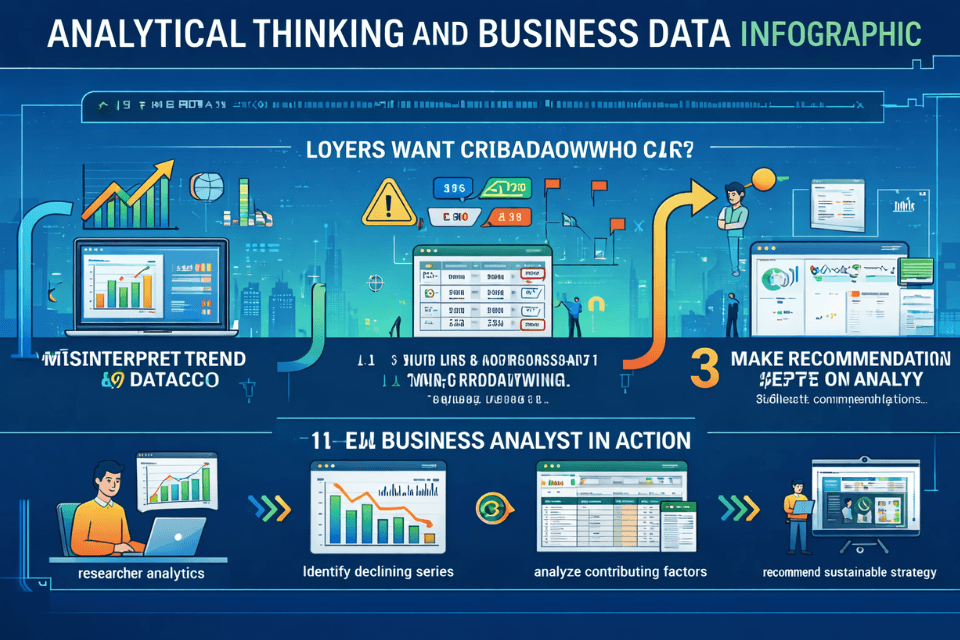
Analytical Thinking and Problem Solving
Finally, Excel isn’t just about tools—it’s about thinking critically about data. Employers want candidates who can:
- Interpret trends in datasets.
- Identify discrepancies and inconsistencies.
- Make recommendations based on analysis.
Example:
A business analyst may identify declining sales in a region, analyze contributing factors using Excel, and suggest corrective strategies.
Conclusion: Master Excel Skills to Stand Out in the Job Market
Excel is more than just a spreadsheet tool—it’s a gateway to better employability, higher productivity, and career growth. By mastering these top 10 Excel skills, job seekers can:
- Analyze and interpret data effectively
- Automate repetitive tasks and workflows
- Communicate insights clearly with charts and dashboards
- Collaborate efficiently in teams
- Improve their career prospects and earning potential
Take Action Today: Enroll in the Microsoft Office Specialist (MOS) course to gain structured, practical Excel skills and certification that impress employers.
Frequently Asked Questions About DSL vs Safeguarding Officer Roles
Employers look for essential Excel skills such as formulas, pivot tables, data visualization, conditional formatting, and data analysis. Advanced skills like macros and automation are also highly valued in many roles.
Excel skills help candidates analyze data, create reports, and improve efficiency in the workplace. Strong Excel knowledge can increase employability and make candidates more competitive in the job market.
Not always. Basic Excel skills like using formulas, sorting data, and creating charts are enough for many entry-level roles. However, advanced skills can give you a strong advantage and open up better career opportunities.
Start with basic formulas like SUM, AVERAGE, and COUNT. Then move on to IF statements, VLOOKUP, and INDEX/MATCH for more advanced data analysis tasks.
Pivot tables allow users to quickly summarize and analyze large datasets. They help in creating reports, identifying trends, and making data-driven decisions efficiently.
Yes, professionals with strong Excel skills are often eligible for higher-paying roles such as data analyst, financial analyst, and operations manager. Advanced skills can significantly boost earning potential.
You can learn Excel through online courses, tutorials, and regular practice. Structured training programs with real-world examples can help you gain practical skills faster and more effectively.
Microsoft Office - MS Word, Excel, Access & PowerPoint

0 responses on "Top 10 Excel Skills Employers Look for in Job Candidates"