Popular Courses

Brand
Awarding body image

IT for Dummies

Overview of IT for Dummies Course

Technology skills are now essential in almost every workplace, business environment, and everyday activity. This IT for beginners course is designed to help learners understand basic computer systems, digital tools, and essential information technology skills in a simple, practical, and beginner-friendly way.

The course explains how computers, software, and digital systems work in modern environments. You will learn about computer operations, internet usage, file management, email communication, online safety, and common workplace technology tools used across different industries and professional settings.

Moreover, this basic IT course introduces important concepts related to information technology, computer applications, digital communication systems, software awareness, and basic troubleshooting methods that support everyday digital tasks.

In addition, the training focuses on helping learners improve confidence in using technology for work, study, communication, and personal activities. You will also explore how digital systems improve productivity, collaboration, organisation, and access to information in modern workplaces.

Furthermore, the course highlights practical examples showing how IT skills are applied in offices, businesses, schools, customer service environments, and remote working situations where digital communication and computer knowledge are important.

The course also explains how safe internet practices, software awareness, digital organisation, and responsible technology use help individuals work more efficiently and securely with modern digital systems.

By the end of the course, learners will have a strong understanding of information technology training concepts, essential computer skills, and practical digital knowledge useful for both personal and professional environments.

Exclusive Course Glimpse

Description of IT for Dummies Course

This computer skills course explains how information technology systems support communication, organisation, productivity, and digital work activities in everyday personal and professional environments. The course is designed to help beginners build confidence in using computers and digital technologies through simple and practical learning methods.

You will also explore beginner IT training concepts related to computer operation, software usage, internet browsing, email communication, digital collaboration tools, and online safety awareness used in modern workplaces and daily digital activities.

Moreover, the course introduces important topics such as operating systems, file organisation, cloud storage basics, internet applications, software navigation, and digital communication methods commonly used in offices, businesses, and online environments.

In addition, the training focuses on helping learners improve digital confidence, understand basic troubleshooting methods, manage files effectively, and use common technology tools more efficiently in everyday situations.

What You Will Learn

  • Understand computer and IT fundamentals
  • Learn internet browsing and email usage
  • Explore digital communication tools
  • Understand file and folder management methods
  • Learn online safety and cybersecurity basics
  • Improve confidence in using software applications
  • Explore cloud storage and digital tools
  • Understand basic troubleshooting techniques
  • Learn practical workplace IT skills
  • Improve digital organisation methods
  • Understand responsible internet usage
  • Develop confidence in everyday technology use

Why Choose Us?​

  • Beginner-friendly IT training
  • Simple and practical explanations
  • Flexible online learning access
  • Real digital workplace examples
  • Step-by-step guided lessons
  • Supports computer skills development
  • Focus on everyday technology use

Certificate of Achievement

Upon successful completion, you will qualify for the UK and internationally-recognised CPD certificate .

This helps you:

  • Improve your CV
  • Show basic IT knowledge
  • Support digital workplace applications
  • Build confidence in technology use
  • Strengthen computer skills awareness
Nextgen Certificate

Who Is This Course For?​

  • IT beginners
  • Office workers
  • Students
  • Job seekers
  • Remote workers
  • Anyone interested in computer skills

Requirements of IT for Dummies Course

  • Basic English understanding
  • Interest in technology and computers
  • Internet connection
  • Any digital device
  • No previous experience required

Career Path of IT for Dummies Course

Completing this computer fundamentals course can support opportunities in office administration, customer support, digital workplaces, and entry-level IT environments. Moreover, basic computer and technology skills are highly valuable across many industries.

Common roles include:

Office Assistant:
Support daily office tasks including documentation, communication, and scheduling activities

Administrative Support Staff:
Assist with administrative duties, record management, and office coordination tasks

Data Entry Assistant:
Maintain and organise digital records by accurately entering and updating information

Customer Service Assistant:
Support customer communication and assist with enquiries through digital and office systems

IT Support Assistant:
Provide basic technical support and help users with common computer-related issues

Digital Operations Support Staff:
Assist with digital workflows, online systems, and operational support activities

Career opportunities may vary depending on experience, qualifications, and workplace requirements.

Order Your Certificate

To order your Certificate, we kindly invite you to visit the following link

Frequently Asked Questions - of IT for Dummies Course

An IT for beginners course teaches basic computer skills, internet usage, digital communication, software understanding, and essential information technology concepts used in everyday life and workplace environments. It helps learners build confidence in using computers and digital tools.

Yes, this basic IT course is beginner-friendly and explains computer and technology concepts in simple and easy-to-understand language. No previous IT experience is required.

In information technology training, you will learn computer basics, internet and email usage, online safety practices, file management methods, software operation, digital communication tools, and basic troubleshooting techniques.

A computer skills course is important because digital skills are essential in modern workplaces and everyday life. It helps individuals work more efficiently, communicate online, manage information, and use technology with confidence.

Yes, you can study beginner IT training online. Online learning provides flexible access to IT education and digital skills training from anywhere at your own pace.

This course is ideal for students, office workers, job seekers, beginners, senior learners, and anyone interested in improving computer and digital technology skills.

Course Curriculum

Section 1: Introduction
Unit 1: Introduction 00:01:00
Unit 2: Course Outline 00:06:00
Section 2: Information Technology
Unit 1: Facts about Information Technology (IT) 00:05:00
Unit 2: What is Information Technology & How IT Works 00:02:00
Section 3: Components of IT
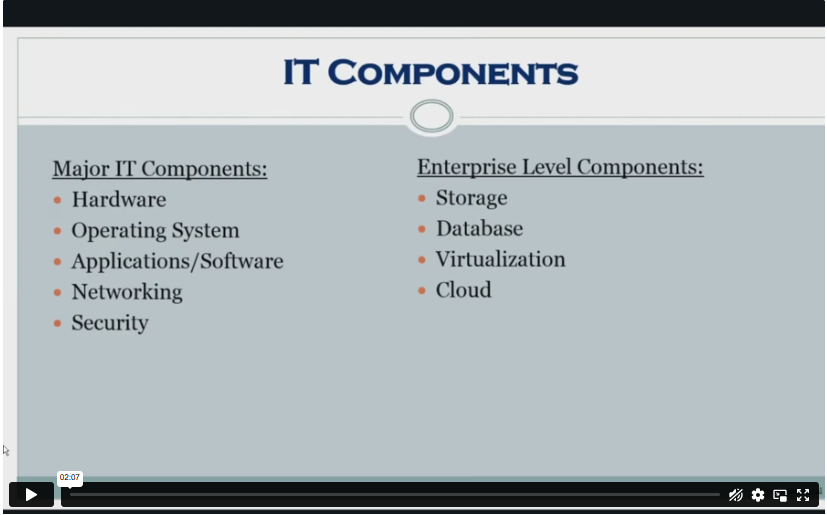
Unit 1: IT Components 00:02:00
Section 4: Hardware
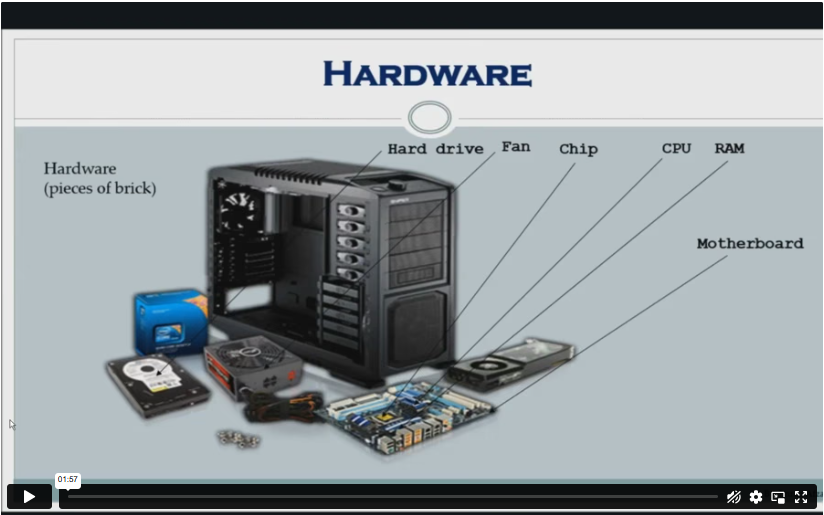
Unit 1: What is Hardware 00:02:00
Unit 2: Examples of Computer 00:02:00
Unit 3: Computer Hardware Manufacturers 00:04:00
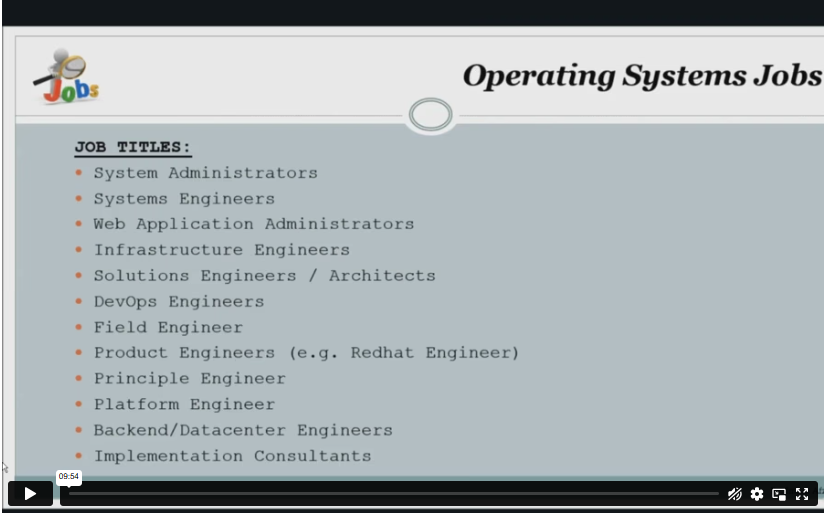
Unit 4: Hardware Jobs 00:05:00
Section 5: Operating System
Unit 1: What is Operating System 00:02:00
Unit 2: Examples of Operating System 00:08:00
Unit 3: Operating System Jobs 00:10:00
Unit 4: OS Tools Related Jobs 00:02:00
Section 6: Application/Software
Unit 1: What is Application/Software 00:03:00
Unit 2: Software Building Tools and Languages 00:03:00
Unit 3: Software/Application Building Jobs 00:03:00
Unit 4: Software/Application User Jobs 00:03:00
Section 7: Networking
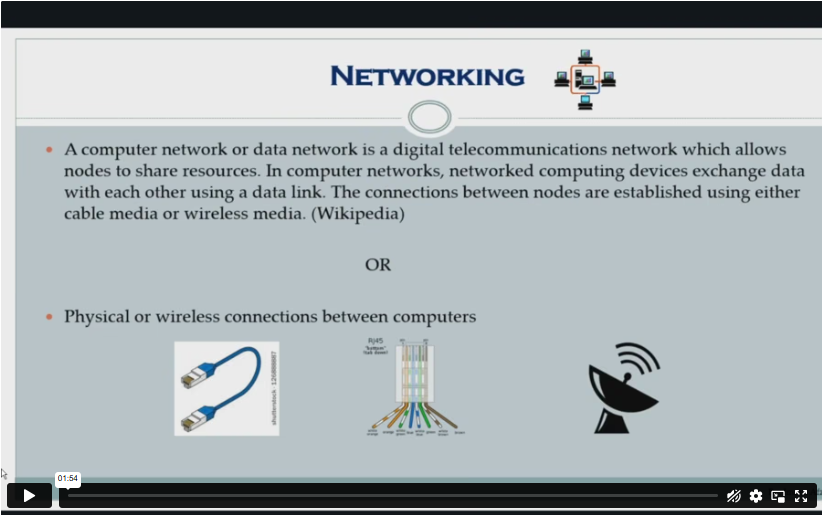
Unit 1: What is Computer Networking 00:02:00
Unit 2: Computer Network Companies 00:02:00
Unit 3: Network Jobs 00:04:00
Section 8: Security
Unit 1: What is Computer Security 00:02:00
Unit 2: Security Companies 00:01:00
Unit 3: Security Jobs 00:03:00
Section 9: Traffic Flow & Enterprise Level IT Components
Unit 1: How Information Flow within IT 00:02:00
Unit 2: Enterprise Level IT Components 00:02:00
Section 10: Storage
Unit 1: What is Storage 00:05:00
Unit 2: Storage Companies and Technologies 00:02:00
Unit 3: Jobs in Storage 00:02:00
Section 11: Database
Unit 1: What is Database 00:02:00
Unit 2: Database Type and Technologies 00:04:00
Unit 3: Database Jobs 00:02:00
Section 12: Virtualisation & Cloud
Unit 1: What is Virtualisation 00:03:00
Unit 2: What is Cloud Technology 00:02:00
Unit 3: Virtualisation and Cloud Companies 00:02:00
Unit 4: Virtualisation and Cloud Jobs 00:02:00
Section 13: Management & Other IT Jobs
Unit 1: IT Management Jobs 00:03:00
Unit 2: Other IT Jobs 00:09:00
Assignment
Assignment – IT for Dummies 00:00:00
Order Your Certificate
Order Your Certificate 00:00:00

Related Courses

A product of

© 2026 NextGen Learning. All rights reserved

Home Search Cart Offers