




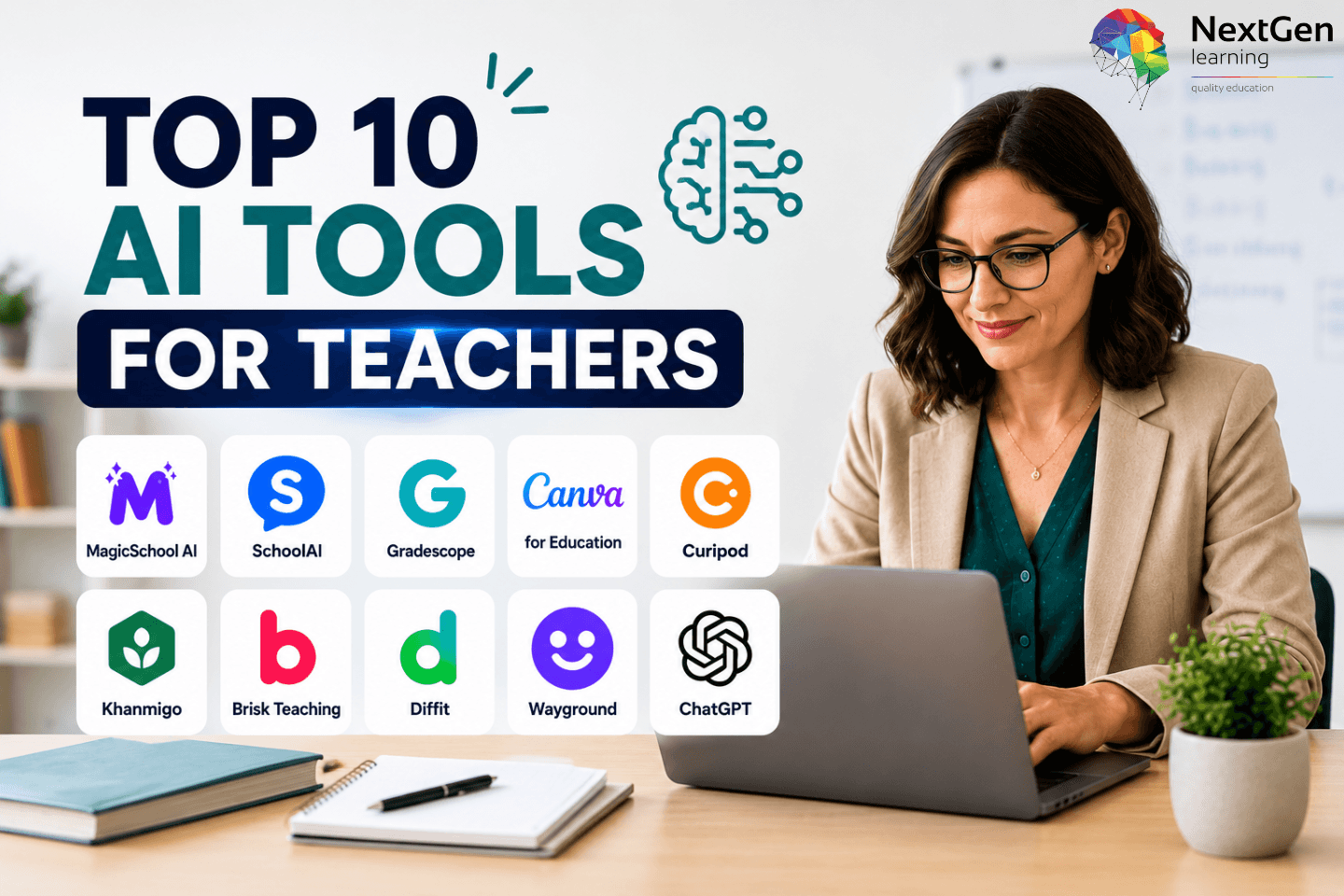
Top 10 AI Tools for Teachers: Best AI Teaching Tools for Lesson Planning, Grading, Creativity and Classroom Engagement
AI tools for teachers are no longer just experimental classroom extras. Instead, they have become useful teaching assistants for planning lessons, creating quizzes, adapting reading materials, giving feedback, and building more engaging learning activities. As a result, many teachers now use AI to save time on repetitive tasks while keeping their own judgement at the centre of learning.
However, not every AI tool is worth adding to your teaching workflow. Some tools work best for lesson planning, while others support grading, visual design, science tutoring, language learning, history resources, classroom games, or writing support. Therefore, the best choice depends on what you actually need to improve in your classroom.
In this guide, we will cover the top 10 AI tools for teachers across the most useful teaching categories. You will find tools for lesson planning, AI grading, art, health education, science, foreign languages, history, fun classroom activities, creative brainstorming, and writing. Moreover, you will also find bonus AI tools that are worth exploring if you want to build a stronger digital teaching toolkit.
Importantly, this list is designed for real classroom use. Each tool is selected based on how clearly it supports teachers, how easily it fits into common teaching tasks, and how useful it can be for saving time without lowering learning quality.
In this blog, you will learn:
- Which AI tools are best for different teaching needs
- How each tool can support lesson preparation and classroom delivery
- Which tools are better for grading, creativity, quizzes, or differentiation
- What limitations teachers should consider before using AI
- Which bonus AI tools may be useful beyond the top 10
AI can help teachers work faster. However, it should not replace teacher expertise, student relationships, or careful review. The strongest results come when teachers use AI as a support tool, not as the final decision-maker.
Table of Contents
Why Teachers Are Using AI Tools in the Classroom
Teachers are using AI tools because classroom work now involves more than delivering lessons. In addition to teaching, many educators manage planning, marking, differentiation, feedback, behaviour support, parent communication, admin tasks, and resource creation. Therefore, AI can help reduce workload when teachers use it carefully and review the output before sharing it with students.
AI tools for teachers are especially useful for saving time during preparation. For example, a teacher can turn a topic into a lesson outline, create a quiz from a reading passage, simplify a text for lower-level learners, or generate discussion questions for a classroom activity. As a result, teachers can spend less time starting from a blank page and more time improving the quality of the lesson.
However, AI should not replace professional judgement. Teachers still need to check accuracy, adapt materials to their learners, and make sure content matches the curriculum. Moreover, teachers should avoid entering sensitive student data into AI tools unless the tool is approved by their school or organisation.
AI teaching tools can support teachers in several key areas:
- Lesson planning: Create lesson outlines, activities, objectives, and warm-up tasks faster.
- Assessment and grading: Generate rubrics, feedback comments, quizzes, and question banks.
- Differentiation: Adjust reading levels, simplify instructions, and support mixed-ability classes.
- Creativity: Build writing prompts, visual resources, classroom games, and project ideas.
- Student engagement: Create polls, quizzes, discussions, and interactive learning activities.
- Subject support: Help with science explanations, language practice, history reading tasks, and health education discussions.
In addition, AI can help teachers make lessons more inclusive. For instance, it can support multilingual learners, students who need simpler reading materials, or learners who benefit from visual explanations. Consequently, AI can improve access when teachers use it with care.
The best AI tools for teachers do not simply produce content. Instead, they help teachers make better decisions, save time, and create clearer learning experiences. Therefore, the right tool should match a real teaching need, not just look impressive.


Quick Comparison: Best AI Tools for Teachers by Category
Before choosing an AI teaching tool, it helps to compare each option by purpose. Some tools work best for planning and preparation, while others focus on grading, visuals, quizzes, differentiation, or subject-specific support. Therefore, the table below gives teachers a quick starting point before exploring each tool in detail.
| Category | Best AI Tool | Best For | Why Teachers May Use It |
|---|---|---|---|
| Lesson Planning | MagicSchool AI | Lesson plans, rubrics, assessments, differentiation | Helps teachers create structured classroom materials quickly. |
| Get Started | SchoolAI | Beginner-friendly AI support | Gives teachers an easy way to explore AI for classroom tasks. |
| AI Grader | Gradescope | Grading exams, quizzes, and assignments | Speeds up marking by grouping similar answers and supporting consistent feedback. |
| Art | Canva for Education | Visual design, posters, worksheets, presentations | Helps teachers create attractive classroom resources and learning visuals. |
| Health Education | Curipod | Interactive lessons, discussion activities, polls | Supports engaging lessons on wellbeing, health, and decision-making topics. |
| Science | Khanmigo | Science support, tutoring-style explanations, lesson ideas | Helps students think through concepts while supporting teacher planning. |
| Foreign Languages | Brisk Teaching | Translation, text adaptation, multilingual support | Helps teachers adjust content for language learners and mixed-ability groups. |
| History | Diffit | Reading passages, comprehension tasks, vocabulary support | Makes historical texts easier to adapt for different reading levels. |
| Fun Classroom Activities | Wayground / Quizizz AI | Quizzes, games, live activities, formative assessment | Turns lessons into more interactive and engaging learning experiences. |
| Creative & Brainstorming / Writing | ChatGPT | Ideas, writing prompts, explanations, feedback drafts | Helps teachers brainstorm, draft, rewrite, and organise teaching content. |
This comparison shows that there is no single “best” AI tool for every teacher. Instead, the best option depends on the task. For example, a teacher who spends too much time planning may benefit from MagicSchool AI. In contrast, a teacher who needs faster marking support may prefer Gradescope.
Moreover, subject teachers should choose tools that match their classroom needs. A history teacher may find Diffit useful for adapting source materials. Meanwhile, an art teacher may prefer Canva for Education because it supports visual learning and creative classroom design. As a result, teachers can build a small toolkit rather than relying on one platform for everything.
Quick recommendation:
- Choose MagicSchool AI if lesson planning is your main challenge.
- Choose Gradescope if marking takes too much time.
- Choose Canva for Education if you create many visual resources.
- Choose Khanmigo if you want tutoring-style science and study support.
- Choose ChatGPT if you need flexible brainstorming and writing help.
Overall, the strongest approach is to start with one clear problem. Then, choose the tool that solves that problem best. This keeps AI use purposeful, manageable, and easier to evaluate.
1. MagicSchool AI — Best AI Tool for Lesson Planning

MagicSchool AI is one of the best AI tools for teachers who want faster lesson planning and resource creation. It is built specifically for education, so it offers tools for lesson plans, rubrics, assessments, feedback, differentiation, behaviour support, and classroom communication. Therefore, it is a strong first choice for teachers who want an AI platform designed around real teaching tasks.
Unlike a general AI writing tool, MagicSchool AI gives teachers ready-made options for common classroom needs. For example, a teacher can create a lesson plan from a topic, generate questions for a reading activity, rewrite content for a different grade level, or build a rubric for an assignment. As a result, teachers can reduce planning time while still adapting the final output to their students.
MagicSchool AI is especially useful for teachers who regularly create structured learning materials. However, teachers should still review every AI-generated lesson before using it. This matters because AI may miss curriculum details, local standards, school expectations, or the specific needs of a class.
Best classroom uses for MagicSchool AI
- Create lesson plans from a topic, objective, or standard.
- Generate rubrics for essays, projects, presentations, or classroom tasks.
- Build differentiated activities for mixed-ability learners.
- Draft student feedback comments more efficiently.
- Create assessment questions for quick checks, quizzes, or revision.
- Rewrite instructions in simpler language for better student access.
Why MagicSchool AI stands out
MagicSchool AI stands out because it focuses on teacher workflows rather than general content generation. In addition, it gives teachers a clear menu of classroom-ready tools, which makes it easier to use than starting with a blank prompt. Consequently, teachers who are new to AI may find it more practical than open-ended platforms.
It also supports better consistency. For instance, if a teacher needs a rubric, exit ticket, vocabulary list, and lesson summary for the same topic, they can create related materials in one place. Moreover, this can help maintain a smoother lesson flow.
Limitation to consider
MagicSchool AI can save time, but it should not replace curriculum planning. Teachers still need to check learning objectives, assessment quality, reading level, and factual accuracy. Therefore, the best way to use it is as a planning assistant, not as a final lesson designer.
Best for: lesson planning, differentiation, rubrics, assessment preparation, classroom communication
Ideal users: teachers who want an education-focused AI platform for everyday planning tasks
2. SchoolAI — Best Beginner-Friendly AI Tool for Getting Started

SchoolAI is a useful starting point for teachers who want to explore AI without feeling overwhelmed. It offers classroom-focused AI support for lesson planning, student activities, tutoring-style interactions, and teacher productivity. Therefore, it works well for educators who are new to AI and want a simple way to test how it can fit into their daily teaching routine.
One of SchoolAI’s strengths is that it makes AI feel more accessible. Instead of asking teachers to write complex prompts, it provides ready-made tools and classroom-friendly workflows. As a result, teachers can start with simple tasks such as generating lesson ideas, creating discussion prompts, building activities, or supporting student practice.
Moreover, SchoolAI can help teachers create AI-powered learning spaces where students interact with guided activities. This makes it useful for classrooms that want to use AI in a more controlled way. However, teachers should always check school policy before using student-facing AI features. In addition, they should make sure any activity is age-appropriate and aligned with safeguarding rules.
Best classroom uses for SchoolAI
- Create simple lesson ideas and classroom activities.
- Build AI-supported student practice spaces.
- Generate discussion prompts for different subjects.
- Support independent learning with guided AI interactions.
- Help teachers experiment with AI in a controlled environment.
- Save time when preparing starter tasks or extension activities.
Why SchoolAI stands out
SchoolAI stands out because it lowers the entry barrier for teachers. Many educators want to try AI, but they may not know where to begin. Therefore, a tool with structured options can make the first step easier.
In addition, SchoolAI can support both teacher preparation and student engagement. For example, a teacher may use it to prepare a lesson activity and then guide students through an AI-supported task. Consequently, it can work as both a productivity tool and a classroom engagement tool.
Limitation to consider
SchoolAI is helpful for getting started, but teachers should avoid relying on it without review. Like any AI platform, it can produce content that needs checking. Therefore, teachers should review outputs for accuracy, tone, difficulty level, and suitability before using them in lessons.
Best for: beginner AI use, classroom activities, student engagement, teacher productivity
Ideal users: teachers who want a simple, classroom-friendly way to start using AI
3. Gradescope — Best AI Grader for Teachers
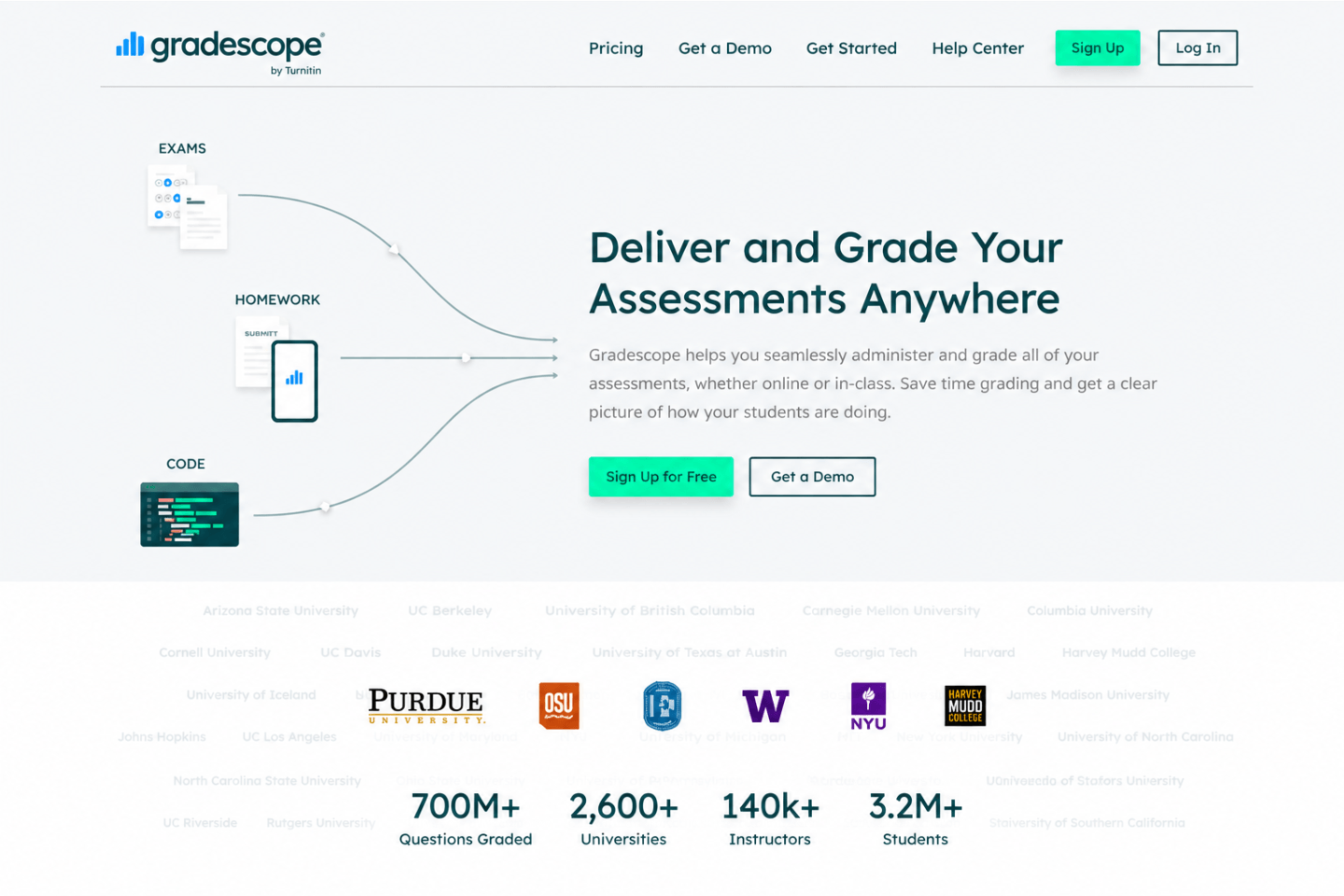
Gradescope is one of the best AI tools for teachers who spend a lot of time grading exams, quizzes, worksheets, and written responses. It helps teachers manage marking more efficiently by organising student answers and supporting consistent grading. Therefore, it is especially useful for teachers who handle large classes or repeated assessment formats.
Gradescope is not designed to replace teacher judgement. Instead, it helps teachers grade faster by grouping similar answers, applying rubrics, and keeping marking more consistent across submissions. As a result, teachers can spend less time sorting responses and more time giving meaningful feedback.
Moreover, Gradescope can support fairness in assessment. When teachers use clear rubrics, they can apply the same grading criteria across multiple students. This is particularly helpful when several teachers or teaching assistants mark the same assignment. However, teachers should still review answers carefully, especially when responses require interpretation, creativity, or subject-specific judgement.
Best classroom uses for Gradescope
- Grade exams, quizzes, homework, and written assignments.
- Use rubrics to apply marking criteria more consistently.
- Group similar answers to speed up review.
- Give feedback on repeated errors more efficiently.
- Manage grading for large classes or multiple sections.
- Review assessment trends and identify common student mistakes.
Why Gradescope stands out
Gradescope stands out because it focuses specifically on assessment workflows. Many AI tools can generate feedback, but Gradescope is better suited to structured grading. In addition, it helps teachers organise submissions, apply rubrics, and review patterns across student work.
For example, if many students make the same mistake in a science or maths answer, Gradescope can help teachers identify that pattern more quickly. Consequently, teachers can adjust the next lesson, revisit the concept, or create targeted revision tasks.
Limitation to consider
Gradescope is strongest when assessments have clear marking criteria. However, it may be less suitable for open-ended creative tasks that require rich personal judgement. Therefore, teachers should use it to support grading, not to remove human evaluation.
Best for: AI-assisted grading, rubrics, exams, quizzes, large-class assessment
Ideal users: teachers, lecturers, tutors, and departments that need faster and more consistent grading
4. Canva for Education — Best AI Tool for Art, Visuals and Classroom Design
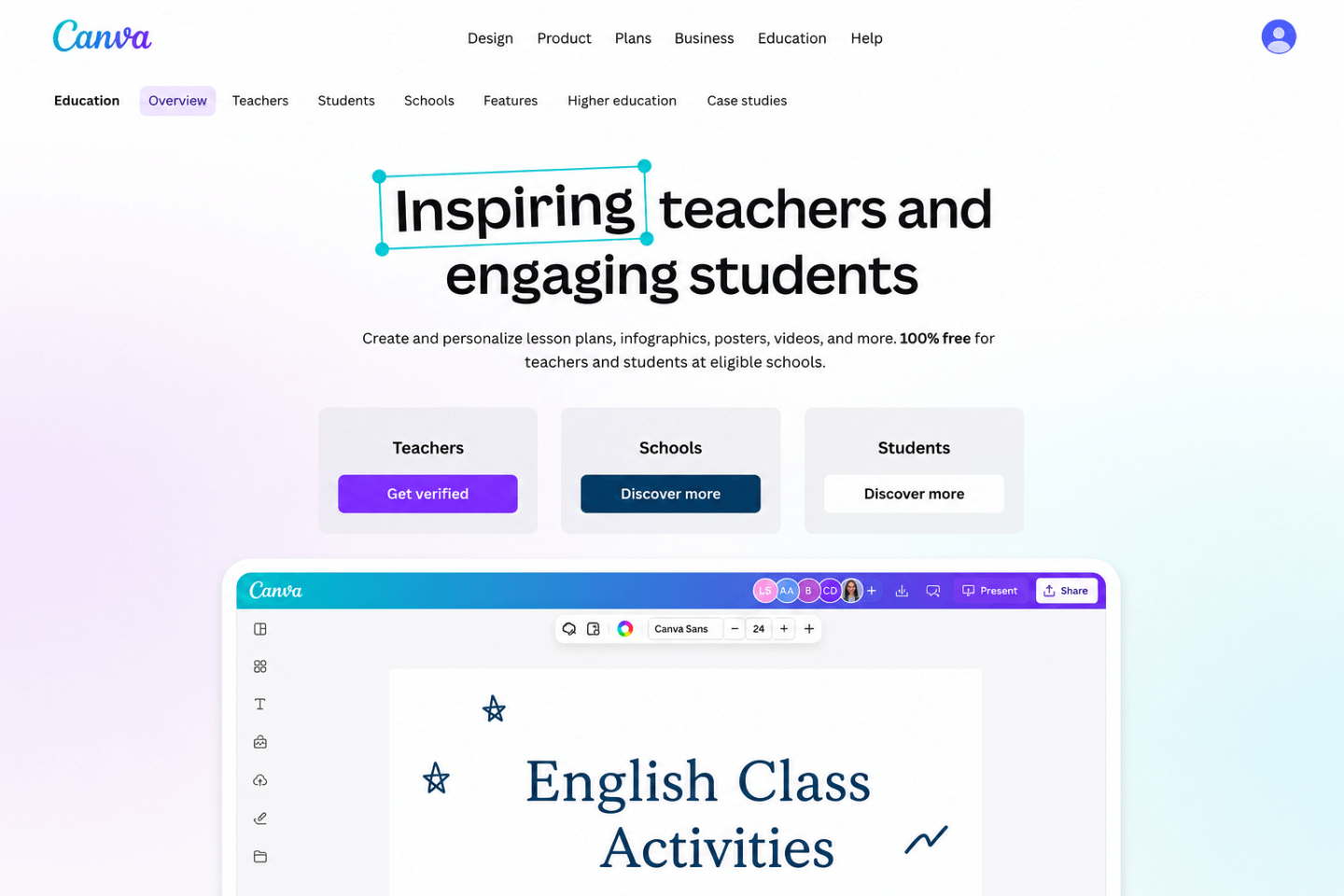
Canva for Education is one of the best AI tools for teachers who create visual learning materials. It helps teachers design posters, worksheets, presentations, infographics, classroom displays, flashcards, and social media-style learning content. Therefore, it is especially useful for art, design, primary education, project-based learning, and visually rich lessons.
Unlike tools that focus only on text, Canva supports visual communication. For example, a teacher can create a science diagram, classroom poster, vocabulary worksheet, history timeline, or art project brief. As a result, lessons can become more engaging and easier for students to follow.
Moreover, Canva’s AI features can help teachers generate layouts, images, text ideas, design suggestions, and quick classroom resources. This makes it useful for busy teachers who want professional-looking materials without spending hours on formatting. However, teachers should still check every design for accuracy, accessibility, and copyright suitability before using it in class.
Best classroom uses for Canva for Education
- Create posters, worksheets, slides, and classroom displays.
- Design visual instructions for projects and group activities.
- Build infographics for science, history, health education, or geography.
- Create art prompts, mood boards, and visual inspiration sheets.
- Make certificates, flashcards, revision sheets, and learning mats.
- Support students with visual learning resources and presentation templates.
Why Canva for Education stands out
Canva for Education stands out because it combines design templates with AI-supported content creation. In addition, it is easy for teachers and students to use, even without graphic design experience. Consequently, it helps classrooms produce cleaner and more engaging materials.
It is also useful across many subjects. For instance, an art teacher can use it for creative briefs and portfolio layouts. Meanwhile, a history teacher can create timelines, and a science teacher can build labelled diagrams. Therefore, Canva is not only an art tool; it is a flexible visual learning platform.
Limitation to consider
Canva can make resources look polished quickly. However, attractive design does not always mean strong learning design. Teachers should still check whether the material supports the learning objective, uses readable text, and avoids unnecessary visual clutter. In addition, AI-generated images should be reviewed carefully before classroom use.
Best for: art, classroom visuals, presentations, posters, worksheets, infographics
Ideal users: teachers who want visually engaging classroom materials with minimal design effort
5. Curipod — Best AI Tool for Health Education and Interactive Lessons
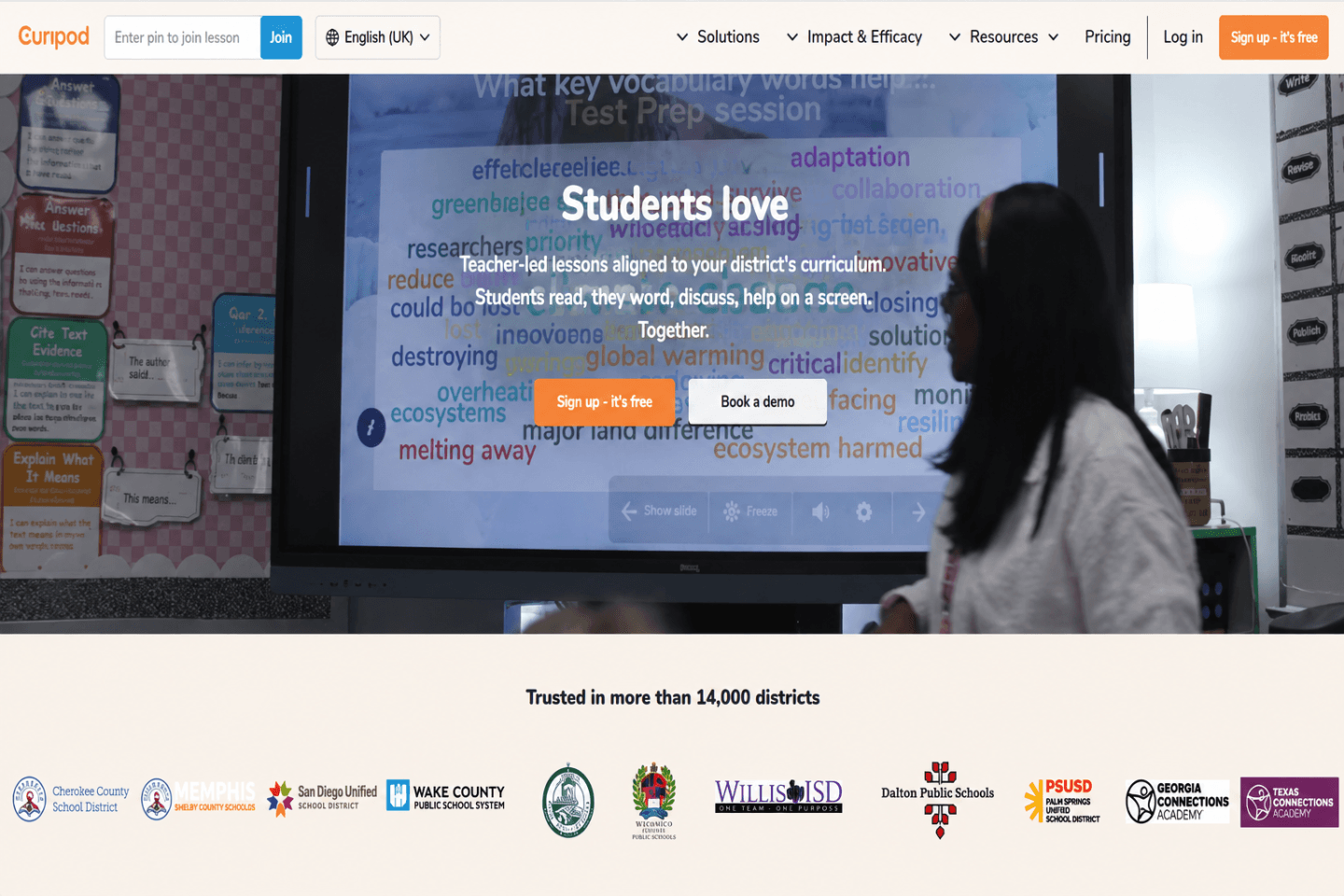
Curipod is a strong AI tool for teachers who want to make lessons more interactive. It helps teachers create slide-based lessons with polls, open questions, drawing tasks, reflection prompts, and discussion activities. Therefore, it works especially well for health education, wellbeing, personal development, citizenship, and other topics where student reflection matters.
Health education often needs more than factual explanation. Students may need to discuss choices, evaluate risks, reflect on habits, or respond to real-life scenarios. As a result, Curipod can help teachers create activities that encourage participation rather than passive listening.
Moreover, Curipod is useful when teachers want quick formative assessment. For example, a teacher can ask students to respond to a health-related scenario, vote in a poll, or explain a decision in their own words. Consequently, the teacher can see what students understand and where more guidance is needed.
Best classroom uses for Curipod
- Create interactive health education lessons.
- Build polls on wellbeing, choices, safety, or lifestyle topics.
- Use reflection prompts for personal and social learning.
- Add open-ended questions to encourage class discussion.
- Check student understanding during the lesson.
- Turn quiet topics into more engaging classroom conversations.
Why Curipod stands out
Curipod stands out because it supports active participation. Instead of only generating slides, it helps teachers build lessons where students respond, vote, draw, reflect, and discuss. In addition, this format can make sensitive or discussion-based topics easier to teach.
For example, in a health education lesson, a teacher could use Curipod to ask students how they would respond to peer pressure, online safety risks, or stress management situations. Then, the teacher can guide the discussion based on student responses. Therefore, the tool supports both engagement and teacher-led learning.
Limitation to consider
Curipod can make lessons more engaging, but teachers still need to manage discussion carefully. This is especially important in health education, where topics may involve personal experiences, safeguarding concerns, or sensitive issues. Therefore, teachers should set clear ground rules and review AI-generated prompts before using them.
Best for: health education, wellbeing lessons, polls, reflection tasks, discussion-based learning
Ideal users: teachers who want to make lessons more interactive and student-centred
6. Khanmigo — Best AI Tool for Science Support and Student Tutoring
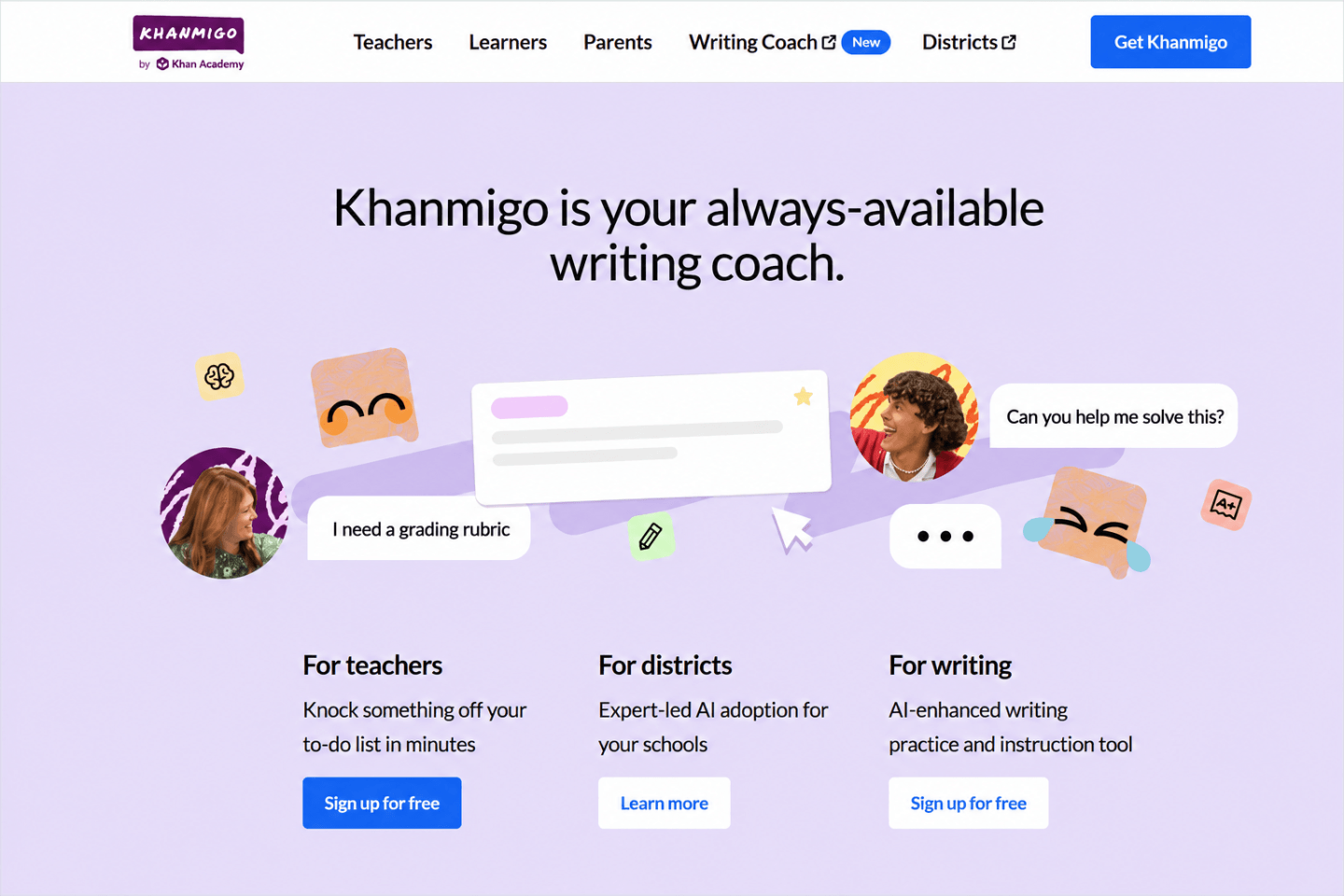
Khanmigo is a useful AI tool for teachers who want tutoring-style support for students. It works well for science because students often need guided explanation, step-by-step thinking, and help with difficult concepts. Therefore, Khanmigo can support learning without simply giving students final answers.
Science teaching often involves ideas that students cannot fully understand through memorisation alone. For example, learners may need to explain forces, chemical reactions, ecosystems, electricity, cells, or energy transfer in their own words. As a result, an AI tutor can help students practise reasoning while teachers focus on deeper instruction and correction.
Moreover, Khanmigo can help teachers prepare learning activities. Teachers can use it for lesson ideas, discussion questions, exit tickets, explanations, and revision support. Consequently, it can work as both a teacher planning assistant and a student learning support tool.
Best classroom uses for Khanmigo
- Support students with guided science explanations.
- Create science discussion questions and lesson hooks.
- Generate exit tickets for checking student understanding.
- Help students practise reasoning through difficult concepts.
- Support revision before science quizzes or exams.
- Encourage students to explain answers rather than copy them.
Why Khanmigo stands out
Khanmigo stands out because it encourages learning through guidance. Instead of only producing quick answers, it can help students think through a problem. In addition, this makes it more suitable for education than many general AI chat tools.
For science teachers, this matters because the process is often as important as the answer. For instance, a student learning about energy transfer needs to explain why energy moves through a system. Similarly, a student studying biology needs to connect structure and function. Therefore, Khanmigo can support deeper thinking when teachers use it as part of a planned learning activity.
Limitation to consider
Khanmigo can support science learning, but teachers should still check explanations for accuracy and curriculum fit. In addition, schools should review student access, privacy settings, and age suitability before using any AI tutor. Therefore, teachers should introduce it with clear expectations and regular oversight.
Best for: science support, AI tutoring, revision, guided explanations, lesson hooks
Ideal users: science teachers, STEM teachers, tutors, and schools that want guided student support
7. Brisk Teaching — Best AI Tool for Foreign Languages and Differentiated Reading
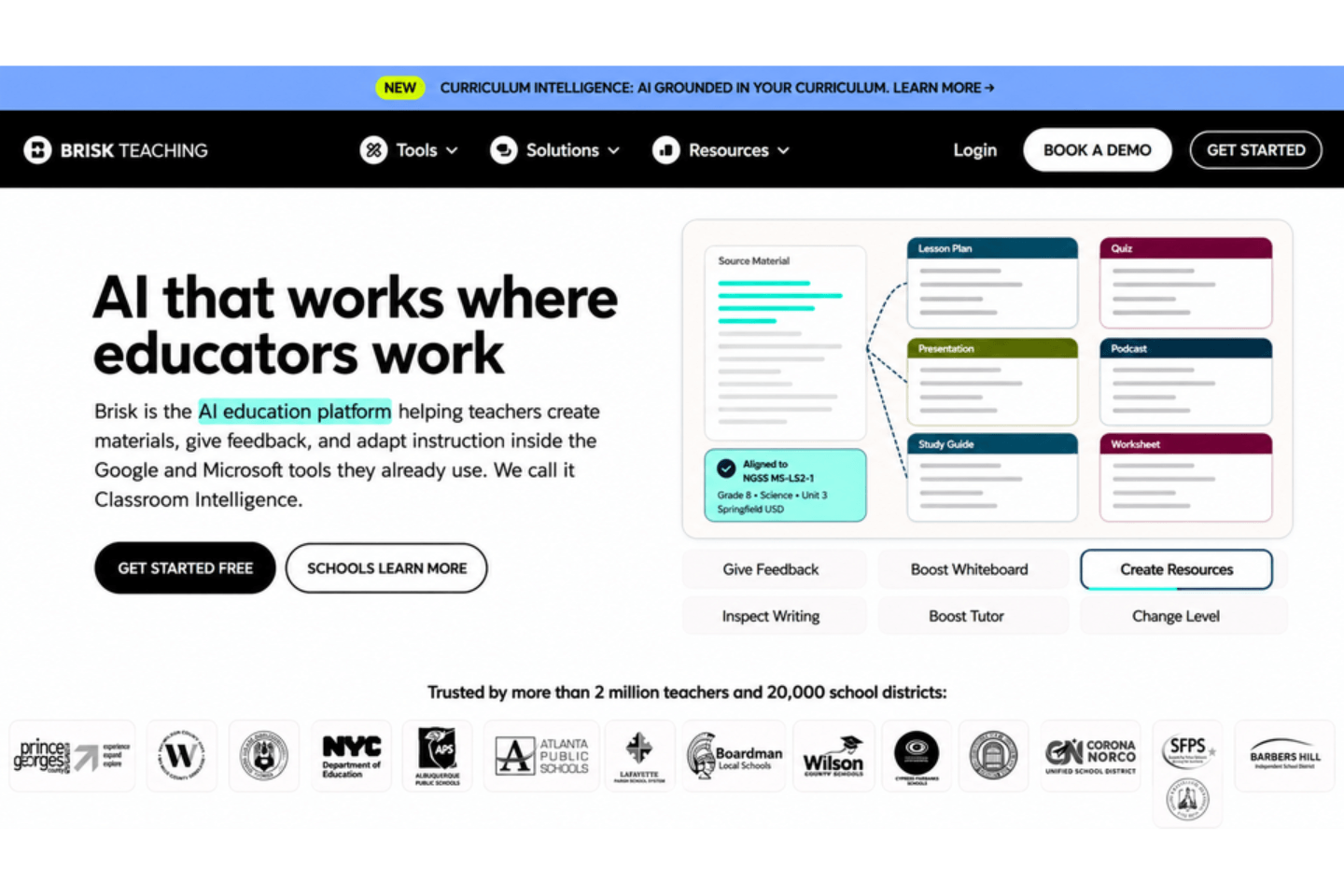
Brisk Teaching is a practical AI tool for teachers who work with language learners, multilingual classrooms, or mixed reading levels. It can help teachers translate content, adjust reading difficulty, generate feedback, and create teaching resources from online materials. Therefore, it is especially useful for foreign language teachers, English language support, and differentiated reading tasks.
Foreign language teaching often requires flexible resources. For example, one class may need vocabulary support, sentence examples, translation practice, and simplified reading passages. As a result, Brisk Teaching can help teachers adapt materials faster while keeping the lesson focused on communication and comprehension.
Moreover, Brisk Teaching fits well into common digital teaching workflows. Teachers can use it to work with documents, web pages, and classroom materials. Consequently, it can reduce the time spent rewriting texts manually for different learners.
Best classroom uses for Brisk Teaching
- Translate classroom content for multilingual learners.
- Adjust reading levels for different ability groups.
- Generate feedback on student writing.
- Create quizzes, summaries, and explanations from texts.
- Support vocabulary learning and comprehension tasks.
- Adapt online articles or resources into classroom materials.
Why Brisk Teaching stands out
Brisk Teaching stands out because it helps teachers adapt content quickly. In addition, it supports language access, which is important in diverse classrooms. For instance, a teacher can take a reading passage and simplify it for one group while creating a more challenging version for another group. Therefore, the same lesson can become more inclusive without requiring hours of extra preparation.
It is also useful beyond foreign language lessons. For example, a history, science, or health education teacher may need to support students who struggle with academic vocabulary. In that case, Brisk Teaching can help make content more accessible while still keeping the learning goal intact.
Limitation to consider
Brisk Teaching can support translation and differentiation, but teachers should check the final output carefully. Automated translations may miss cultural context, tone, or subject-specific meaning. Therefore, language teachers should review accuracy before sharing translated or simplified materials with students.
Best for: foreign languages, translation, differentiated reading, multilingual support, writing feedback
Ideal users: language teachers, EAL/ESL teachers, and educators working with mixed reading levels
8. Diffit — Best AI Tool for History Reading Materials

Diffit is one of the best AI tools for teachers who need to adapt reading materials for different student levels. It is especially useful for history lessons because historical content often includes complex vocabulary, unfamiliar contexts, long texts, and challenging source materials. Therefore, Diffit can help teachers make historical topics easier to access without removing the learning purpose.
History teachers often need students to read, compare, question, and interpret information. However, not every student can access the same reading passage at the same level. As a result, Diffit can support differentiation by helping teachers create adapted versions of texts, vocabulary lists, comprehension questions, summaries, and classroom activities.
Moreover, Diffit can help teachers save time when preparing resources for mixed-ability classes. For example, a teacher could use it to adapt a passage on the Industrial Revolution, World War II, ancient civilisations, or civil rights movements. Consequently, students can engage with the same topic while working with materials that better match their reading ability.
Best classroom uses for Diffit
- Adapt history texts for different reading levels.
- Create vocabulary lists for challenging historical terms.
- Generate comprehension questions from source materials.
- Produce summaries for long or complex passages.
- Support students who struggle with academic reading.
- Build accessible resources for mixed-ability history lessons.
Why Diffit stands out
Diffit stands out because it focuses on making learning materials more accessible. In addition, it can turn a single text into multiple classroom-ready resources. This helps teachers support students without creating every version manually.
For instance, a history teacher may want students to analyse a source about Victorian Britain. However, some learners may struggle with the reading level. Therefore, Diffit can help create a more accessible version while the teacher still guides analysis, discussion, and historical thinking.
Limitation to consider
Diffit can make texts easier to use, but teachers should check whether simplified versions keep the meaning accurate. This matters in history because small wording changes can affect interpretation. Therefore, teachers should review dates, names, causes, consequences, and historical context before using adapted materials.
Best for: history reading, differentiated texts, vocabulary support, summaries, comprehension questions
Ideal users: history teachers, humanities teachers, literacy coordinators, and teachers supporting mixed reading levels
9. Wayground / Quizizz AI — Best AI Tool for Fun Classroom Quizzes

Wayground, formerly known as Quizizz, is one of the best AI tools for teachers who want to make classroom learning more fun and interactive. It helps teachers create quizzes, live games, lessons, practice activities, and formative assessments. Therefore, it works well when teachers want to check student understanding without making assessment feel too formal.
Fun classroom activities can improve participation, especially when students receive instant feedback and compete in a low-pressure way. For example, teachers can use Wayground to turn a topic into a quick quiz, a revision game, or a warm-up activity. As a result, students can practise knowledge while staying engaged.
Moreover, Wayground / Quizizz AI can save time by generating questions from prompts, documents, links, or existing lesson materials. Consequently, teachers do not have to build every quiz from scratch. However, they should still review each question before using it, because AI-generated quizzes may include unclear wording or incorrect answers.
Best classroom uses for Wayground / Quizizz AI
- Create quick quizzes for lesson starters and plenaries.
- Build fun revision games before tests or exams.
- Check understanding during or after a lesson.
- Turn existing notes or resources into practice questions.
- Create homework quizzes with instant feedback.
- Use live games to increase student participation.
Why Wayground / Quizizz AI stands out
Wayground stands out because it combines AI question generation with a game-based classroom experience. In addition, it gives teachers a flexible way to use quizzes for learning, not just testing. Therefore, teachers can use it for retrieval practice, revision, exit tickets, and informal checks.
For example, a science teacher could create a quiz on electricity, while a history teacher could build a timeline review activity. Similarly, a language teacher could generate vocabulary practice. As a result, Wayground can support many subjects while keeping lessons lively.
Limitation to consider
Wayground can make lessons more engaging, but teachers should avoid using games without a clear learning purpose. Otherwise, students may focus more on speed than accuracy. Therefore, teachers should connect each quiz to a learning objective and review results to identify gaps.
Best for: fun quizzes, classroom games, retrieval practice, formative assessment, revision
Ideal users: teachers who want fast, engaging, and interactive quiz-based learning
10. ChatGPT — Best AI Tool for Creative Brainstorming and Writing
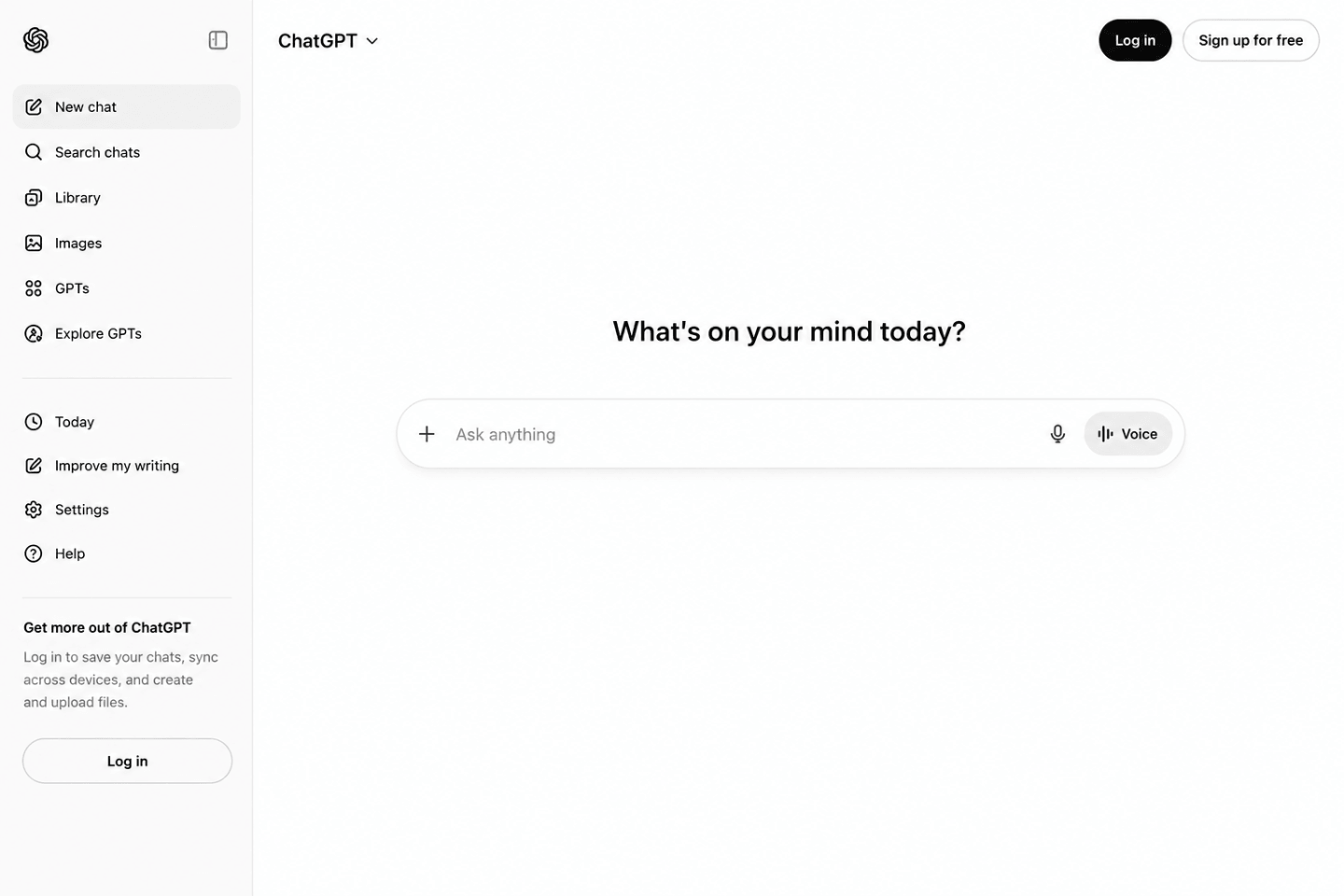
ChatGPT is one of the most flexible AI tools for teachers because it can support planning, writing, rewriting, brainstorming, explanation, feedback, and classroom communication. Therefore, it is especially useful for teachers who want one adaptable tool for many everyday tasks.
For creative brainstorming, ChatGPT can help teachers move past a blank page. For example, a teacher can ask for lesson hooks, discussion questions, project ideas, writing prompts, role-play scenarios, debate topics, or revision activities. As a result, teachers can generate more ideas quickly and then select the ones that best fit their students.
Moreover, ChatGPT can support writing tasks. Teachers can use it to draft model answers, simplify instructions, rewrite complex explanations, create email templates, or produce differentiated versions of a text. However, teachers should always review the content before using it because AI can make mistakes, sound too generic, or miss the exact curriculum focus.
Best classroom uses for ChatGPT
- Generate creative lesson starters and classroom activity ideas.
- Create writing prompts for essays, stories, reflections, and journals.
- Rewrite explanations in simpler or more formal language.
- Draft feedback comments for teacher review.
- Build discussion questions, debate topics, and role-play scenarios.
- Create differentiated worksheets, examples, and extension tasks.
Why ChatGPT stands out
ChatGPT stands out because it is not limited to one teaching function. In addition, it can adapt to different subjects, age groups, tones, and formats when teachers give clear instructions. Consequently, it works well as a brainstorming partner and writing assistant.
For instance, a history teacher can ask ChatGPT for debate questions about a historical event. Meanwhile, a science teacher can ask for a simple explanation of photosynthesis. Similarly, an English teacher can request creative writing prompts based on a specific theme. Therefore, ChatGPT can support many teaching styles when teachers guide it properly.
Limitation to consider
ChatGPT is powerful, but it needs careful prompting and human review. It may produce incorrect facts, weak examples, or content that does not match your school’s curriculum. Therefore, teachers should check accuracy, adapt the tone, and avoid sharing private student information.
Best for: creative brainstorming, writing support, feedback drafts, explanations, lesson ideas
Ideal users: teachers who want a flexible AI assistant for planning, writing, and classroom content creation
Featured AI Lesson Planning Tool: EMStudio

EMStudio is an AI-powered lesson planning platform that works with the class, unit and lesson content a teacher has already created. Instead of requiring detailed prompts, its AI automatically reads the existing lesson context and can generate a complete lesson plan based on the topic, grade level and lesson duration. Teachers can also use it to create discussion questions, warm-up activities, quizzes and comprehension checks based on what they are teaching. Moreover, EMStudio can produce differentiated versions for ELL learners, students with IEP accommodations and gifted students. It also supports curriculum standards such as Common Core, NGSS, state standards and IB, while allowing teachers to adjust reading levels, rewrite lesson content and translate materials into 19 languages. Therefore, it may be especially helpful for educators who want to plan, adapt and refine lessons within one connected workspace.
EMStudio’s AI features:
- Reads your class, unit and lesson content automatically, so there are no prompts to write
- Generates full lesson plans from a topic, grade level and duration
- Generates discussion questions, warm-ups and quizzes from the lesson’s content
- Differentiated versions for ELL, IEP and gifted students
- Standards-aligned output (Common Core, NGSS, state standards, IB)
- Rewrites any section and adjusts reading level
- Translates lessons into 19 languages
Bonus AI Tools for Teachers Worth Exploring

The top 10 AI tools above cover the main teaching categories, including lesson planning, grading, visual design, science support, language learning, history materials, quizzes, brainstorming, and writing. However, teachers may still want extra tools for research, presentations, classroom questioning, project management, or deeper resource creation. Therefore, the bonus tools below are useful additions to explore after choosing your main AI teaching toolkit.
Edcafe
Edcafe is a teacher-focused platform that supports lesson content, quizzes, flashcards, assignments, chatbots, and classroom resources. It can be useful for teachers who want one platform for creating interactive learning materials. Moreover, it may suit educators who prefer ready-made classroom workflows instead of open-ended prompting.
Best for:
- Creating teaching resources quickly
- Building quizzes and flashcards
- Supporting interactive classroom content
- Organising AI-generated materials in one place
NotebookLM
NotebookLM is useful for teachers who work with long documents, notes, policies, articles, or research materials. Teachers can use it to summarise sources, identify key ideas, and create study support from uploaded materials. As a result, it works well for research-heavy subjects and teacher preparation.
Best for:
- Summarising long documents
- Organising research notes
- Preparing study guides
- Reviewing curriculum or reading materials
ClassPoint
ClassPoint supports interactive presentations and classroom engagement. It works well for teachers who use slides and want to add questions, polls, quizzes, and participation features. Therefore, it can improve lessons that rely heavily on presentation-based teaching.
Best for:
- Interactive slides
- Live classroom questions
- Presentation-based teaching
- Student participation checks
Formative
Formative is useful for teachers who want to check learning during lessons. It supports assessments, student responses, and real-time progress tracking. Consequently, it can help teachers identify learning gaps before the end of a unit.
Best for:
- Formative assessment
- Student response tracking
- Quick checks for understanding
- Data-informed lesson adjustments
Taskade
Taskade is not only for teachers, but it can help educators plan projects, organise resources, create checklists, and manage tasks. Therefore, it may suit teachers who want AI support for workload management rather than direct classroom content creation.
Best for:
- Teacher task management
- Project planning
- Resource organisation
- Collaborative planning
TeachMateAI
TeachMateAI is built for teachers and can support planning, report writing, resource creation, and classroom administration. It may be especially useful for educators who want help with the behind-the-scenes workload that often takes time outside lessons.
Best for:
- Teacher admin support
- Report writing
- Planning assistance
- Resource creation
These bonus AI tools can add value, but teachers do not need to use all of them. Instead, it is better to start with one or two tools that solve a clear problem. Then, as confidence grows, teachers can add more tools to support specific teaching tasks.
How to Choose the Right AI Tool for Your Teaching Needs
Choosing the right AI tool starts with one clear question: what problem do you want to solve first? Many teachers feel tempted to try several AI tools at once. However, this can quickly become confusing. Therefore, it is better to choose one tool that supports your most time-consuming or repetitive task.
For example, if lesson planning takes the most time, MagicSchool AI may be the best starting point. In contrast, if marking is your biggest workload issue, Gradescope may be more useful. Similarly, if you create a lot of visual resources, Canva for Education may give you faster results than a general AI writing tool.
Teachers should also think about student age, subject area, school policy, and data privacy. Moreover, they should check whether the tool is teacher-facing, student-facing, or both. This matters because student-facing tools may need stronger approval, clearer supervision, and closer safeguarding checks.
Key factors to consider before choosing an AI teaching tool
- Teaching purpose: Choose a tool that solves a real classroom problem.
- Ease of use: Pick a platform that fits your current digital skills.
- Subject fit: Match the tool to your subject, such as science, languages, history, or art.
- Student access: Check whether students need accounts or direct AI interaction.
- Privacy and safety: Follow your school’s rules before entering student information.
- Output quality: Review every lesson, quiz, explanation, or feedback draft before use.
- Cost: Compare free plans, educator access, and paid features before committing.
In addition, teachers should test each tool with a low-risk task before using it in a live lesson. For instance, they can ask an AI tool to create a starter activity, rewrite instructions, or generate five quiz questions. Then, they can review the output and decide whether it saves time without reducing quality.
A simple decision path can also help:
- Use MagicSchool AI for lesson planning and rubrics.
- Use Gradescope for grading and assessment workflows.
- Use Canva for Education for classroom visuals and creative materials.
- Use Brisk Teaching for translation and differentiated reading.
- Use Wayground / Quizizz AI for quizzes and fun revision.
- Use ChatGPT for flexible brainstorming and writing support.
Ultimately, the best AI tool is the one that improves teaching without adding extra complexity. Therefore, teachers should avoid chasing every new platform. Instead, they should build a small, reliable toolkit that supports planning, delivery, feedback, and student engagement.
Safety, Privacy and Responsible AI Use in Schools
AI tools can save teachers time. However, they also raise important questions about accuracy, privacy, safeguarding, bias, and student data. Therefore, teachers should use AI carefully and follow school policies before using any platform with learners.
The most important rule is simple: teachers should never treat AI output as automatically correct. AI tools can create confident answers that still contain mistakes. As a result, every lesson plan, quiz question, feedback comment, translation, image, or explanation should be checked before students see it.
Privacy is also essential. Teachers should avoid entering personal student information into AI tools unless the tool has been approved by their school or organisation. In addition, they should avoid uploading sensitive documents, assessment records, safeguarding notes, medical details, or identifiable student data into unapproved platforms.
Responsible AI use checklist for teachers
- Check school policy before using any AI tool with students.
- Review AI-generated content for accuracy, tone, age level, and curriculum fit.
- Avoid entering sensitive student data into tools that are not approved.
- Use AI as support, not as the final decision-maker.
- Check for bias in examples, images, names, scenarios, and assumptions.
- Explain AI use clearly when students interact with AI-supported activities.
- Keep human judgement central when grading, feedback, safeguarding, or pastoral decisions are involved.
Moreover, teachers should think carefully about fairness. For example, AI-generated examples may reflect cultural bias, outdated information, or narrow viewpoints. Therefore, teachers should adapt outputs so they suit their learners and local context.
AI can also affect student learning habits. If students rely on AI to produce answers too quickly, they may miss the thinking process. Consequently, teachers should design tasks that require explanation, reflection, discussion, evidence, and personal reasoning.
The safest approach is to use AI for support tasks first. For instance, teachers can use AI to draft ideas, create first versions, simplify instructions, or generate quiz questions. Then, they can review, edit, and adapt the material before using it. This approach protects quality while still saving time.
In short, responsible AI use in schools depends on teacher oversight. AI can support planning, creativity, differentiation, and feedback. However, teachers should remain responsible for accuracy, inclusion, privacy, and learning quality.
Final Verdict: Which AI Tool Should Teachers Try First?
The best AI tool for teachers depends on the task they want to improve first. However, if a teacher wants one strong starting point, MagicSchool AI is the best overall choice for lesson planning, rubrics, differentiation, assessment ideas, and everyday classroom preparation. It is built around teacher workflows, so it feels more practical than many general AI tools.
However, teachers who have a different priority may choose another tool first. For example, Gradescope is better for grading, while Canva for Education is better for classroom visuals. In contrast, Wayground / Quizizz AI is better for fun quizzes and quick revision activities.
Best AI tools for teachers by need
- Best overall for lesson planning: MagicSchool AI
- Best for beginners: SchoolAI
- Best for grading: Gradescope
- Best for art and classroom design: Canva for Education
- Best for interactive health education: Curipod
- Best for science support: Khanmigo
- Best for foreign languages: Brisk Teaching
- Best for history reading materials: Diffit
- Best for fun classroom quizzes: Wayground / Quizizz AI
- Best for brainstorming and writing: ChatGPT
Overall, teachers do not need to use every AI tool on this list. Instead, they should start with one clear classroom problem and choose the tool that solves it best. Then, as they become more confident, they can add another tool for a different purpose.
AI can make teaching more efficient. However, the strongest results still come from teacher expertise, clear learning goals, and careful review. Therefore, AI should support teaching, not replace the teacher.
Frequently Asked Questions
The best AI tools for teachers depend on the task they want to improve. MagicSchool AI is excellent for lesson planning, Gradescope supports grading, Canva for Education helps with visual resources, and ChatGPT assists with brainstorming and writing. Teachers should choose tools based on their specific classroom needs.
Yes, AI can help teachers save time by supporting lesson planning, quiz creation, grading, resource development, and content adaptation. However, teachers should always review AI-generated content to ensure accuracy, curriculum alignment, and suitability for their students.
MagicSchool AI is one of the best AI tools for lesson planning because it is specifically designed for educators. It can generate lesson plans, rubrics, assessments, differentiated activities, and classroom resources, helping teachers reduce preparation time.
AI tools can be safe when used responsibly and in accordance with school policies. Teachers should avoid sharing sensitive student information, review all AI-generated content, and ensure that privacy, safeguarding, and data protection requirements are followed.
No, AI cannot replace teachers. While AI can support planning, feedback, grading, and resource creation, it cannot replace professional judgement, relationship building, classroom management, or personalised teaching. The best results come when AI supports teachers rather than replacing them.
Teachers should consider their teaching goals, ease of use, subject requirements, student access, privacy concerns, and overall value. It is often best to start with one tool that solves a specific classroom challenge before exploring additional AI platforms.
Wayground (Quizizz AI) and Curipod are excellent choices for student engagement. They help teachers create quizzes, polls, discussions, games, and interactive activities that encourage participation while supporting learning objectives.


0 responses on "Top 10 AI Tools for Teachers: Best AI Teaching Tools for Lesson Planning, Grading, Creativity and Classroom Engagement"