Popular Courses

Brand
Awarding body image

Display Screen Equipment Training Course - Highlights

DSE Training Online – Display Screen Equipment Safety Course

DSE training helps people who regularly use computers and other screen equipment recognise risks and adopt safer working practices. Therefore, this course focuses on practical areas that can affect day-to-day comfort: assessing DSE, using equipment safely, posture, workstation arrangement and portable devices.

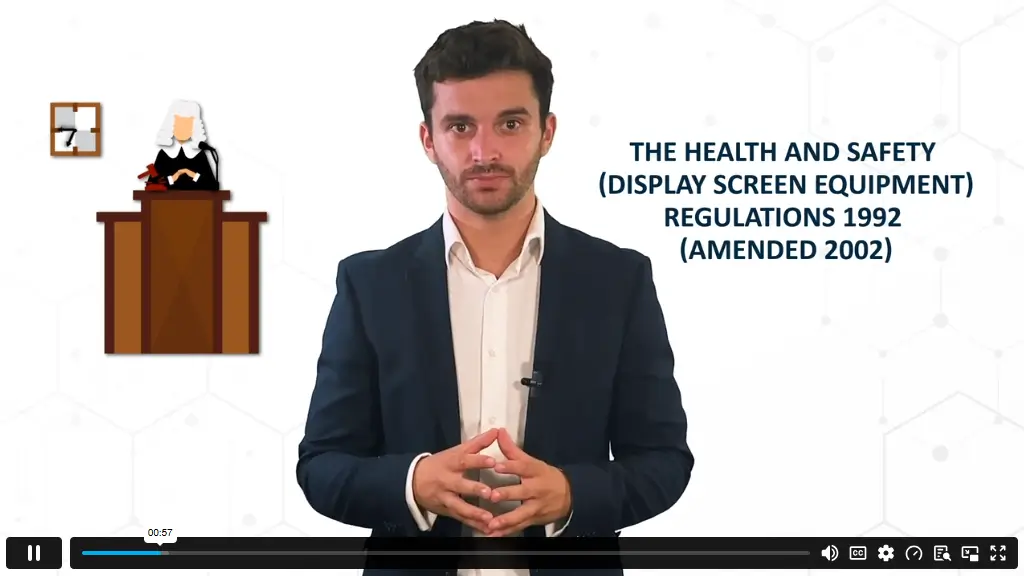
The subject is particularly relevant in UK workplaces because employers have specific responsibilities towards workers who meet HSE’s definition of DSE users. HSE states that employers must assess DSE workstations, reduce identified risks and provide relevant information and training. These responsibilities can also apply to home and mobile working.

However, this course should be treated as DSE awareness and professional-development training. Completing it does not replace a suitable workplace assessment or automatically discharge an employer’s legal responsibilities.

Exclusive Course Glimpse

What You Will Learn

By completing the course, you should be able to:

  • Identify important factors when examining DSE and workstation arrangements.
  • Explain safer principles for using DSE across different working environments.
  • Recognise potential problems associated with unsuitable posture or equipment use.
  • Apply preventive posture principles during screen-based work.
  • Assess common features of a DSE workstation setup.
  • Compare safer approaches to fixed and portable DSE use.
  • Implement appropriate adjustments within the limits of your own workstation and responsibilities.

What Makes This DSE Training Different?

The course stays focused on the situations DSE users actually encounter rather than expanding into unrelated workplace-safety subjects.

You progress through five connected areas:

  • Assessing DSE;
  • Using screens safely in different environments;
  • Recognising potential problems;
  • Improving posture and workstation setup;
  • Using portable DSE more appropriately.

Additionally, the material is delivered through recorded instructor-taught video rather than text-only study. Because access is provided for life, learners can revisit relevant explanations when working arrangements or equipment change.

Who Is This Course For?

This training is particularly relevant to:

  • Office and administrative staff who regularly work at computer workstations.
  • Remote and hybrid employees using home and office setups.
  • New starters who need introductory DSE awareness.
  • Managers and supervisors want stronger awareness of everyday DSE risks.
  • HR, facilities and workplace-safety support staff who encounter DSE concerns.
  • Workers using laptops or other portable screens as part of their role.

However, it should not be presented as a specialist DSE assessor qualification.

Course Curriculum

Build a foundation in display screen equipment and consider how DSE use and workstation arrangements can be examined. This prepares you to recognise factors that may require adjustment or further assessment.

Explore safer DSE use across different working environments. As a result, you can consider how working arrangements may need to change when moving between conventional, home or other work settings.

Identify potential problems linked with unsuitable working positions and examine preventive posture principles. Therefore, you can become more aware of how positioning may affect comfort during screen-based work.

Examine how different elements of a DSE station can be arranged more appropriately. The module helps connect equipment positioning and working environment with practical workstation use.

Consider the particular challenges created by portable display screen equipment. In addition, you will examine safer approaches to using devices when a permanent desktop workstation is unavailable.

How You Will Learn

You will study through self-paced, recorded instructor-taught video lessons. Therefore, you can progress through the five modules without attending scheduled classroom sessions.

Because the course is on demand, you can fit learning around existing commitments and revisit relevant modules during your lifetime access period.

The correct description is instructor-taught on-demand video training. It should not be described as live instructor-led training unless scheduled live teaching is separately confirmed.

Certificate and Recognition

Nextgen Certificate

After meeting the stated course completion requirements, learners receive the supplied  CPD Certificate.

The course has been provided as CPD-accredited training, which means it should be positioned as continuing professional development rather than an academic or occupational qualification.

Career Relevance and Professional Application

DSE awareness is useful in roles where screen-based work forms a regular part of daily responsibilities.

For example, the learning may support people working in:

  • Administration;
  • Customer service;
  • Office support;
  • IT and digital roles;
  • Management and supervision;
  • HR;
  • Facilities coordination;
  • Workplace health and safety support;
  • Remote or hybrid positions.

Additionally, managers may use stronger DSE awareness when supporting staff with everyday workstation concerns.

However, this short CPD course does not by itself qualify someone as an ergonomist, occupational health professional or specialist DSE assessor.

Entry Requirements

No previous DSE qualification or professional experience is required because this is a beginner-level course.

Learners should have sufficient English to follow the video content and should have access to a reliable internet connection and an internet-enabled device.

Previous health-and-safety training is not required to begin.

Why Study DSE Training with NextGen Learning?

This course provides a focused introduction to everyday DSE safety without requiring learners to work through a broad health-and-safety programme first.

You receive:

  • Five focused DSE modules;
  • Instructor-taught on-demand video;
  • Self-paced online study;
  • Lifetime access;CPD-accredited training; and
  • The stated CPD Certificate after meeting completion requirements.

Therefore, learners can build practical awareness now and return to the material when they need to refresh key concepts.

Order Your Certificate

To order your Certificate, we kindly invite you to visit the following link

Frequently Asked Questions

Employers must provide health-and-safety training and information to workers who qualify as DSE users. However, the law does not say that purchasing one specific commercial course automatically satisfies every DSE duty. Employers must also assess workstations, reduce risks and meet other relevant requirements.

HSE describes DSE users as workers who use display screen equipment daily as part of their normal work for continuous periods of an hour or more. This can include people at fixed workstations as well as home, mobile and hot-desking workers.

No. Training and workstation assessment perform different functions. HSE states that employers must assess relevant workstations. Furthermore, assessment software or a user’s self-assessment is not necessarily a complete assessment on its own; appropriate review and follow-up may still be required.

Yes, relevant employer responsibilities can extend to people working from home. HSE specifically states that workers should receive training in the use of their workstation and DSE equipment, including guidance on posture and good working practices.

HSE states that DSE work does not cause permanent eye damage. However, long periods of screen work can contribute to tired eyes, discomfort and headaches. Suitable screen positioning, lighting and regular changes from screen work can therefore be helpful.

No. The supplied course is CPD-accredited professional-development training and provides a CPD Certificate. It should not be confused with an RQF-regulated qualification, professional licence or specialist ergonomics qualification.

Yes. The supplied course level is beginner. The curriculum begins with understanding and assessing DSE before moving into safe use, posture, workstation setups and portable equipment, so previous specialist DSE knowledge is not required.

Build Safer DSE Working Habits

If you regularly work with computers, laptops or other display screen equipment, this course provides a focused introduction to safer everyday practice. Learn how to examine DSE use, recognise potential problems, improve workstation awareness and approach portable devices more appropriately.

Enrol today and begin your DSE Training at your own pace.

Course Curriculum

Module 01: Understanding and Assessing DSE
Understanding and Assessing DSE 00:09:00
Module 02: Using DSE Safely in all Environments
Using DSE Safely in all Environments 00:09:00
Module 03: Potential Problems and Preventive Postures
Potential Problems and Preventive Postures 00:11:00
Module 04: Recommended DSE Station Setups
Recommended DSE Station Setups 00:10:00
Module 05: Using Portable DSE
Using Portable DSE 00:10:00
Order Your Certificate
Order Your Certificate 00:00:00

Related Courses

A product of

© 2026 NextGen Learning. All rights reserved

Home Search Cart Offers