





25 Computer Literacy Skills for Resume
In today’s competitive job market, computer literacy skills for your resume are no longer optional. Instead, they are essential. Employers expect candidates to confidently use digital tools, manage information efficiently and adapt to evolving workplace technology. Therefore, understanding which computer skills to highlight — and how to present them properly — can significantly improve your chances of getting shortlisted.
However, simply listing “Microsoft Office” or “Internet skills” is no longer enough. Recruiters now look for specific, measurable technical skills that align with the role. Moreover, many companies use Applicant Tracking Systems (ATS) to filter resumes before a human ever reads them. As a result, knowing how to strategically present your computer literacy skills can directly impact whether your application gets seen.
In this complete 2026 guide, you will discover:
- The most in-demand computer literacy skills employers expect
- The difference between basic and advanced digital skills
- AI and future-ready skills that give you a competitive edge
- Real examples of how to write computer skills on your resume
- How to optimise your skills section for ATS systems
Importantly, this guide goes beyond a simple list. Instead, it provides expert insight, practical examples and structured guidance to help you stand out in a technology-driven workplace.
Table of Contents
Why Computer Literacy Skills Matter in Today’s Job Market

In today’s digital-first economy, computer literacy skills directly influence employability. Nearly every role — from administration to marketing to finance — requires some level of technical competence. Therefore, candidates who demonstrate strong digital skills immediately gain an advantage.
Moreover, the workplace has changed dramatically over the past few years. Cloud platforms, remote collaboration tools, automation software and AI-powered systems now shape daily operations. As a result, employers actively look for professionals who can adapt quickly and work efficiently within digital environments.
Importantly, computer literacy is no longer limited to typing documents or browsing the internet. Instead, it includes data management, cybersecurity awareness, digital communication, workflow automation and even basic analytics. Consequently, listing the right computer skills on your resume signals that you are prepared for modern work demands.
Employers Prioritise Candidates Who Can:
- Use productivity software efficiently
- Collaborate using digital communication tools
- Analyse and interpret data
- Maintain digital security awareness
- Adapt to new software platforms quickly
- Troubleshoot minor technical issues independently
Furthermore, hiring managers increasingly value measurable digital impact. For example, stating that you “used Excel” is vague. However, explaining that you “automated monthly reporting using pivot tables and reduced processing time by 30%” demonstrates tangible value.
Another critical factor is Applicant Tracking Systems (ATS). Many organisations now rely on automated resume screening tools. Therefore, resumes that include relevant technical keywords are far more likely to pass initial filters. Without proper keyword alignment, even highly qualified candidates risk rejection before human review.
In addition, remote and hybrid work models have elevated the importance of digital collaboration. Platforms like Microsoft Teams, Slack and Zoom are now standard workplace tools. Consequently, demonstrating familiarity with these systems reassures employers that you can integrate smoothly into distributed teams.
Finally, digital transformation continues to accelerate. Automation, AI tools and data-driven decision-making are becoming mainstream across industries. Because of this shift, candidates who actively update their computer literacy skills position themselves for long-term career growth.
In short, strong computer literacy skills are not simply resume fillers. Instead, they represent productivity, adaptability and professional readiness in a technology-driven world.
Core Computer Literacy Skills Every Professional Should List
While advanced digital expertise can give you a competitive edge, every professional must first master core computer literacy skills. These foundational abilities support daily workplace tasks. Moreover, employers expect them across nearly all industries.
However, instead of listing generic terms, you should organise your skills strategically. Below, we break down essential computer skills into practical categories. This structure improves clarity and strengthens ATS alignment.
Productivity & Office Tools
Productivity software remains the backbone of most workplaces. Therefore, demonstrating efficiency in these tools signals operational competence.
Key Skills to Highlight:
- Create and format professional documents using Microsoft Word or Google Docs
- Build and analyse spreadsheets using Excel or Google Sheets
- Use formulas, pivot tables and basic data visualisation tools
- Design presentations using PowerPoint or Google Slides
- Manage calendars and email systems (Outlook, Gmail)
- Use cloud storage platforms such as OneDrive or Google Drive
Moreover, employers value candidates who go beyond basic usage. For example, instead of writing “Proficient in Excel,” consider specifying:
- Automated reporting using pivot tables and VLOOKUP
- Created budget tracking dashboards
- Developed data summaries with charts and conditional formatting
This approach demonstrates applied knowledge rather than surface familiarity.
Communication & Collaboration Tools
Digital collaboration has become essential, particularly in remote and hybrid workplaces. Therefore, highlighting collaboration platforms strengthens your resume.
Important Tools to Mention:
- Conduct virtual meetings using Zoom or Microsoft Teams
- Collaborate on shared documents in Google Workspace
- Manage team communication through Slack
- Use project management tools such as Trello or Asana
- Share files securely via cloud-based platforms
In addition, employers look for candidates who can maintain professional digital communication standards. This includes:
- Writing clear and concise emails
- Managing shared documents efficiently
- Participating in structured virtual meetings
Because remote work is now mainstream, these skills directly impact hiring decisions.
Data & Information Handling
Data literacy is increasingly valuable. Even non-technical roles require basic data handling and organisation skills. Consequently, candidates who understand structured information gain an advantage.
Foundational Data Skills Include:
- Organise digital files logically
- Use folder systems effectively
- Enter and validate data accurately
- Perform basic data analysis in spreadsheets
- Conduct structured online research
- Evaluate credible digital sources
Furthermore, understanding basic cybersecurity practices is now considered essential. For example:
- Use strong password management practices
- Identify phishing emails
- Protect sensitive information
- Follow data privacy guidelines
These competencies signal reliability and professionalism in digital environments.
Advanced Computer Skills That Make Your Resume Stand Out

Once you master core digital skills, the next step is differentiation. Advanced computer literacy skills signal higher productivity, problem-solving ability and strategic thinking. Therefore, they often separate average candidates from top performers.
Moreover, employers increasingly prioritise applicants who can optimise workflows, analyse data and contribute to digital growth initiatives. As a result, listing advanced technical skills can significantly strengthen your resume — especially for competitive roles.
Data Analysis & Reporting
Modern organisations rely on data-driven decisions. Consequently, professionals who can interpret and present data provide measurable value.
Advanced Data Skills to Consider:
- Build advanced Excel dashboards
- Use pivot tables and advanced formulas (INDEX, MATCH, XLOOKUP)
- Create data visualisations
- Use Power BI or Tableau for reporting
- Analyse website performance using Google Analytics
Instead of simply listing tools, demonstrate outcomes. For example:
- Designed automated KPI dashboard that reduced reporting time by 40%
- Analysed marketing data to improve campaign ROI
This approach transforms technical knowledge into business impact.
Basic Coding & Web Skills
While not required for every role, basic coding knowledge shows technical adaptability. Moreover, it demonstrates logical thinking and digital fluency.
Valuable Skills Include:
- Edit HTML and CSS
- Manage WordPress websites
- Use website builders like Wix or Shopify
- Implement basic SEO practices
- Understand website structure and hosting basics
Even minimal coding literacy can help you collaborate more effectively with IT or development teams. Therefore, mentioning these skills can elevate your professional profile.
Digital Marketing & Online Tools
Many industries now integrate digital marketing strategies. Consequently, familiarity with online growth tools is highly attractive.
In-Demand Digital Skills:
- Use SEO tools to optimise website content
- Manage social media platforms professionally
- Track campaigns using analytics dashboards
- Conduct keyword research
- Set up basic email marketing campaigns
Furthermore, employers value candidates who understand digital visibility. Therefore, combining technical knowledge with marketing awareness can position you strongly in both corporate and entrepreneurial environments.
Database & Systems Knowledge
Understanding how systems store and manage information adds another layer of competence. Even non-technical professionals benefit from basic database awareness.
Useful Knowledge Areas:
- Navigate Microsoft Access or MySQL
- Understand CRM systems
- Manage structured data sets
- Export and import data securely
- Maintain digital records accurately
These skills demonstrate organisational precision and technical awareness.
Advanced computer literacy skills do not mean you must become a programmer or IT specialist. Instead, they reflect your ability to use technology strategically and efficiently.
However, as the workplace continues evolving, another category is becoming even more important — AI and future-ready digital skills.
AI & Future-Ready Digital Skills Employers Now Expect
Technology is evolving rapidly. Therefore, employers are no longer satisfied with traditional computer literacy alone. Instead, they increasingly seek candidates who understand AI tools, automation systems and digital optimisation platforms.
Moreover, artificial intelligence is now integrated into daily workflows. From content creation to data analysis, AI-powered tools improve efficiency across industries. As a result, adding future-ready digital skills to your resume can immediately differentiate you from other applicants.
Importantly, you do not need to be a data scientist to demonstrate AI literacy. However, showing that you can use modern tools responsibly and effectively signals adaptability and forward-thinking capability.
AI Productivity Tools
Many workplaces now use AI to streamline operations. Consequently, familiarity with these platforms adds strong value.
In-Demand AI Skills:
- Use AI writing assistants for content drafting
- Generate reports using AI-powered data tools
- Automate repetitive tasks using workflow software
- Use AI chat tools for research and idea generation
- Apply AI summarisation for document management
However, simply listing “AI tools” is vague. Instead, clarify usage impact. For example:
- Used AI tools to accelerate research and reduce drafting time by 25%
- Automated weekly reporting workflow using digital automation software
This shows strategic application rather than passive familiarity.
Automation & Workflow Optimisation
Efficiency is now a competitive advantage. Therefore, professionals who understand automation gain strong leverage.
Valuable Automation Skills:
- Create workflow automations using tools like Zapier
- Use spreadsheet macros to streamline repetitive tasks
- Integrate CRM systems with email marketing tools
- Set up automated scheduling systems
- Optimise digital file organisation systems
Because businesses prioritise productivity, these skills demonstrate measurable contribution potential.
Cloud & SaaS Proficiency
Modern organisations rely heavily on cloud-based systems. As a result, cloud fluency is increasingly expected.
Examples of Cloud Literacy:
- Work within Google Workspace environments
- Manage shared cloud storage
- Understand SaaS platforms
- Collaborate in real-time document systems
- Maintain secure remote access practices
Additionally, understanding digital privacy compliance strengthens credibility. Awareness of regulations such as GDPR shows responsibility and professionalism in handling user data.
Digital Adaptability & Continuous Learning
Beyond tools, employers value adaptability. Therefore, showing evidence of ongoing skill development strengthens your resume.
You might demonstrate this by:
- Completing online certifications
- Attending digital workshops
- Learning emerging software platforms
- Staying updated with technology trends
Ultimately, AI and future-ready skills signal long-term relevance. They show that you are not only capable today but prepared for tomorrow’s workplace.
How to Write Computer Skills on Your Resume (With Examples)
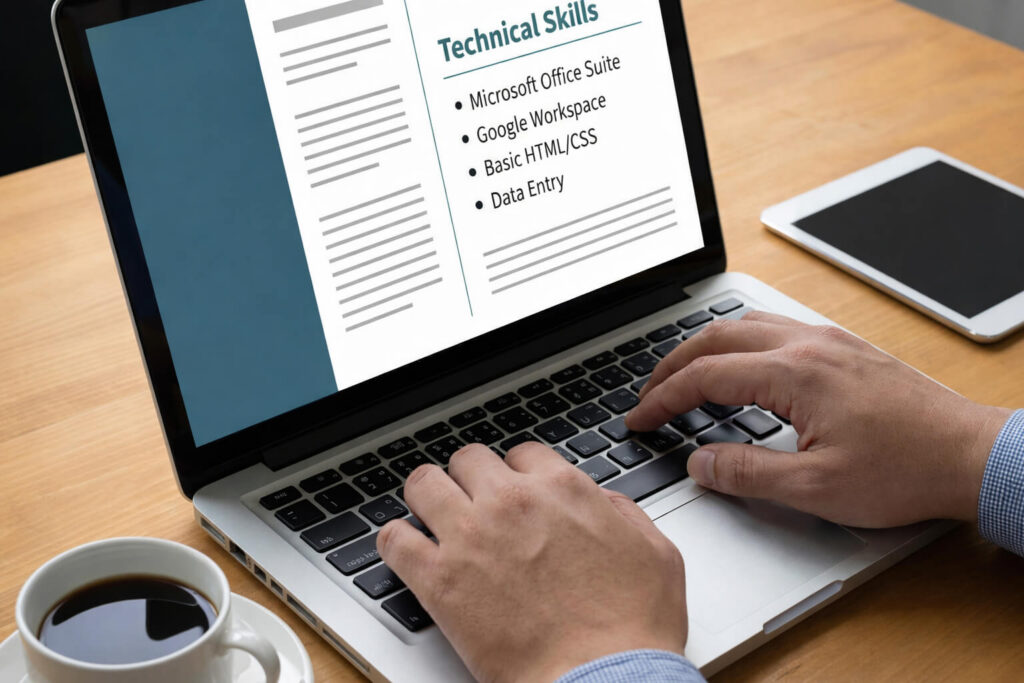
Knowing which computer literacy skills to include is only half the strategy. Equally important is how you present them. Therefore, instead of creating a generic list, you should position your technical skills clearly, strategically and in alignment with the job description.
Moreover, recruiters typically scan resumes in seconds. As a result, clarity and structure matter significantly. If your skills section appears vague or overcrowded, it may reduce impact — even if you are highly qualified.
1️⃣ Create a Dedicated “Computer Skills” Section
First, include a clearly labelled section such as:
Technical Skills
Digital Skills
Computer Literacy Skills
This makes your expertise immediately visible to recruiters and ATS systems.
Example Format:
Technical Skills
- Advanced Excel (pivot tables, dashboards, data visualisation)
- Microsoft PowerPoint (executive-level presentations)
- Google Workspace collaboration
- Zoom & Microsoft Teams (remote coordination)
- Basic HTML & WordPress management
- Google Analytics (traffic reporting & insights)
This format improves scannability and keyword alignment.
2️⃣ Integrate Skills Into Your Work Experience
However, a standalone skills list is not enough. Employers want proof of application. Therefore, integrate computer literacy skills directly into your experience bullets.
Weak Example:
- Used Excel regularly
Strong Example:
- Built automated Excel dashboards to track monthly KPIs and reduced manual reporting time by 35%
Notice the difference. The second example demonstrates impact, efficiency and measurable value.
3️⃣ Match Skills to the Job Description
Importantly, tailor your computer skills to each role. Many companies use Applicant Tracking Systems that scan resumes for specific keywords. Therefore, align your terminology with the employer’s wording.
For example:
If the job description mentions:
- “Data visualisation”
- “CRM systems”
- “Cloud collaboration”
Ensure those exact terms appear naturally within your resume — if you genuinely possess those skills.
4️⃣ Indicate Skill Level Where Relevant
Providing context adds credibility. Instead of listing tools generically, clarify your proficiency.
You may structure this as:
- Excel – Advanced (Pivot tables, macros, automation)
- PowerPoint – Intermediate (Executive reporting presentations)
- HTML – Basic (Page structure editing)
However, avoid exaggeration. Overstating proficiency may create problems during interviews.
5️⃣ Quantify Results Whenever Possible
Recruiters value outcomes more than tools. Therefore, whenever possible, include measurable achievements.
Strong Resume Bullet Examples:
- Improved data accuracy by 20% through spreadsheet validation processes
- Increased website traffic by 15% using SEO optimisation techniques
- Automated email campaigns using CRM software, boosting engagement rates
- Streamlined team collaboration through structured cloud-based documentation
Quantification transforms technical skills into performance indicators.
6️⃣ Keep It Clean and Structured
Finally, avoid overwhelming the reader. Instead:
- Use bullet points for clarity
- Avoid long paragraphs in your resume
- Prioritise relevance over quantity
- Remove outdated or irrelevant tools
Remember, the goal is precision — not volume.
How to Optimise Computer Skills for ATS Systems
Today, many employers use Applicant Tracking Systems (ATS) to screen resumes before a recruiter reviews them. Therefore, even strong computer literacy skills may go unnoticed if they are not formatted correctly.
Moreover, ATS software scans for keywords, context and relevance. It does not “understand” skills the way humans do. As a result, strategic keyword placement becomes essential.
1️⃣ Use Exact Keywords From the Job Description
First, carefully analyse the job listing. Identify the specific technical skills mentioned. Then, naturally incorporate those exact terms into your resume.
For example, if the job description lists:
- Data visualisation
- CRM software
- Cloud collaboration
- Microsoft Excel (advanced)
Make sure these phrases appear clearly in your skills or experience sections — if applicable.
However, avoid keyword stuffing. Instead, embed keywords within meaningful context.
2️⃣ Avoid Graphics, Tables and Icons in the Skills Section
While visually appealing resumes look impressive to humans, ATS systems often struggle with complex formatting.
Therefore:
- Avoid skill bars or rating charts
- Avoid text inside images
- Avoid decorative icons
- Use simple bullet points
- Use standard fonts
Clean formatting increases parsing accuracy.
3️⃣ Use Both Full Terms and Abbreviations
ATS systems may search for variations. Consequently, including both versions improves matching.
For example:
- Search Engine Optimization (SEO)
- Customer Relationship Management (CRM)
- Artificial Intelligence (AI)
This strategy strengthens keyword coverage without sounding repetitive.
4️⃣ Integrate Skills in Multiple Sections
Instead of listing computer skills only once, reinforce them throughout your resume.
You can:
- Add them to your skills section
- Reference them in work experience bullets
- Mention them in professional summaries
This repetition improves ATS scoring and also strengthens human readability.
5️⃣ Prioritise Hard Skills Over Vague Statements
ATS systems rank concrete, technical skills higher than general claims.
Instead of writing:
- “Technologically savvy”
- “Computer knowledgeable”
Write:
- Advanced Excel reporting
- Google Analytics performance tracking
- HTML and CSS editing
- WordPress website management
Specificity increases match probability.
6️⃣ Keep Skills Relevant and Updated
Technology evolves quickly. Therefore, outdated tools may weaken your resume.
For 2026 and beyond, consider including:
- Cloud-based collaboration tools
- AI productivity platforms
- Data visualisation software
- Automation tools
- Digital privacy awareness
Modern terminology improves alignment with current hiring trends.
How to Improve Your Computer Literacy Skills
Even if you already list strong computer literacy skills on your resume, continuous improvement remains essential. Technology evolves rapidly. Therefore, staying updated ensures you remain competitive in the job market.
Moreover, employers value professionals who actively invest in skill development. Consequently, showing commitment to learning can strengthen both your resume and interview performance.
1️⃣ Take Structured Online Courses
Online learning platforms offer accessible ways to build digital competence. However, instead of enrolling randomly, focus on skills aligned with your career goals.
For example, you can:
- Complete advanced Excel or data analysis courses
- Study SEO and digital marketing fundamentals
- Learn basic HTML and website management
- Explore AI productivity tools
- Take cybersecurity awareness training
Structured courses provide measurable learning outcomes. Additionally, certifications can enhance credibility when listed on your resume.
2️⃣ Practice Through Real Projects
Theory alone is not enough. Therefore, apply your knowledge in practical scenarios.
You might:
- Create a personal budget dashboard in Excel
- Build a simple WordPress website
- Optimise a blog post using SEO tools
- Design presentations for mock business scenarios
- Analyse publicly available datasets
Hands-on practice builds confidence and strengthens problem-solving ability.
3️⃣ Follow Technology Trends
Digital transformation moves quickly. As a result, staying informed helps you anticipate employer expectations.
You can:
- Subscribe to technology newsletters
- Follow industry blogs
- Join professional LinkedIn groups
- Watch software update tutorials
- Participate in webinars
Regular exposure keeps your skills relevant and modern.
4️⃣ Improve Digital Security Awareness
Cybersecurity is no longer optional. Therefore, strengthening your knowledge in this area adds professional value.
Focus on:
- Password management best practices
- Identifying phishing attempts
- Protecting sensitive data
- Understanding privacy regulations
- Practicing safe cloud usage
These habits demonstrate responsibility and reliability.
5️⃣ Seek Feedback and Collaboration
Learning accelerates when you collaborate with others. Consequently, consider:
- Asking colleagues for software tips
- Joining study groups
- Participating in online tech communities
- Requesting feedback on digital projects
Collaboration exposes you to alternative approaches and advanced techniques.
6️⃣ Set Skill Development Goals
Finally, treat digital growth as an ongoing strategy. Instead of vague improvement goals, define measurable targets.
For example:
- Learn advanced Excel formulas within 30 days
- Complete an SEO certification within 60 days
- Build a portfolio website within 90 days
Clear objectives maintain motivation and structure.
Improving computer literacy skills is not a one-time task. Instead, it is a continuous journey aligned with workplace evolution. Professionals who embrace this mindset consistently outperform peers.
FAQs About Computer Literacy Skills for Your Resume
Computer literacy skills are your ability to use digital tools, software, and online systems effectively at work. They include productivity tools, data handling, communication platforms, and basic cybersecurity awareness.
The best computer skills depend on the job. However, valuable ones include advanced Excel, data analysis, cloud tools, CRM software, digital communication platforms, basic HTML, and AI productivity tools.
Yes, if relevant. Entry-level candidates can list basic skills like email and file management. However, experienced professionals should focus on measurable, impact-driven digital skills instead of obvious basics.
List 6–12 relevant computer skills. Focus on quality over quantity. Include skills that match the job description and that you can confidently demonstrate with real examples.
Yes. Computer skills are hard skills because they are measurable and teachable. ATS systems often prioritise technical skills, so using specific and relevant terminology improves screening results.
Final Thoughts – Computer Literacy Skills for Your Resume
Computer literacy skills are no longer optional in the modern workplace. Instead, they represent adaptability, productivity and professional readiness. Whether you are entering the workforce or advancing your career, strategically presenting your digital capabilities can significantly improve your job prospects.
However, remember that listing tools alone is not enough. Demonstrate impact. Quantify results. Align skills with job requirements. Optimise for ATS systems. And most importantly, continue developing future-ready competencies.
By applying these principles, you transform your resume from a basic document into a competitive professional asset.

0 responses on "25 Computer Literacy Skills for Resume"