
Popular Courses

Brand
Awarding body image

Overview of Excel Data Analysis Course Online

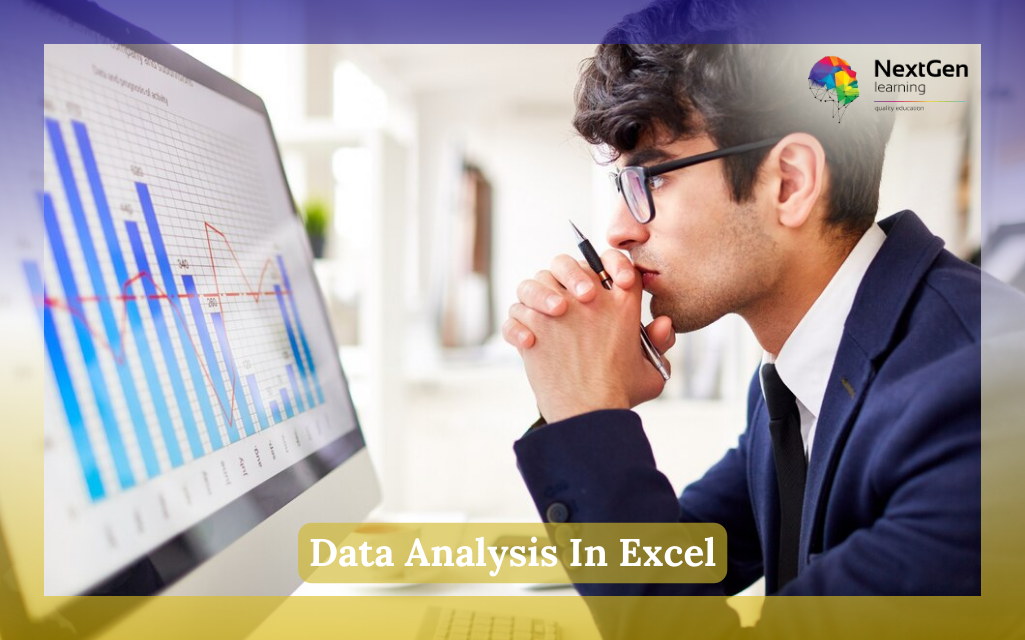
The Excel Data Analysis Course is designed to help you turn raw spreadsheets into clear insights you can actually use. First, you will build confidence with worksheets, lists, and structured data. Then, you will move into real analysis using sorting, filtering, lookups, and PivotTables.

Moreover, this course is practical from the start. Therefore, you will learn how to clean messy data, spot patterns, and create reports that make sense to others. In addition, you will explore charts, PivotCharts, and forecasting tools, so your work becomes easier to explain and faster to deliver.

Because many roles still rely on Excel every day, this Excel Data Analysis Course helps you learn job-ready skills without needing coding. As a result, you can analyse data, summarise results, and forecast trends with more confidence.

What You Will Learn in Excel Data Analysis Course

In this Excel Data Analysis Course, you will develop practical, step-by-step skills to turn raw data into meaningful insights. You will start by organising and cleaning spreadsheets, then move on to analysing, visualising, and automating data using powerful Excel tools.

You will also learn how to:

  • Manage worksheets efficiently and organise layouts professionally
  • Insert, edit, and adjust rows, columns, and cells with confidence
  • Sort, filter, and structure data for clear reporting
  • Use conditional formatting to highlight trends and patterns
  • Create and customise charts for impactful visual communication
  • Build and analyse PivotTables and PivotCharts
  • Work with multiple workbooks, links, and consolidated data
  • Apply lookup functions and audit formulas for accuracy
  • Use data validation and macros to reduce errors and save time
  • Perform what-if analysis, Goal Seek, and forecasting for smarter decision-making

By the end of this course, you will confidently transform spreadsheets into actionable insights, strengthening your analytical and decision-making skills.

Why Choose Us?​

There are many Excel courses online. However, this Excel Data Analysis Course focuses on real analysis, not just basic functions. Moreover, it teaches you how to clean, analyse, and forecast data in a way employers value.

In addition, the course includes:

  • Affordable Learning: Structured lessons for smooth progress
  • CPD-Certified: Strengthen your CV with recognised credentials
  • Lifetime Access: Learn anytime at your own pace
  • Instant Certificate: Receive certification upon completion
  • Flexible Scheduling: Study around your work or studies
  • Transparent Pricing: No hidden costs
  • Quick Assessments: Monitor your progress easily
  • 24/7 Support: Assistance via chat or email

Because the lessons are broken into short, focused modules, learning feels manageable and practical.

Certificate of Achievement

After completing the Excel Data Analysis Course, you will receive a CPD-accredited certificate.

This certificate can help you:

  • Strengthen your CV and LinkedIn profile
  • Show proof of Excel reporting skills
  • Support promotion and job applications
  • Demonstrate commitment to professional growth

You can order:

  • PDF Certificate – £4.99
  • Hardcopy Certificate – £9.99

Therefore, you can showcase your achievement in both digital and physical formats.

Nextgen Certificate

Who Is This Course For?​

This Excel Data Analysis Course is ideal for learners who want real, practical Excel skills. Moreover, it fits both beginners and professionals who need stronger reporting ability.

This course is suitable for:

  • Aspiring Data Analysts – Because Excel is often the first tool used at work
  • Business and Admin Professionals – Therefore, you can report faster and better
  • Marketing and Sales Teams – In addition, you can track trends and results clearly
  • Students and Graduates – As a result, you build job-ready Excel confidence
  • Managers and Team Leads – Because forecasting and dashboards support planning
  • Anyone using spreadsheets – Although you may not be technical, you can still excel

Entry Requirements & Course Access

There are no formal requirements for this Excel Data Analysis Course. However, basic computer skills will help you learn more smoothly.

To access the course, you need:

  • A computer or laptop
  • A stable internet connection
  • Basic English reading ability
  • Microsoft Excel (or access to Excel online)

Moreover, because the course is online, you can learn at your own pace. Therefore, you can revisit lessons whenever needed.

Career Path of Excel Data Analysis Course

After completing this Excel Data Analysis Course, you can apply your skills across a wide range of roles where reporting, forecasting, and performance tracking are essential. As Excel remains a core business tool across industries, these capabilities are highly transferable.

Common career pathways supported by this course include:

  • Data Analyst (Entry-Level Support): Cleaning datasets, building PivotTables, generating structured reports, and helping teams interpret business performance metrics.
    Indicative UK salary range: £25,000–£35,000

  • Business Analyst Assistant: Tracking KPIs, summarising analytical findings, supporting strategic decisions, and assisting with forecasting and planning models.
    Indicative UK salary range: £28,000–£40,000

  • Reporting / Operations Executive: Producing dashboards, charts, and weekly or monthly performance reports to provide stakeholders with clear operational updates.
    Indicative UK salary range: £24,000–£32,000

  • Marketing or Sales Analyst: Segmenting customer data, analysing sales trends, forecasting performance, and visualising insights for commercial teams.
    Indicative UK salary range: £27,000–£38,000

  • Finance or Administrative Roles Using Excel: Applying lookups, data validation, reconciliation processes, and structured reporting to ensure financial and operational accuracy.
    Indicative UK salary range: £23,000–£34,000

Salary and role outcomes vary by location, experience, sector, and organisation size. Excel-based data analysis skills are consistently requested across job listings on major UK recruitment platforms, strengthening employability and long-term career mobility.

Order Your Certificate

To order your Certificate, we kindly invite you to visit the following link

FAQs About Excel Data Analysis Course

An Excel Data Analysis Course teaches you how to organise, clean, and analyse data using Excel tools. Moreover, it focuses on real reporting skills like PivotTables, charts, and forecasting. Therefore, it helps you make better decisions from spreadsheets. As a result, it is valuable for both careers and daily work.

Yes, PivotTables are a major focus in this Excel Data Analysis Course. Moreover, you will learn how to create PivotTables, analyse results, and present insights. In addition, you will use PivotCharts, slicers, and timelines for interactive reporting. Therefore, you can summarise large datasets faster.

Yes, this Excel Data Analysis Course includes forecasting and what-if analysis tools. For example, you will work with data tables, scenarios, and Goal Seek. Moreover, you will learn how to forecast trends for planning. Therefore, you can test outcomes before making decisions. As a result, your analysis becomes more practical.

No, you do not need coding for this Excel Data Analysis Course. Instead, you will use Excel features like filters, lookups, PivotTables, and forecasting tools. Moreover, everything is explained in a simple way. Therefore, you can analyse data confidently without programming. As a result, it suits non-technical learners.

This Excel Data Analysis Course helps because Excel is used across business, marketing, finance, and operations. Moreover, PivotTables and forecasting are common workplace tasks. Therefore, these skills can support promotions and job changes. As a result, you become more confident in reporting and decision-making. In addition, the certificate can strengthen your application.

This Excel Data Analysis Course covers data cleaning, sorting, filtering, lookups, and formula auditing. Moreover, it includes advanced formatting, charts, PivotTables, and automation basics like macros. Therefore, you gain a complete toolkit for analysis and reporting. In addition, you learn validation to reduce errors. As a result, your work becomes faster and more accurate.

Course Curriculum

Modifying a Worksheet
Insert, Delete, and Adjust Cells, Columns, and Rows 00:10:00
Search for and Replace Data 00:09:00
Use Proofing and Research Tools 00:07:00
Working with Lists
Sort Data 00:10:00
Filter Data 00:10:00
Query Data with Database Functions 00:09:00
Outline and Subtotal Data 00:09:00
Analyzing Data
Apply Intermediate Conditional Formatting 00:07:00
Apply Advanced Conditional Formatting 00:05:00
Visualizing Data with Charts
Create Charts 00:13:00
Modify and Format Charts 00:12:00
Use Advanced Chart Features 00:12:00
Using PivotTables and PivotCharts
Create a PivotTable 00:13:00
Analyze PivotTable Data 00:12:00
Present Data with PivotCharts 00:07:00
Filter Data by Using Timelines and Slicers 00:11:00
Working with Multiple Worksheets and Workbooks
Use Links and External References 00:12:00
Use 3-D References 00:06:00
Consolidate Data 00:05:00
Using Lookup Functions and Formula Auditing
Use Lookup Functions 00:12:00
Trace Cells 00:09:00
Watch and Evaluate Formulas 00:08:00
Automating Workbook Functionality
Apply Data Validation 00:13:00
Search for Invalid Data and Formulas with Errors 00:04:00
Work with Macros 00:18:00
Creating Sparklines and Mapping Data
Create Sparklines 00:07:00
MapData 00:07:00
Forecasting Data
Determine Potential Outcomes Using Data Tables 00:08:00
Determine Potential Outcomes Using Scenarios 00:09:00
Use the Goal Seek Feature 00:04:00
Forecasting Data Trends 00:05:00
Assignment
Assignment – Data Analysis In Excel 00:00:00
Order Your Certificate
Order Your Certificate 00:00:00

Related Courses

No course found

A product of

© 2026 NextGen Learning. All rights reserved

Home Search Cart Offers
Select your currency
USD United States (US) dollar