Popular Courses

Brand
Awarding body image

Adobe After Effects Course – Learn Animation & Motion Graphics Online

Want to learn how to create stunning videos, animations, and visual effects? This Adobe After Effects course is designed for beginners who want to build real skills from the start. Whether you are new to editing or looking to improve your creativity, this course helps you learn After Effects step by step in a simple and practical way.

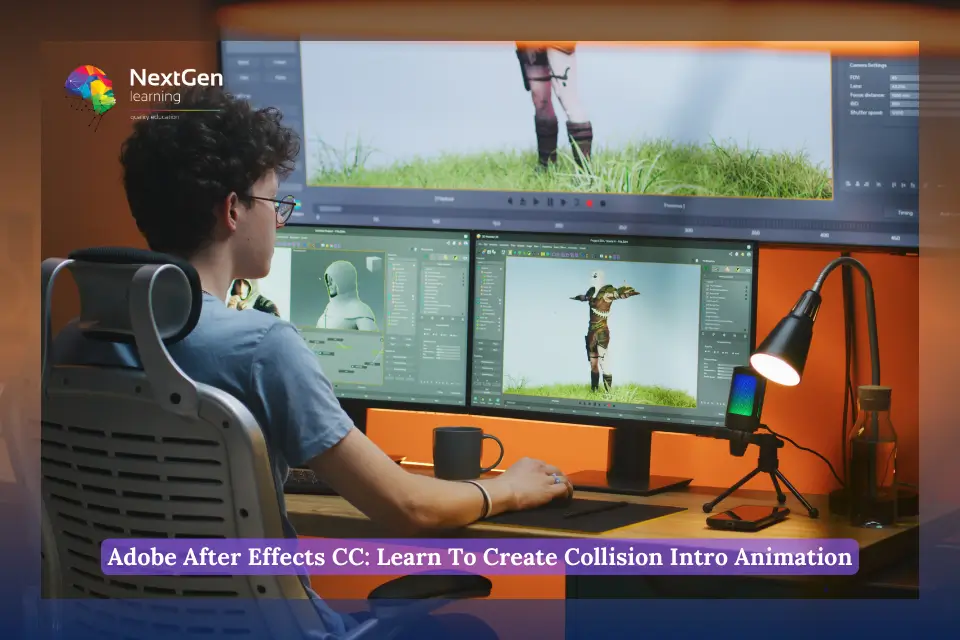
In this After Effects course online, you will learn how to create eye-catching animations using real projects. For example, you will build 3D rocky text effects and create collision animations that bring your visuals to life. As a result, you will gain hands-on experience that you can use in real-world projects, content creation, or freelance work.

Moreover, this Adobe After Effects training focuses on clarity and practical learning. Instead of overwhelming you with complex tools, it guides you through essential techniques that actually matter. So, by the end of the course, you will feel confident using After Effects to create engaging motion graphics and creative video content.

If you are looking for a beginner-friendly After Effects course in the UK, this is a great place to start. You will not just learn software — you will learn how to turn your ideas into professional-looking animations.

Exclusive Course Glimpse

What You Will Learn in This Adobe After Effects Course

By the end of this Adobe After Effects course, you will gain practical skills that help you create engaging animations and visual effects with confidence. Moreover, each lesson is designed to be simple, clear, and easy to follow.

Understand the After Effects interface: Learn how to navigate the workspace and use essential tools with ease
Create 3D rocky text animations: Design eye-catching 3D text effects that look professional and realistic
Build collision animations: Create dynamic motion effects where objects interact and move naturally
Apply basic animation techniques: Use position, scale, and timing to bring your ideas to life
Develop real-world motion graphics skills: Work on practical projects that you can use for videos, social media, or freelance work

Why Choose This Adobe After Effects Course Online

Choosing the right Adobe After Effects course can make a big difference in how quickly you learn and apply your skills. Therefore, this course is designed to give you a simple, flexible, and practical learning experience from start to finish.

Lifetime access to the course: Learn at your own pace and revisit lessons anytime you need
CPD-accredited certification: Receive a recognised certificate to strengthen your CV and career profile
Beginner-friendly structured lessons: Follow clear step-by-step training designed for easy understanding
Hands-on practical projects: Learn by creating real animations like 3D text and collision effects
Flexible online learning: Study anytime, anywhere, using your laptop, tablet, or smartphone
Tutor support included: Get help and guidance during your learning journey when you need it
Career-focused learning approach: Build skills that support freelance work, content creation, or job opportunities

Certificate of Achievement

Nextgen Certificate

After completing this Adobe After Effects course, you will take a final assessment to demonstrate your understanding of the key concepts and skills covered throughout the training. This helps ensure that you can confidently apply what you have learned in real-world projects.

CPD-accredited certificate: Receive a recognised certificate to support your CV and career development
Proof of your skills: Show employers or clients that you have completed professional After Effects training
Flexible assessment process: Complete the final assignment at your own pace when you feel ready
Career-focused recognition: Use your certificate to improve job opportunities in animation, video editing, and digital media

Who Is This Adobe After Effects Course For

This Adobe After Effects course online is designed for beginners and creative learners who want to build practical animation skills. Whether you want to start a new career or improve your content, this course gives you a strong starting point.

Aspiring animators: Learn how to create simple animations and start your journey in motion graphics
Graphic designers: Add motion and visual effects to your existing design skills
Video editors: Improve your videos with engaging animations and creative effects
Content creators: Create eye-catching content for YouTube, social media, and online platforms
Beginners with no experience: Start learning After Effects step by step with easy lessons

Entry Requirements & Course Access

This Adobe After Effects course online is designed to be simple and accessible for everyone. Therefore, you do not need any previous experience or qualifications to get started.

No prior experience required: This course is beginner-friendly and easy to follow from the start
Basic computer skills needed: You should be comfortable using a computer or mobile device
Device compatibility: Access the course on PC, Mac, tablet, or smartphone
Flexible online access: Learn anytime and from anywhere at your convenience
Internet connection required: A stable connection will help you stream lessons smoothly

Career Path After Completing This Adobe After Effects Course

Completing this Adobe After Effects course online can open the door to creative and digital media careers. As video content and motion graphics continue to grow in demand, these skills are becoming more valuable across industries. Therefore, learning After Effects can help you build a strong foundation for both freelance and full-time opportunities.

Common career paths include:

  • Motion Graphics Designer (£25,000 – £40,000): Create animations and visual effects for videos, adverts, and digital content
  • Visual Effects Artist (£30,000 – £50,000): Design special effects for films, TV, and online media projects
  • Animation Specialist (£28,000 – £45,000): Develop animated content for brands, entertainment, and marketing
  • Video Content Creator (£22,000 – £35,000): Produce engaging video content for social media, YouTube, and businesses
  • Multimedia Animator (£26,000 – £42,000): Combine animation, graphics, and sound to create interactive media
  • Digital Media Producer (£32,000 – £48,000): Manage and deliver creative media projects across digital platforms

Order Your Certificate

To order your Certificate, we kindly invite you to visit the following link

FAQs About Adobe After Effects Course

After Effects can feel difficult because it has many tools and features. However, with a beginner-friendly Adobe After Effects course, you can learn step by step and understand it much faster.

After Effects is usually harder because it focuses on animation and visual effects. In contrast, DaVinci Resolve is mainly for video editing. Therefore, starting with a structured course makes After Effects easier to learn.

CC stands for Creative Cloud. It means After Effects is part of Adobe’s cloud-based software, with regular updates and new features.

Both tools can be complex, but Blender is often harder because it includes full 3D modelling. After Effects is easier to start with, especially when learning through a simple online After Effects course.

You can learn basic features in one day, but mastering it takes time. However, with a focused course, you can quickly learn practical skills like 3D text and animation effects.

The 80/20 rule means focusing on the most important 20% of skills that give 80% of results. For example, learning key animation tools in After Effects can quickly improve your videos.

Yes, After Effects is usually harder because it involves animation and timelines. Photoshop is mainly for static design, so it is easier for beginners.

Yes, After Effects is widely used by professionals for motion graphics, films, adverts, and social media content. Learning it can open many career opportunities.

Yes, Premiere Pro is easier because it focuses on video editing. After Effects is more advanced as it deals with animation and visual effects.

Canva is easier for quick designs, but After Effects is much more powerful for animations and professional video effects. If you want advanced skills, After Effects is the better choice.

Course Curriculum

Section 01: Introduction
Introduction 00:01:00
Section 02: How to Create 3D Rocky Text
Apply Rock Texture 00:07:00
Lighting Effects 00:03:00
Apply 3D Texture 00:07:00
Section 03: How to Create a Collision Animation
Animate Collision 00:09:00
Final Touches 00:06:00

Related Courses

No course found

A product of

© 2026 NextGen Learning. All rights reserved

Home Search Cart Offers
Select your currency
GBP Pound sterling