| Section 01: All about the CompTIA A+ |
|
CompTIA A+ 2019 Core 1 (220-1001) Course Introduction |
|
00:02:00 |
|
What is the CompTIA A+? |
|
00:02:00 |
|
Why Get A+ Certified? |
|
00:03:00 |
|
What is on the CompTIA A+ Core 1 (220-1001) Exam? |
|
00:09:00 |
|
How to Pass the A+ Exam |
|
00:04:00 |
|
How to Use This Video Course |
|
00:03:00 |
| Section 02: Safety and Professionalism |
|
Tools of the Trade |
|
00:06:00 |
|
Troubleshooting Theory |
|
00:10:00 |
| Section 03: The Visible Computer |
|
Primary PC Connections |
|
00:05:00 |
|
External Connections |
|
00:11:00 |
|
Inside the PC |
|
00:08:00 |
|
What is a Computer? |
|
00:07:00 |
| Section 04: CPUs |
|
What is a CPU? |
|
00:15:00 |
|
CPU Speeds and Cores |
|
00:12:00 |
|
Caching |
|
00:07:00 |
|
CPU Sockets |
|
00:12:00 |
|
Installing a CPU |
|
00:11:00 |
|
Liquid Cooling |
|
00:04:00 |
| Section 05: RAM |
|
RAM Technology |
|
00:11:00 |
|
RAM Capacity |
|
00:08:00 |
|
RAM Features |
|
00:07:00 |
|
Installing RAM |
|
00:07:00 |
| Section 06: Firmware |
|
What is the BIOS? |
|
00:06:00 |
|
POST |
|
00:09:00 |
|
System Setup |
|
00:09:00 |
|
Troubleshooting Firmware |
|
00:12:00 |
| Section 07: Motherboards |
|
Form Factors |
|
00:06:00 |
|
Chipsets |
|
00:05:00 |
|
Touring the Motherboard |
|
00:14:00 |
|
Touring the Case |
|
00:07:00 |
|
Installing a Motherboard |
|
00:09:00 |
| Section 08: Power Supplies |
|
The Power Supply |
|
00:09:00 |
|
Mounting a Power Supply |
|
00:05:00 |
|
Choosing a Power Supply |
|
00:08:00 |
|
Cooling Your PC |
|
00:11:00 |
|
Troubleshooting Power Supplies |
|
00:09:00 |
|
Troubleshooting Core Components |
|
00:14:00 |
| Section 09: Mass Storage Technologies |
|
Introduction to Mass Storage |
|
00:13:00 |
|
Magnetic Disk Drives |
|
00:08:00 |
|
Solid State Drives |
|
00:08:00 |
|
SCSI |
|
00:03:00 |
|
Boot Order |
|
00:07:00 |
| Section 10: Implementing Mass Storage |
|
New Installation – First Drive |
|
00:05:00 |
|
RAID |
|
00:11:00 |
|
Hardware RAID |
|
00:07:00 |
|
Mass Storage Troubleshooting |
|
00:08:00 |
| Section 11: Essential Peripherals |
|
Optical Media |
|
00:10:00 |
|
USB Standards |
|
00:10:00 |
|
Understanding USB |
|
00:11:00 |
|
Configuring USB |
|
00:07:00 |
|
Thunder and Lightning |
|
00:06:00 |
|
Keyboards and Mice |
|
00:08:00 |
|
Sight and Sound |
|
00:07:00 |
|
Readers and Scanners |
|
00:08:00 |
|
Using Expansion Cards |
|
00:08:00 |
| Section 12: Building a PC |
|
The Right PC for the Job |
|
00:13:00 |
| Section 13: Display Technologies |
|
Monitor Technologies |
|
00:08:00 |
|
LCD Breakdown |
|
00:04:00 |
|
Graphics Cards and Connections |
|
00:13:00 |
|
Installing a Graphics Card |
|
00:07:00 |
|
Projectors |
|
00:05:00 |
|
Troubleshooting Monitors |
|
00:06:00 |
| Section 14: Essentials of Networking |
|
Introduction to Networking |
|
00:08:00 |
|
Hubs vs. Switches |
|
00:05:00 |
|
Hexadecimal |
|
00:07:00 |
|
WANs and Routers |
|
00:09:00 |
|
Cables and Connectors |
|
00:11:00 |
|
Crimping Cables |
|
00:10:00 |
|
Structured Cabling |
|
00:11:00 |
| Section 15: Local Area Networking |
|
Introduction to TCP/IP |
|
00:14:00 |
|
Network IDs and Subnet Masks |
|
00:05:00 |
|
Special IP Addresses |
|
00:09:00 |
|
NAT |
|
00:07:00 |
|
Dynamic IP Addressing |
|
00:10:00 |
|
IPv6 |
|
00:07:00 |
|
Port Numbers |
|
00:12:00 |
|
TCP, UDP, and ICMP |
|
00:06:00 |
|
Understanding DNS |
|
00:09:00 |
|
Working with DNS |
|
00:07:00 |
|
Windows Naming |
|
00:08:00 |
|
Routers |
|
00:12:00 |
|
Basic Router Configuration |
|
00:12:00 |
|
Advanced Router Configuration |
|
00:06:00 |
|
VLANs |
|
00:07:00 |
|
Network Troubleshooting |
|
00:05:00 |
| Section 16: Wireless Networking |
|
Wireless Network Hardware |
|
00:11:00 |
|
Wi-Fi Standards |
|
00:10:00 |
|
Basic WAP Setup |
|
00:11:00 |
|
Connecting to a Wi-Fi Network |
|
00:09:00 |
|
It’s a Huge Mesh |
|
00:04:00 |
|
Beyond Wi-Fi |
|
00:07:00 |
|
Troubleshooting Wireless Connections |
|
00:07:00 |
| Section 17: The Internet |
|
Beyond the LAN |
|
00:03:00 |
|
Internet Tiers |
|
00:06:00 |
|
Dial-up Connections |
|
00:08:00 |
|
Broadband Connections |
|
00:10:00 |
|
Firewalls and Servers |
|
00:06:00 |
|
FTP |
|
00:07:00 |
|
E-Mail |
|
00:08:00 |
|
Proxy Servers |
|
00:06:00 |
|
Virtual Private Networks (VPNs) |
|
00:08:00 |
|
Internet of Things (IoT) |
|
00:04:00 |
| Section 18: Virtualization |
|
Understanding Virtualization |
|
00:10:00 |
|
Your First Virtual Machine |
|
00:11:00 |
|
Advanced Virtualization Setup |
|
00:10:00 |
|
Cloud Computing |
|
00:08:00 |
|
Cloud Ownership |
|
00:03:00 |
|
Cloud-Based Applications |
|
00:06:00 |
| Section 19: Portable Computing |
|
Laptop Features |
|
00:08:00 |
|
Laptop Hardware Troubleshooting – The Tools |
|
00:05:00 |
|
Laptop Hardware – Core Hardware |
|
00:04:00 |
|
Laptop Hardware – CPU and Motherboard |
|
00:07:00 |
|
Touring Your Laptop Display |
|
00:04:00 |
| Section 20: Understanding Mobile Devices |
|
What is a Mobile Device? |
|
00:09:00 |
|
Mobile Connections |
|
00:10:00 |
|
Touring Android |
|
00:10:00 |
|
Touring iOS |
|
00:08:00 |
|
Virtual Reality |
|
00:03:00 |
| Section 21: Care and Feeding of Mobile Devices |
|
Maintaining Mobile Devices |
|
00:11:00 |
|
Mobile Devices and E-mail |
|
00:10:00 |
|
Mobile Synchronization |
|
00:08:00 |
| Section 22: Printers and Multifunction Devices |
|
Laser Printers |
|
00:13:00 |
|
Inkjet Printers |
|
00:08:00 |
|
Impact Printers |
|
00:04:00 |
|
Thermal Printers |
|
00:04:00 |
|
Installing a Local Printer |
|
00:14:00 |
|
Sharing Printers |
|
00:08:00 |
|
Installing Wireless and Cloud Printers |
|
00:10:00 |
|
Troubleshooting Printers |
|
00:10:00 |
|
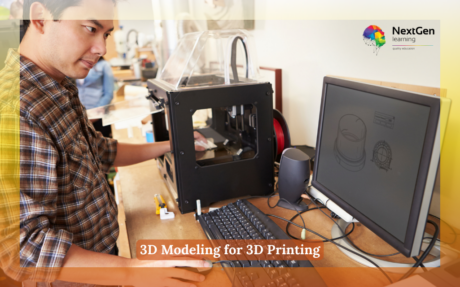
3D Printing |
|
00:07:00 |
| Section 23: Securing Computers |
|
Dealing with Threats |
|
00:07:00 |
| Order Your Certificate |
|
Order Your Certificate |
|
00:00:00 |