

Popular Courses

Brand Brand Brand Brand
Awarding body image

Overview​ of Data Entry Clerk Course

The Data Entry Clerk Training Course is designed for individuals aspiring to build a career in data entry, particularly those interested in roles such as Data Entry Assistant or Database Administrator. This course provides in-depth training on the use of Microsoft Excel and other essential tools for efficiently managing data. Learners will benefit from an industry-recognized CPD accreditation, which adds value to their CV and improves career prospects by showcasing their expertise in data management.

By completing the course, learners will develop a solid foundation in Data Entry Clerk responsibilities. The training covers key modules that will enhance their ability to manage and manipulate large datasets effectively, improving productivity and accuracy in the workplace. With 24/7 student support available, learners will have continuous access to assistance, ensuring a smooth learning experience and enabling them to grasp all concepts confidently.

Description​ of Database Administrator Course

This Data Entry Course trains learners to excel in professional roles such as Data Entry Clerk, Data Entry Assistant, or Database Administrator. As organizations increasingly rely on accurate and well-managed data, the demand for skilled data professionals continues to grow rapidly. Therefore, this course equips learners with the practical skills and knowledge required for these careers, ensuring they can enter the job market with confidence.

Throughout the Data Entry Course, learners focus on essential areas including simplifying data entry tasks, performing advanced calculations in Excel, modifying and formatting worksheets, and managing complete workbooks. Moreover, they develop a thorough understanding of Microsoft Office Excel 2016, one of the most important tools for any Data Entry Clerk or Database Administrator. In addition, learners practice proven techniques to boost accuracy and speed in everyday data entry activities. By the end of the training, they will have mastered the skills necessary to manage and organize data efficiently, applying these abilities directly in their future roles.

Learning Outcomes Of Data Entry Course :

After completing Data Entry Clerk course, you will:

  • Understand the key responsibilities of a Data Entry Clerk.
  • Master essential Excel functions and formulas.
  • Learn to modify and format worksheets to meet business needs.
  • Gain proficiency in managing and printing workbooks.
  • Improve productivity and accuracy in data entry tasks.

Why Choose Us?​

  • Firstly, Database Administrator course is accredited by the CPD Quality Standards.
  • Additionally, you get lifetime access to the whole collection of the learning materials.
  • Furthermore, there is an online test with immediate results.
  • Moreover, enroling in the Data Entry Course course has no additional cost.
  • Hence, you can study and complete the course at your own pace.
  • Finally, you can study for the course using any internet-connected device, such as a computer, tablet, or mobile device.

Certificate of Achievement

Upon successful completion, you will qualify for the UK and internationally-recognised CPD certificate and you can choose to make your achievement formal by obtaining your PDF Certificate at a cost of £4.99 and Hardcopy Certificate for £14.99.

QLS Endorsed Certificate of Achievement

Upon successful completion of the course, you will be eligible to order a QLS Endorsed HardCopy Certificate titled ‘Data Entry Administrator Training’, providing tangible proof of your newly acquired skills. These certificates are not just tokens; they can be a valuable addition to your CV, enhancing your employability and opening doors to a myriad of career opportunities in this field.

 
  • £109 GBP for addresses within the UK. Please note that delivery within the UK is free of charge.
 
Please Note: NextGen Learning is a Compliance Central approved resale partner for Quality Licence Scheme Endorsed courses.

Endorsement

The Quality Licence Scheme (QLS) has endorsed this Data Entry Assistant course for its high-quality, non-regulated provision and training programmes. In addition, the QLS is a UK-based organisation that sets standards for non-regulated training and learning. Therefore, this endorsement means that the course has been reviewed and approved by the QLS and, hence, meets the highest quality standards.

Who Is This Course For?​

The Data Entry Clerk course is ideal for:

  • Aspiring Data Entry Clerks seeking foundational knowledge in data entry.
  • Current Data Entry Assistants looking to enhance their skills.
  • Individuals interested in becoming Database Administrators.
  • Anyone wishing to gain proficiency in Microsoft Excel.
  • Those pursuing a career in data management or related fields.
Student learning Excel 2025 during CPD accredited Data Entry Course for Data Entry Clerk, Data Entry Assistant, and Database Administrator roles

Requirements​

The Database Administrator course requires no prior degree or experience. Therefore, all you require is English proficiency, numeracy literacy, and a gadget with a stable internet connection. Consequently, you can learn and train for a prosperous career in the thriving and fast-growing industry, without any fuss.

Career Path​ Of Data Entry Assistant

With the help of Data Entry Course Course, you can explore diverse career options, such as:

  • Data Entry Clerk
  • Database Administrator
  • Data Entry Assistant
  • Office Administrator
  • Data Analyst

Order Your Certificate

To order QLS endorsed Certificate, we kindly invite you to visit the following link:

Course Curriculum

Making Data Entry Jobs Easier
Introduction to Data Entry 00:20:00
Using the Computer for Data Entry 00:15:00
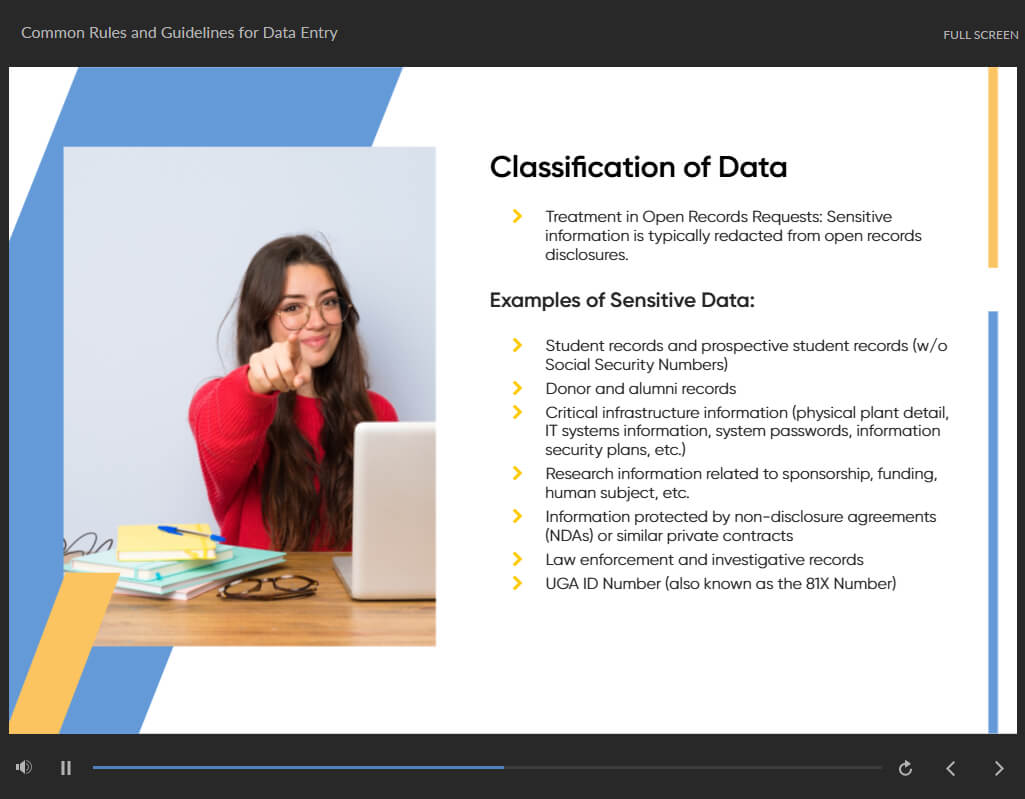
Common Rules and Guidelines for Data Entry 00:30:00
Using Excel for Efficient Data Entry 00:30:00
Using Excel’s Flash Fill and Autofill to Automate Data Entry 00:30:00
How to Create a Data Entry Form in Excel? 00:45:00
Using Statistics Packages in Data Entry 00:45:00
Getting Started with Microsoft Office Excel 2016
Navigate the Excel User Interface 00:28:00
Use Excel Commands 00:10:00
Create and Save a Basic Workbook 00:19:00
Enter Cell Data 00:12:00
Use Excel Help 00:05:00
Performing Calculations
Create Worksheet Formulas 00:15:00
Insert Functions 00:17:00
Reuse Formulas and Functions 00:17:00
Modifying a Worksheet
Insert, Delete, and Adjust Cells, Columns, and Rows 00:10:00
Search for and Replace Data 00:09:00
Use Proofing and Research Tools 00:07:00
Formatting a Worksheet
Apply Text Formats 00:16:00
Apply Number Format 00:08:00
Align Cell Contents 00:09:00
Apply Styles and Themes 00:12:00
Apply Basic Conditional Formatting 00:11:00
Create and Use Templates 00:08:00
Printing Workbooks
Preview and Print a Workbook 00:10:00
Set Up the Page Layout 00:09:00
Configure Headers and Footers 00:07:00
Managing Workbooks
Manage Worksheets 00:05:00
Manage Workbook and Worksheet Views 00:07:00
Manage Workbook Properties 00:06:00
Mock Exam
Mock Exam – Data Entry Administrator Training 00:20:00
Final Exam
Final Exam – Data Entry Administrator Training 00:20:00

Related Courses

A product of

© 2025 NextGen Learning. All rights reserved

Home Search Cart Offers
Select your currency
GBP Pound sterling