Popular Courses

Brand
Awarding body image

Overview of Excel for Bookkeeping

Keeping financial records organised is one of the most important business skills today. In fact, thousands of UK small businesses rely on spreadsheets daily for tracking income, expenses, and cash flow. However, many beginners feel overwhelmed because they are unsure what to record or how to structure their data properly. Therefore, this Excel for Bookkeeping course is designed to teach Basic Excel for Bookkeeping alongside clear bookkeeping and accounting basics that you can apply immediately. Whether you are running a small business or building career-ready finance skills, this Excel bookkeeping course provides a structured and practical starting point.

From the beginning, you will learn how to design clean worksheets, record transactions accurately, and build simple systems using proven bookkeeping in Excel methods. Moreover, you will work with Excel bookkeeping templates, tables, filters, and formulas to track revenue, expenses, receipts, and payments efficiently. Because spreadsheet errors can cost businesses time and money, you will also learn how to apply structured checks and formatting for better accuracy. As a result, you will confidently apply Accounting 101 principles using Excel without needing expensive accounting software.

In addition, this flexible bookkeeping course online UK format allows you to study at your own pace while building confidence with calculations, summaries, and financial reporting. Since many entry-level finance and accounts roles require Excel proficiency, this Excel for accounting beginners programme introduces both single-entry bookkeeping in Excel and the foundations of double-entry bookkeeping in Excel. Therefore, you gain practical skills that support personal financial organisation, freelance bookkeeping, and entry-level accounting career pathways.

Exclusive Course Glimpse

What You Will Learn in Excel for Bookkeeping

This Bookkeeping in Excel course focuses on practical tools you can use for real record keeping. Moreover, it builds Excel confidence while teaching the bookkeeping fundamentals behind good financial tracking.

By the end of this Excel for Bookkeeping Course, you will learn:

  • Navigate Excel confidently and manage workbooks with ease
  • Enter and organise transactions using structured worksheets
  • Use formulas and functions to total, balance, and check records
  • Apply formatting and conditional formatting for clarity and error spotting
  • Build simple Excel bookkeeping templates for daily record keeping
  • Sort, filter, and manage lists for clean transaction tracking
  • Create charts and PivotTables for simple summaries and reporting
  • Use lookup functions and formula auditing for better accuracy
  • Apply data validation to reduce input mistakes
  • Understand the basics of single-entry bookkeeping in Excel and the logic behind double-entry foundations

As a result, you will feel more confident using Excel for everyday bookkeeping and basic accounting tasks.

Why Choose Us?​

There are many courses on Excel. However, this Excel for Bookkeeping course connects spreadsheet skills to real bookkeeping tasks, so you learn what matters most. Moreover, it is designed for beginners who want structure and clarity without jargon.

In addition, the course includes:

  • Affordable Learning: Structured lessons for smooth progress
  • CPD-Certified: Strengthen your CV with recognised credentials
  • Lifetime Access: Learn anytime at your own pace
  • Instant Certificate: Receive certification upon completion
  • Flexible Scheduling: Study around your work or studies
  • Transparent Pricing: No hidden costs
  • Quick Assessments: Monitor your progress easily
  • 24/7 Support: Assistance via chat or email

Therefore, if you want Basic Excel for Bookkeeping skills that also support employability, this is a strong choice.

Certificate of Achievement

After completing this Excel for Bookkeeping course, you will receive a CPD-accredited certificate to confirm your learning professionally. Moreover, a certificate helps you show proof of skills when applying for entry-level finance or admin roles.

You can typically choose:

  • PDF Certificate – £4.99
  • Hardcopy Certificate – £9.99

In addition, certification can help you:

  • Strengthen your CV and LinkedIn profile
  • Support applications for bookkeeping and accounts support roles
  • Demonstrate progress in bookkeeping and accounting basics
  • Build credibility with clients if you manage small business records

Therefore, this CPD bookkeeping course style outcome adds confidence and professional value.

Nextgen Certificate

Who Is This Course For?​

This Excel bookkeeping course is ideal for learners who want to manage financial records confidently using spreadsheets. Moreover, it is suitable for beginners who want clear, practical learning.

This course is suitable for:

  • Beginners looking for Excel for accounting beginners training
  • Small business owners needing a simple bookkeeping system
  • Freelancers tracking income and expenses
  • Aspiring bookkeepers and finance assistants
  • Admin professionals who want better spreadsheet confidence
  • Learners searching for a bookkeeping course online UK

However, you do not need prior experience to start.

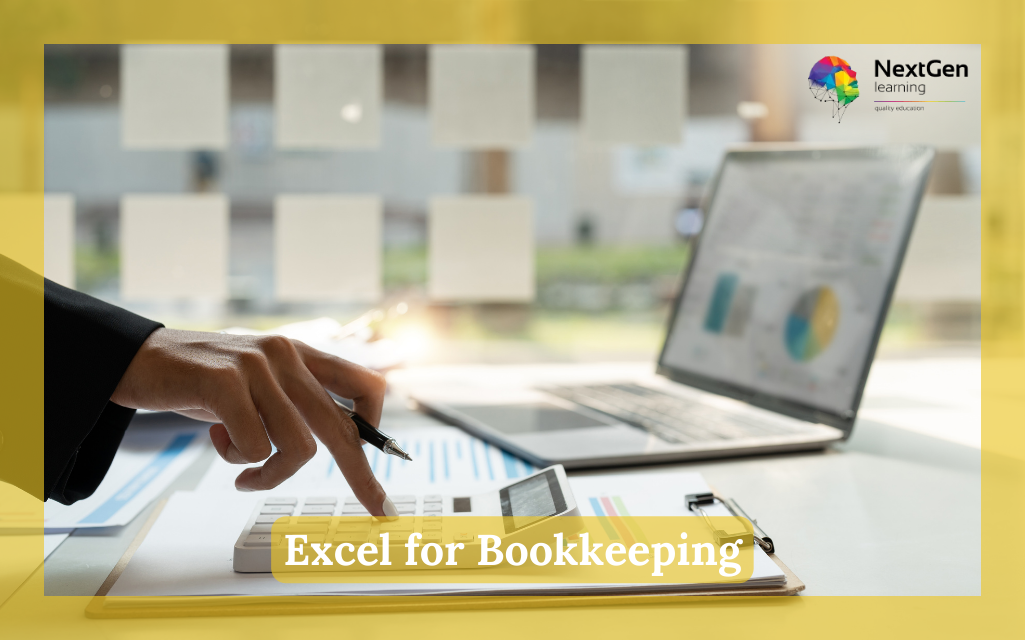
Excel for Bookkeeping

Requirements​

There are no formal entry requirements for this Bookkeeping in Excel course. However, to learn comfortably, you should have:

  • Basic English reading skills
  • A laptop, tablet, or smartphone
  • A stable internet connection

Because the course is online, you can learn at your own pace. Therefore, you can revisit lessons, practise templates, and build confidence gradually.

Career Path of Excel for Bookkeeping

Excel bookkeeping skills are useful across finance, admin, and small business environments. Moreover, combining Excel confidence with Accounting 101 basics supports a wide range of entry-level roles.

Common career directions include:

  • Bookkeeping Assistant: Support transaction recording, spreadsheet updates, and basic reporting. Moreover, Excel templates help keep records accurate.
    Indicative UK salary: £22,000 – £30,000 per year 
  • Accounts Assistant / Finance Assistant (Entry-Level): Assist with invoice tracking, expenses, and simple reconciliations. Therefore, strong Excel skills are a big advantage.
    Indicative UK salary: £24,000 – £32,000 per year 
  • Office Administrator (Finance Support): Manage spreadsheets, payment logs, and record organisation. In addition, formatting and validation reduce mistakes.
    Indicative UK salary: £22,000 – £28,000 per year 
  • Junior Payroll or Expenses Assistant: Support timesheets, payments, and expense tracking. As a result, structured Excel workbooks improve speed and accuracy.
    Indicative UK salary: £23,000 – £30,000 per year

Salary figures vary by role, region, and experience. Therefore, use Reed or Indeed UK for current salary ranges.

Order Your Certificate

To order your Certificate, we kindly invite you to visit the following link

FAQs About Excel for Bookkeeping

In Excel for Bookkeeping, you will learn how to organise transactions, use formulas, and create simple bookkeeping templates. Moreover, you will cover key bookkeeping and accounting basics like recording income and expenses. Therefore, you can build a usable spreadsheet system quickly.

Yes, bookkeeping in Excel can work well for small businesses and freelancers, especially for basic record keeping. Moreover, using structured templates helps you stay organised. Therefore, this bookkeeping course online in the UK is useful for everyday tracking.

Excel for Bookkeeping course introduces the foundations behind double-entry bookkeeping in Excel. However, the main focus stays beginner-friendly. Therefore, you gain the logic needed to progress to advanced accounting training later.

For bookkeeping and accounting basics, the most important Excel skills include data entry, formatting, SUM totals, simple functions, and tables. Moreover, sorting and filtering help keep records clean. As a result, you can manage transaction logs more efficiently.

The best Excel functions for bookkeeping include:

  • SUM – Add totals for income and expenses

  • IF – Categorise transactions or flag conditions

  • VLOOKUP / XLOOKUP – Match transactions to account codes

  • COUNT / COUNTA – Track number of entries

  • SUMIF / SUMIFS – Total income or expenses by category

  • PMT – Calculate loan or repayment amounts

These functions help improve accuracy, automate calculations, and support structured bookkeeping in Excel.

Course Curriculum

Getting Started with Microsoft Office Excel 2016
Navigate the Excel User Interface 00:28:00
Use Excel Commands 00:10:00
Create and Save a Basic Workbook 00:19:00
Enter Cell Data 00:12:00
Use Excel Help 00:05:00
Performing Calculations
Create Worksheet Formulas 00:15:00
Insert Functions 00:17:00
Reuse Formulas and Functions 00:17:00
Modifying a Worksheet
Insert, Delete, and Adjust Cells, Columns, and Rows 00:10:00
Search for and Replace Data 00:09:00
Use Proofing and Research Tools 00:07:00
Formatting a Worksheet
Apply Text Formats 00:16:00
Apply Number Format 00:08:00
Align Cell Contents 00:09:00
Apply Styles and Themes 00:12:00
Apply Basic Conditional Formatting 00:11:00
Create and Use Templates 00:08:00
Printing Workbooks
Preview and Print a Workbook 00:10:00
Set Up the Page Layout 00:09:00
Configure Headers and Footers 00:07:00
Managing Workbooks
Manage Worksheets 00:05:00
Manage Workbook and Worksheet Views 00:07:00
Manage Workbook Properties 00:06:00
Working with Functions
Work with Ranges 00:18:00
Use Specialized Functions 00:11:00
Work with Logical Functions 00:23:00
Work with Date & Time Functions 00:08:00
Work with Text Functions 00:11:00
Working with Lists
Sort Data 00:10:00
Filter Data 00:10:00
Query Data with Database Functions 00:09:00
Outline and Subtotal Data 00:09:00
Analyzing Data
Create and Modify Tables 00:16:00
Apply Intermediate Conditional Formatting 00:07:00
Apply Advanced Conditional Formatting 00:05:00
Visualizing Data with Charts
Create Charts 00:13:00
Modify and Format Charts 00:12:00
Use Advanced Chart Features 00:12:00
Using PivotTables and PivotCharts
Create a PivotTable 00:13:00
Analyze PivotTable Data 00:12:00
Present Data with PivotCharts 00:07:00
Filter Data by Using Timelines and Slicers 00:11:00
Working with Multiple Worksheets and Workbooks
Use Links and External References 00:12:00
Use 3-D References 00:06:00
Consolidate Data 00:05:00
Using Lookup Functions and Formula Auditing
Use Lookup Functions 00:12:00
Trace Cells 00:09:00
Watch and Evaluate Formulas 00:08:00
Sharing and Protecting Workbooks
Collaborate on a Workbook 00:19:00
Protect Worksheets and Workbooks 00:08:00
Automating Workbook Functionality
Apply Data Validation 00:13:00
Search for Invalid Data and Formulas with Errors 00:04:00
Work with Macros 00:18:00
Assignment
Assignment – Excel for Bookkeeping 3 weeks, 4 days

Related Courses

A product of

© 2026 NextGen Learning. All rights reserved

Home Search Cart Offers
Select your currency
GBP Pound sterling