Popular Courses

Brand Brand Brand Brand
Awarding body image

Overview

php for beginners course

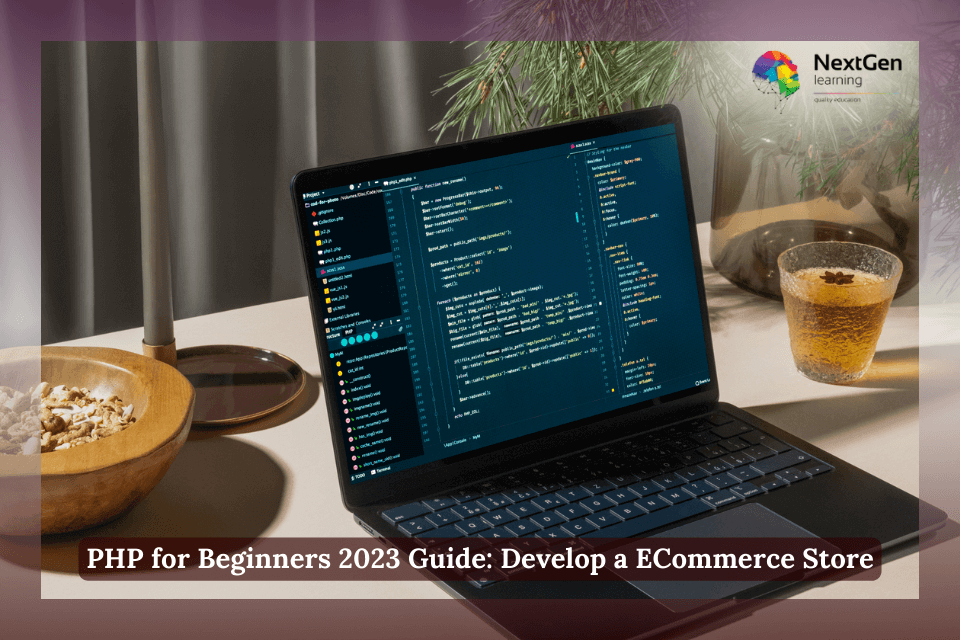
The php for beginners course from NextGen Learning teaches you how to code dynamic, database-driven websites from scratch. This learn php online training takes you step by step through PHP basics, syntax, loops, arrays, functions, and database connections. Moreover, you’ll gain the skills to build your first eCommerce store using PHP, MySQL and HTML5.

In addition, this php for beginners training focuses on project-based learning so you can apply new concepts in real-time. You’ll practise connecting to a MySQL database, handling forms, and managing sessions securely. Furthermore, the course provides expert guidance on debugging, authentication, and deploying your project online. As a result, you’ll finish this php for beginners course with the skills to create and publish fully functional eCommerce websites confidently.

Description

php for beginners course

This php for beginners training covers every essential topic for aspiring web developers. You’ll start with installing PHP and a local server environment, then move on to writing your first scripts and functions. Moreover, you’ll learn to structure a simple online store with products, a shopping cart, and checkout functionality using PHP and MySQL.

In addition, the course explains the principles of backend logic, user validation, and error handling with modern PHP 8 syntax. Furthermore, it introduces you to secure coding practices, including SQL injection prevention and password encryption. Therefore, after completing this php for beginners course, you’ll be prepared to design, test and deploy real-world web applications. According to the UK National Careers Service – Software Developer Profile, PHP remains one of the most in-demand skills for new developers entering the UK tech industry.


Learning Outcomes:

  • Understand PHP fundamentals: syntax, variables, loops, and functions.

  • Connect and interact with MySQL databases using PHP.

  • Build dynamic web pages that display and process real-time data.

  • Develop a complete eCommerce website from start to finish.

  • Apply best practices for form validation, authentication, and data security.

  • Use insights from this php for beginners course to progress into web development careers.

php for beginners course – learn php online uk

Why Choose Us?​

php for beginners course

Certificate of Achievement

php for beginners course

After finishing this php for beginners course, learners receive a CPD-certified PDF certificate for £9.99. The certificate is recognised throughout the UK and internationally, validating your foundation in PHP programming. Furthermore, you can continue to grow your expertise through our Programming & IT Development Courses.

Who Is This Course For?

  • Complete beginners with no prior coding experience.

  • Students exploring programming and web technologies.

  • Entrepreneurs interested in building their own eCommerce sites.

  • Freelancers expanding their technical skills in web design.

  • Anyone seeking a CPD-accredited learn php online certification.

Career Path

  • Junior PHP Developer – build and maintain small business websites.

  • Freelance Web Programmer – create PHP-based projects for clients.

  • eCommerce Developer – develop online shopping platforms using PHP and MySQL.

  • Full-Stack Developer (Entry Level) – combine front-end and back-end coding.

  • Software Engineer Trainee – support development teams with PHP scripting.

Order Your Certificate

FAQs –

What does the php for beginners course cover?

It covers PHP basics, MySQL integration, form handling, and eCommerce project development.

Do I need coding experience to join?

No. This course is designed specifically for complete beginners.

Is the certificate recognised?

Yes, NextGen Learning’s CPD certificate is valid across the UK and globally.

What tools do I need?

You only need a computer, XAMPP or Laragon, and a code editor like VS Code.

Course Curriculum

Section 01: Introduction
1.1 Introduction 00:08:00
Section 02: Installation
2.1 – Installing Xampp 00:10:00
2.2 – Installing Visual Studio Code 00:03:00
Section 03: Getting Started with the Project and Authentication System
3.0 – Code and Design for the Project 00:03:00
3.1 – Creating Config File 00:08:00
3.2 – Creating Register Page 00:21:00
3.3 – Creating Login Page 00:16:00
3.4 – Checking for Sessions 00:18:00
Section 04: Preparing Products
4.1 – Displaying Products 00:14:00
4.2 – Displaying Data for Every Product 00:08:00
Section 05: Developing Cart and Payment with Stripe
5.1 Adding Products to Cart Part 1 00:28:00
5.2 Adding Products to Cart Part 2 00:14:00
5.3 Showing Products in Cart Part 1 00:16:00
5.4 Showing Products in Cart Part 2 00:13:00
5.5 Updating Products in Cart 00:11:00
5.6 Deleting Products from Cart 00:16:00
5.7 Showing the Number of Products in the Cart 00:13:00
5.8 Paying and Checking Out 00:25:00
5.9 Storing Orders for every Payment 00:16:00
5.10 Downloading Products that Users Paid For 00:13:00
5.11 Clearing Cart After Payment 00:06:00
5.12 Validating and Fixing Errors Part 1 00:08:00
5.13 Validating and Fixing Errors Part 2 00:07:00
Section 06: Categories and Finishing Users Side
6.1 Showing Categories 00:13:00
6.2 Showing Products for Every Category 00:09:00
Section 07: Getting Started with Admin Panel
7.1 Code and Design for Admin Panel 00:03:00
7.2 Logging Admins in Part 1 00:13:00
7.3 Logging Admins in Part 2 00:14:00
7.4 Showing Admins 00:05:00
7.5 Creating Admins 00:09:00
7.6 Creating Index Page for Admins 00:07:00
Section 08: Finishing Categories (Admin Side)
8.1 Showing Categories 00:07:00
8.2 Creating Categories 00:14:00
8.3 Deleting Categories 00:05:00
8.4 Updating Categories Part 1 00:09:00
8.5 Updating Categories Part 2 00:10:00
Section 09: Finishing Products (Admin Side)
9.1 Showing Products 00:05:00
9.2 Deleting Products 00:05:00
9.3 Creating Products 00:16:00
9.4 Controlling Status of the Products 00:16:00
9.5 Validating and Fixing Bugs Part 1 00:05:00
9.6 Validating and Fixing Bugs Part 2 00:18:00
Section 10: Update: Extra Lectures
10.1 Creating Orders Page Part 1 00:15:00
10.2 Creating Orders Page Part 2 00:05:00
10.3 Sending Products by Email Part 1 00:23:00
10.4 Sending Products by Email Part 2 00:11:00
10.5 Add Success Page 00:10:00
Section 11: Update - Creating a Wishlist System
11.1 Adding Products to Wishlist.mp4 00:13:00
11.2 Deleting from Wishlist and Doing Validation Part 1 00:26:00
11.3 Deleting from Wishlist and Doing Validation Part 2 00:09:00
11.4 Showing Wishlist Products for every User 00:14:00
Order Your Certificate
Order Your Certificate 00:00:00

Related Courses

A product of

© 2026 NextGen Learning. All rights reserved

Home Search Cart Offers
Select your currency
GBP Pound sterling