



To get into advanced troubleshooting in Windows 10, you should first understand basic system operations and troubleshooting methodology. Then, practise using tools like Task Manager, Event Viewer, and Command Prompt. In addition, hands-on lab environments help you gain real experience. Therefore, structured training like this course makes the learning process easier and faster.



Course Curriculum
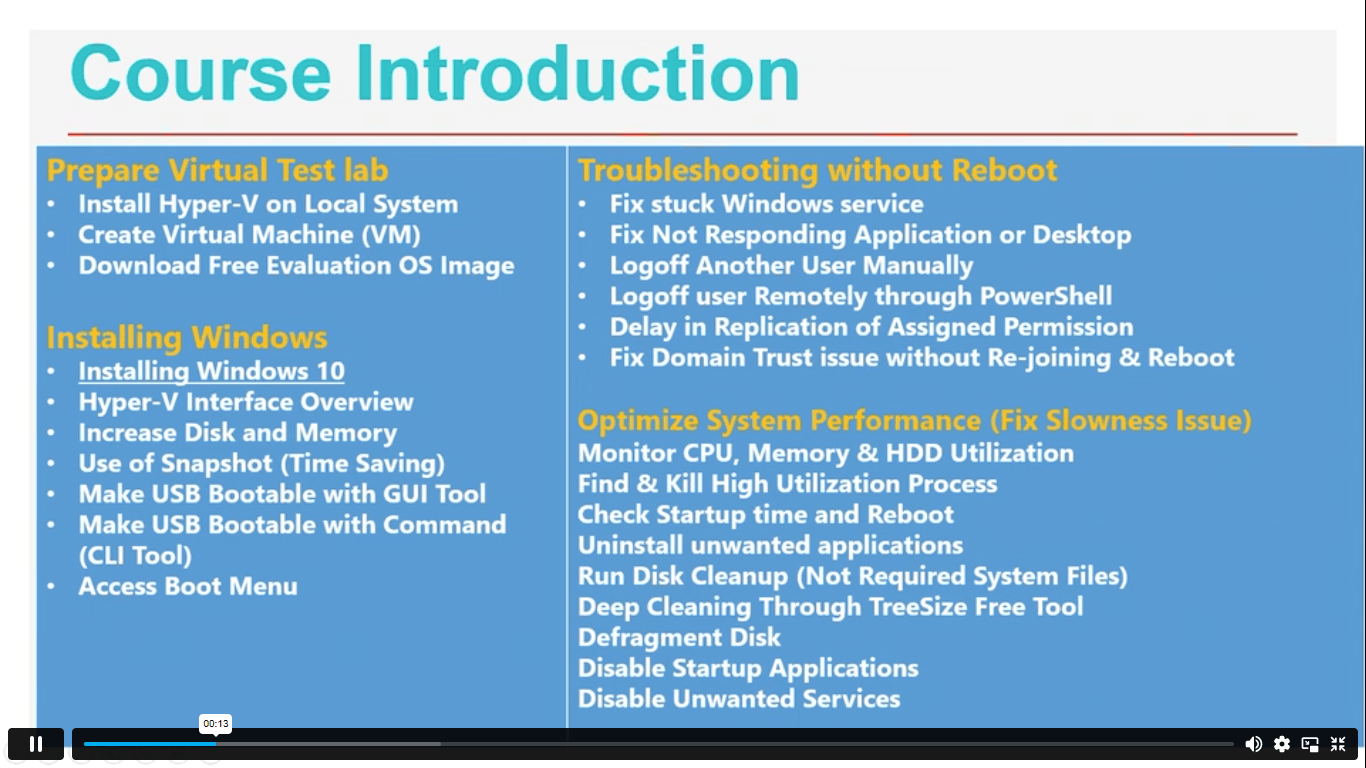
| Section 01: Course Introduction | |||
| Introduction | 00:02:00 | ||
| Section 02: Prepare Virtual Test Lab | |||
| Install Hyper-V on Local System | 00:02:00 | ||
| Create Virtual Machine (VM) | 00:02:00 | ||
| Download Free Evaluation Windows 10 Image | 00:02:00 | ||
| Section 03: Installing Windows OS with Multiple Media | |||
| Installing Windows 10 | 00:06:00 | ||
| Make USB Bootable with GUI Tool | 00:07:00 | ||
| Make USB Bootable with Command (CLI Tool) | 00:05:00 | ||
| Access Boot Menu | 00:03:00 | ||
| Hyper-V Interface Overview | 00:05:00 | ||
| Increase Disk and Memory of Virtual Machine | 00:07:00 | ||
| Use of Snapshot (Time Saving) | 00:03:00 | ||
| Section 04: System Troubleshooting without Reboot | |||
| Fix Stuck Windows Service | 00:11:00 | ||
| Fix ‘Not Responding’ Application or Desktop Error | 00:03:00 | ||
| Logoff Another User from Local System | 00:03:00 | ||
| Logoff user Remotely through PowerShell | 00:02:00 | ||
| Delay in Replication of Assigned Permission on Client | 00:03:00 | ||
| Fix Domain Trust issue without Re-joining & Reboot | 00:05:00 | ||
| Section 05: Optimize System Performance (Fix Slowness Issue) | |||
| Monitor CPU, Memory & HDD Utilization (Task Manager & Resource Monitor) | 00:06:00 | ||
| Find & Kill High Utilization Process | 00:02:00 | ||
| Check Recently System Uptime and Reboot | 00:03:00 | ||
| Uninstall Unwanted Applications | 00:03:00 | ||
| Run Disk Cleanup (Remove Not Required System Files) | 00:06:00 | ||
| Deep Cleaning Through TreeSize Free Tool | 00:06:00 | ||
| Disable Startup Applications (Speed Up Booting Time) | 00:02:00 | ||
| Disable Unwanted Startup Services (MSCONFIG) | 00:03:00 | ||
| Section 06: Active Directory Server Setup (Optional) | |||
| Module Introduction | 00:02:00 | ||
| Create Virtual Machine for Server 2019 | 00:02:00 | ||
| Install Windows Server 2019 | 00:03:00 | ||
| Rename System Name | 00:02:00 | ||
| Server Manager Introduction | 00:02:00 | ||
| Install Active Directory Role | 00:03:00 | ||
| Promote Active Directory Domain Controller | 00:06:00 | ||
| Set Static IP Address | 00:03:00 | ||
| Section 07: Active Directory Introduction | |||
| Active Directory Users and Computers (ADUC) | 00:04:00 | ||
| Active Directory Administrative Center (ADAC) | 00:03:00 | ||
| Create Active Directory User | 00:06:00 | ||
| Join System in Active Directory Domain | 00:04:00 | ||
| Computer Account Introduction & Solution | 00:05:00 | ||
| Info about Default Quota for Rejoining System | 00:02:00 | ||
| Check Password Expiration and Account Status | 00:02:00 | ||
| Section 08: File System Related Troubleshooting | |||
| Recycle Bin Settings | 00:02:00 | ||
| Cleanup Recycle Bin Data of Multiple Users Profile (Advance) | 00:08:00 | ||
| Close Locked Open Files on File Server | 00:06:00 | ||
| How to Fix Filename Is Too Long Issue | 00:04:00 | ||
| Section 09: Resources | |||
| Resources | 00:05:00 | ||
| Assignment | |||
| Assignment -Advance Windows 10 Troubleshooting for IT HelpDesk | 00:00:00 | ||
| Order Your Certificate | |||
| Order Your Certificate | 00:00:00 | ||
Related Courses