Popular Courses

Brand
Awarding body image

Course Highlights

💷 Special Offer Price: Affordable Microsoft Office skills training
💻 Study Mode: 100% Online Learning
📚 Complete Curriculum: 37 structured learning units
Estimated Duration: Approx. 1 hour 38 minutes
📝 Assessment Included: Multiple-choice assessments
🏅 Accreditation: CPD Accredited Course
🔓 Flexible Access: Study anytime with unlimited access
📜 Digital Certificate: CPD Accredited Certificate Available
🚀 Instant Enrolment: Start your Microsoft Office training today

Overview of Learn Microsoft Word, PowerPoint & Outlook In 90 Minutes!

Digital skills are now essential in almost every modern workplace. In fact, many employers expect professionals to understand Microsoft Office tools before applying for office roles. Therefore, taking a Microsoft Office course can significantly improve your productivity, employability, and confidence when working with digital documents.

This Learn Microsoft Word, PowerPoint & Outlook in 90 Minutes course introduces the essential features of three widely used office applications. Moreover, it explains how to create professional documents in Word, build engaging presentations in PowerPoint, and manage emails efficiently using Outlook.

Throughout this Microsoft Office training online, you will explore practical techniques that simplify everyday tasks. For example, you will learn how to design slides, organise emails, format documents, and use helpful tools that improve workflow.

In addition, the course focuses on real workplace applications. As a result, learners can quickly develop Microsoft Office skills for jobs, administrative tasks, and general office productivity.

By the end of this Microsoft Office beginner course, you will understand how these tools work together to improve communication, organisation, and professional presentation.

Exclusive Course Glimpse

What You Will Learn in This Microsoft Office Skills Training!

This Microsoft Office skills training is designed to help beginners learn quickly and confidently. Therefore, each module introduces practical tools that professionals use daily.

By completing this Microsoft Office online course, you will learn how to:

Microsoft Word document skills: Create and format documents professionally.
Professional presentations: Build engaging PowerPoint slides.
Outlook email tools: Manage emails and folders efficiently.
Faster office productivity: Use shortcuts to complete tasks quickly.
Document formatting techniques: Improve the layout of reports and files.
Presentation storytelling: Deliver ideas clearly using visual slides.
Office navigation features: Work confidently with ribbons and tabs.
Workplace efficiency improvements: Save time using smart tools.

Consequently, this course helps learners build essential Microsoft Office workplace skills that are useful across many industries.

Why Choose Us?​

Many learners search for a Microsoft Office course for beginners that is simple, fast, and practical. However, this course focuses specifically on real workplace tasks that professionals perform every day.

In addition, this course offers several advantages:

  • Affordable Learning: Structured lessons for smooth progress
  • CPD-Certified: Strengthen your CV with recognised credentials
  • Lifetime Access: Learn anytime at your own pace
  • Instant Certificate: Receive certification upon completion
  • Flexible Scheduling: Study around your work or studies
  • Transparent Pricing: No hidden costs
  • Quick Assessments: Monitor your progress easily
  • 24/7 Support: Assistance via chat or email

Therefore, if you want Microsoft Office training online that is fast, practical, and career-focused, this course is an excellent option.

Certificate of Achievement

Nextgen Certificate

After completing this Microsoft Office course with certificate, you will receive a CPD-accredited certificate to confirm your learning professionally.

You can typically choose:

  • PDF Certificate 
  • Hardcopy Certificate 

A certificate from this Microsoft Office certification course can help you:

  • Improve your CV and professional profile
  • Demonstrate Microsoft Office skills to employers
  • Support applications for administrative and office roles
  • Show proof of structured digital training

Therefore, this certification adds value to your Microsoft Office workplace skills.

Who Is This Course For?​

This Microsoft Office beginner course is suitable for anyone who wants to learn office productivity tools quickly.

It is ideal for:

  • Beginners learning Microsoft Office for the first time
  • Job seekers improving digital workplace skills
  • Administrative assistants and office staff
  • Students preparing for office-based careers
  • Professionals improving productivity with Microsoft Office tools
  • Anyone wanting Microsoft Office skills training for workplace tasks

Even if you have never used these applications before, this course helps you learn step by step.

Requirements​

There are no formal entry requirements for this Microsoft Office online course.

However, to study comfortably you should have:

  • Basic English reading skills
  • A computer, tablet, or smartphone
  • A stable internet connection

Because this Microsoft Office training online is fully digital, you can learn at your own pace. Moreover, you can revisit lessons whenever needed.

Career Path of Learn Microsoft Word, PowerPoint & Outlook In 90 Minutes!

Completing this Microsoft Office course can help you build essential digital skills for many office-based careers.

Common roles include:

  • Administrative Assistant – £22,000 to £32,000
    Support office operations by managing documents, emails, and schedules using Microsoft Office tools.
  • Office Assistant – £21,000 to £28,000
    Handle administrative tasks, maintain files, and communicate with teams using Word, PowerPoint, and Outlook.
  • Data Entry Clerk – £20,000 to £27,000
    Enter and organise data while using Office tools and spreadsheets efficiently.
  • Customer Service Representative – £22,000 to £30,000
    Manage communication with customers and organise email responses using Outlook.
  • Sales Support Assistant – £23,000 to £32,000
    Prepare presentations, documents, and reports using Microsoft Office applications.

Salaries may vary depending on experience, employer, and location.

Order Your Certificate

To order your Certificate, we kindly invite you to visit the following link

Frequently Asked Questions -

Yes, this Microsoft Office training online is fully accessible from home. You only need an internet connection and a digital device. Therefore, you can study whenever it suits your schedule.

You will learn document formatting in Word, presentation design in PowerPoint, and email management using Outlook. Additionally, the course introduces productivity techniques and shortcuts that improve efficiency in everyday office tasks.

Learning these applications together helps you understand how Microsoft Office tools support workplace productivity. Word helps create documents, PowerPoint supports presentations, and Outlook manages communication. Therefore, mastering them together improves professional efficiency.

This Microsoft Office training can be completed in around 90 minutes. However, learners can revisit lessons anytime to strengthen their understanding. Because the course is online, you can study at your own pace.

Yes, learners can obtain a CPD certificate after successfully completing the assessment. This Microsoft Office course with a certificate helps demonstrate your digital skills to employers. Consequently, it can strengthen your CV.

Course Curriculum

Introduction
INTRO FINAL 00:01:00
Microsoft Word Essentials
New Word Document and Templates 00:02:00
Tabs, Ribbons and Groups 00:03:00
Zoom and Rulers in Word 00:02:00
Editing the Word Document 00:03:00
Insert Pictures with Word 00:05:00
Insert Shape and Text Box in Word 00:02:00
Review Tab in Word 00:03:00
Layout in Word 00:02:00
File Options in Word 00:02:00
Closing and Reopening in Word 00:01:00
Microsoft PowerPoint Essentials
New PowerPoint Presentation and Templates 00:02:00
Tabs Ribbons and Groups in PowerPoint 00:03:00
First Slide and Designing the Slide 00:02:00
Home Tab and Updates in PowerPoint 00:02:00
Buttons in PowerPoint 00:01:00
Inserting Pictures in PowerPoint 00:04:00
Presentation Mode 00:01:00
Animations Tab 00:05:00
File Options in PowerPoint 00:02:00
Closing and Reopening in PowerPoint 00:01:00
Microsoft Outlook Essentials
Setting Up Outlook with Accounts 00:03:00
Tabs, Ribbons and Groups in Outlook 00:03:00
Navigation Bar in Outlook 00:01:00
Organizing Outlook with Favorites and Folders 00:03:00
Additional Options inside Outlook Tabs 00:01:00
Reading, Writing and Receiving Emails 00:08:00
Attaching Items in Outlook Mails 00:03:00
The View Tab in Outlook 00:02:00
Create a Rule to move emails to a folder 00:04:00
Insert a screen shot from Excel 00:02:00
Microsoft Excel Keyboard Shortcuts
Formatting Excel Keyboard Shortcuts 00:02:00
Table Excel Keyboard Shortcuts 00:02:00
Editing Excel Keyboard Shortcuts 00:05:00
Formula Excel Keyboard Shortcuts 00:03:00
Workbook Excel Keyboard Shortcuts 00:02:00
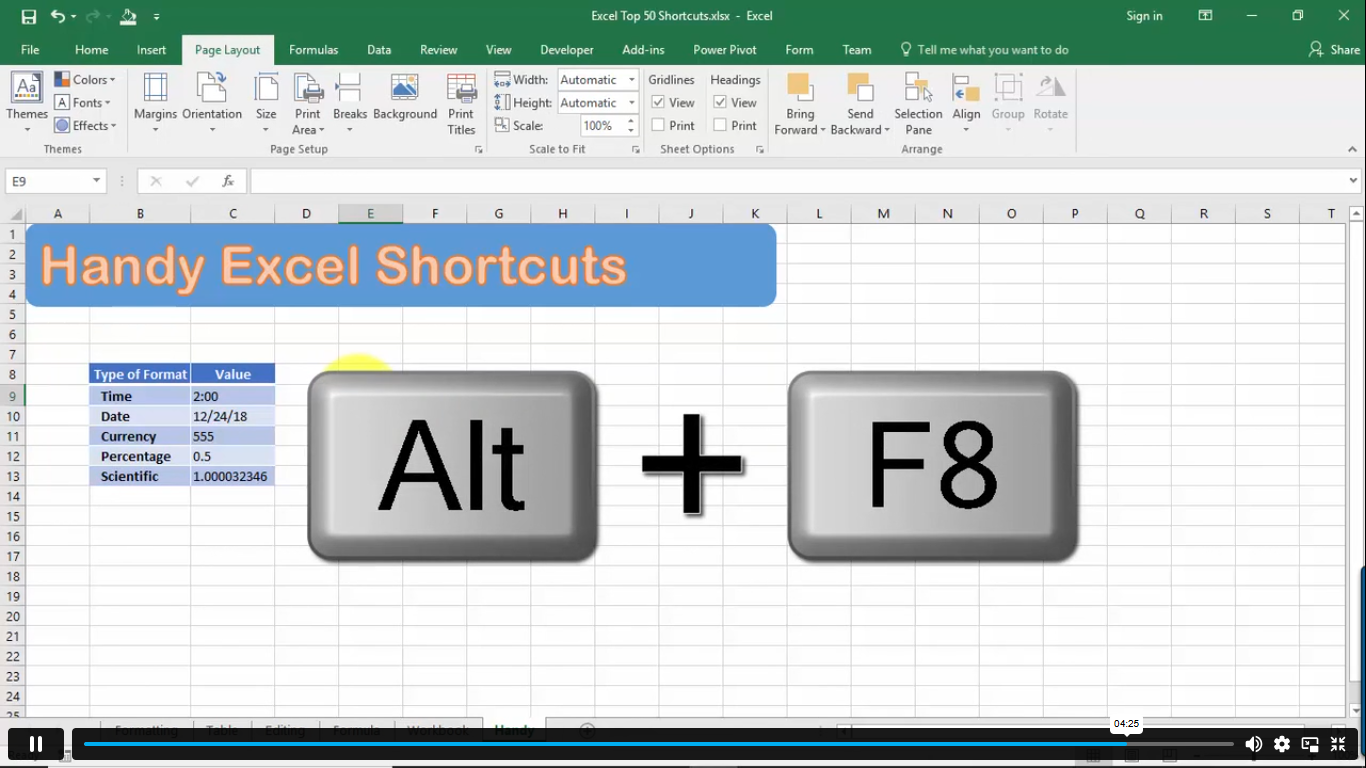
Handy Excel Shortcuts Keyboard Shortcuts 00:05:00
Order Your Certificate
Order Your Certificate 00:00:00

Related Courses

A product of

© 2026 NextGen Learning. All rights reserved

Home Search Cart Offers
Select your currency
USD United States (US) dollar