Popular Courses

Brand
Awarding body image

Overview of Microsoft Access for Beginners | CPD Accredited Online Course

Want to learn how to organise, manage, and analyse data with confidence? This Microsoft Access for Beginners course is designed to help you build practical database management skills from scratch. Whether you work in administration, business, customer service, education, or office management, learning Microsoft Access can help you manage records more efficiently and improve workplace productivity.

In this beginner-friendly Microsoft Access online course, you will learn how to create databases, organise information, build tables, use queries, design forms, and generate professional reports. The course provides step-by-step guidance to help you understand how Microsoft Access works in real business environments. Moreover, you will gain useful skills that can support office administration, reporting, data management, and business organisation tasks.

This CPD-accredited Microsoft Access training course is fully online and self-paced, allowing you to study anytime and from any device. By the end of the course, you will feel more confident using Microsoft Access to store, manage, sort, filter, and present data effectively in a professional setting.

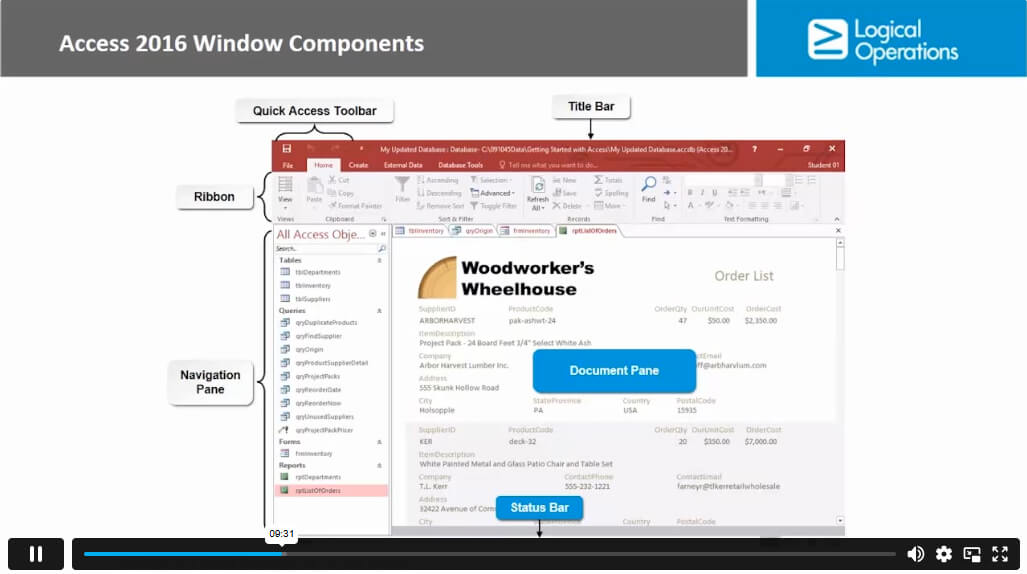
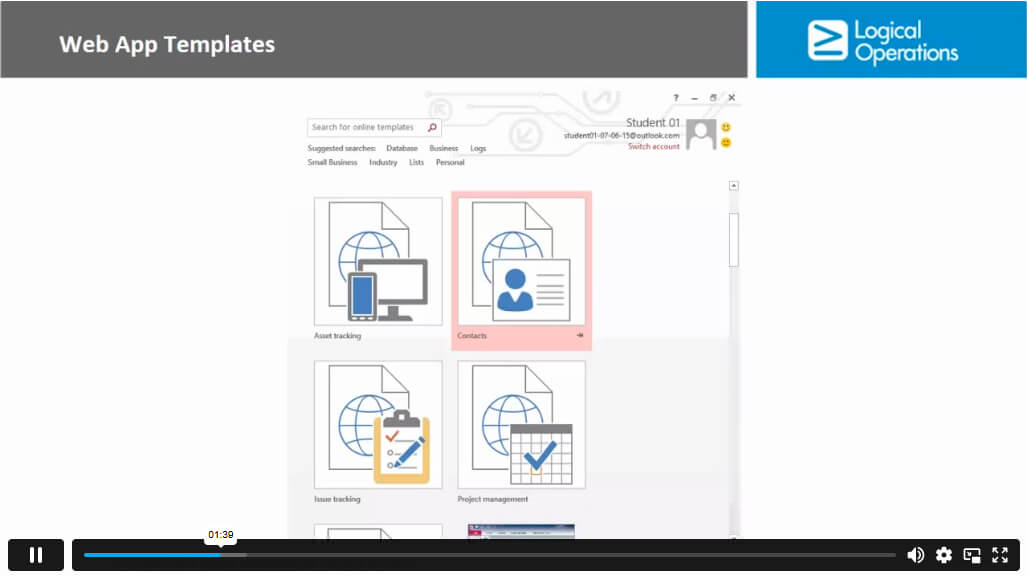
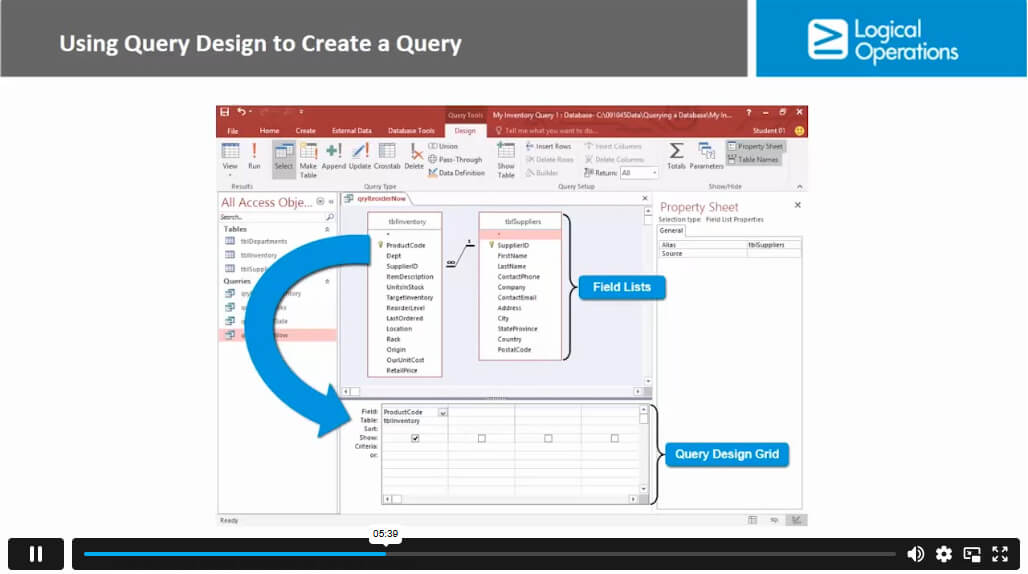
Exclusive Course Glimpse

What You Will Learn in This Microsoft Access Course

  • Database Creation Skills: Learn how to create and manage Microsoft Access databases from the beginning.
  • Data Organisation Techniques: Understand how to organise records, tables, and information more efficiently.
  • Sorting and Filtering Data: Learn how to quickly find, sort, and filter important data within databases.
  • Access Query Basics: Develop the ability to create simple queries for better data analysis and reporting.
  • Form Design Skills: Learn how to create and customise forms for easier data entry and management.
  • Professional Report Creation: Understand how to build clear, organised, and printable Access reports.
  • Database Management Knowledge: Gain practical database management skills used in offices and businesses across the UK.

Why Choose This Microsoft Access for Beginners Course?

  • CPD Accredited Training: Gain recognised Microsoft Access skills with a CPD-accredited online course valued by employers across the UK.
  • Lifetime Course Access: Enjoy unlimited access to the course materials anytime, allowing you to learn at your own pace without pressure.
  • Digital Certificate Included: Receive your digital certificate, transcript, and student ID to showcase your new database management skills.
  • No Hidden Costs: Study with confidence knowing there are no surprise fees or unexpected charges during your learning journey.
  • Expert Tutor Support: Get one-to-one weekday support from experienced professionals whenever you need guidance or assistance.
  • Instant PDF Certificate: Quickly download your PDF certificate after successfully completing the course and assessment.
  • Hard Copy Certificate Available: Order professionally printed certificates and transcripts delivered directly to your address.
  • Flexible Online Learning: Study from home, work, or while travelling using your PC, laptop, tablet, or smartphone.
  • Beginner-Friendly Learning: Learn Microsoft Access step by step with simple lessons designed for complete beginners.
  • Practical Workplace Skills: Build useful database management and office productivity skills that can support career growth in many industries.

Certificate of Achievement

Nextgen Certificate

After completing the Microsoft Access for Beginners course, you will take a written assignment assessment to test your understanding and practical knowledge. You can complete the assessment during the course or at the end, depending on your learning preference.

Once you successfully pass the assessment, you will be eligible to receive your CPD-accredited certificate of achievement. This certificate helps demonstrate your Microsoft Access and database management skills for professional and personal development.

  • PDF Certificate Available: Instantly access your digital certificate after successful course completion.
  • Hard Copy Certificate Option: Request a professionally printed certificate and transcript delivered to your address.
  • CPD Accredited Qualification: Showcase recognised skills that can support career progression and workplace development.
  • Proof of Learning: Strengthen your CV and professional profile with verified Microsoft Access training credentials.

Who Is This Microsoft Access for Beginners Course For?

  • Office Professionals: Ideal for individuals who manage records, customer information, reports, or business data in daily office tasks.
  • Administrative Staff: Perfect for administrators and office assistants looking to organise, sort, and manage data more efficiently.
  • Beginners in Database Management: Designed for learners with little or no previous experience in Microsoft Access or database systems.
  • Students and Job Seekers: Suitable for students wanting to build practical Microsoft Office and database management skills for future career opportunities.
  • Aspiring Data and Database Professionals: Great for anyone interested in developing foundational skills for database administration or data-related roles.
  • Business Owners and Team Leaders: Helpful for professionals who want to improve workflow organisation, reporting, and information management.
  • Remote and Flexible Learners: Ideal for anyone who wants to learn Microsoft Access online at their own pace from anywhere in the UK or worldwide.

Entry Requirements and Course Access

This Microsoft Access for Beginners course is designed for complete beginners, so no previous qualifications or database management experience are required. You can enrol today and start learning Microsoft Access step by step at your own pace.

The course is fully online and created by professionals to provide a simple and flexible learning experience for students, office workers, business professionals, and anyone interested in improving their data management skills.

  • No Experience Needed: Perfect for beginners with little or no knowledge of Microsoft Access or databases.
  • No Formal Qualifications Required: Anyone can join and start learning immediately.
  • Study Anywhere: Access the course from home, work, or while travelling with an internet connection.
  • Compatible on All Devices: Learn using your PC, Mac, laptop, tablet, or smartphone.
  • Flexible Online Learning: Enjoy self-paced study that fits around your work, education, or personal schedule.
  • Easy-to-Follow Lessons: Learn through beginner-friendly materials designed to make database management simple and practical.

Career Path of Microsoft Access for Beginners

Learning Microsoft Access can help you build practical database management and office productivity skills that are valuable across many industries in the UK. This course can support both beginners and professionals looking to improve their administrative, reporting, and data handling abilities.

After completing this Microsoft Access course, you may explore career opportunities such as:

  • Data Entry Specialist: £18,000 – £28,000 per year
    Manage, organise, and maintain company records and databases accurately.
  • Administrative Assistant: £18,000 – £30,000 per year
    Support office operations through record management, reporting, and data organisation tasks.
  • Office Manager: £22,000 – £40,000 per year
    Oversee administrative systems, workflows, and business information management processes.
  • Data Analyst: £25,000 – £50,000 per year
    Analyse business data, prepare reports, and support decision-making using organised databases.
  • Reporting Analyst: £28,000 – £45,000 per year
    Create and manage business reports, data summaries, and performance tracking documents.
  • Database Administrator: £30,000 – £55,000 per year
    Manage databases, maintain data accuracy, and support secure information systems within organisations.

Order Your Certificate

To order your Certificate, we kindly invite you to visit the following link

FAQs - Microsoft Access for Beginners Course

The best way to learn Microsoft Access is through a step-by-step beginner-friendly online course with practical exercises and real-world database examples. Our Microsoft Access for Beginners course helps you build skills at your own pace.

Many businesses still use Microsoft Access for data management, reporting, and office workflows. While larger companies may use advanced systems, Microsoft Access remains popular for small businesses, administration, and database tasks.

Start by learning how to create databases, tables, forms, queries, and reports. This Microsoft Access online course guides beginners through every step in a simple and practical way.

The main components of Microsoft Access include:

  • Tables
  • Queries
  • Forms
  • Reports
  • Macros
  • Modules
  • Relationships

You will explore the core components in this beginner-friendly course.

No, Microsoft Access is beginner-friendly when taught properly. With guided lessons and practical examples, you can quickly learn how to organise and manage data confidently.

You can use Microsoft Access by creating a database, adding tables, entering data, building queries, designing forms, and generating reports. Our course teaches each stage clearly for beginners.

Some businesses use cloud-based database systems and advanced software tools. However, Microsoft Access is still widely used for office databases, reporting, and small business data management.

Microsoft Access may not be ideal for very large databases or complex enterprise systems. However, it is excellent for beginners, small businesses, office administration, and data organisation tasks.

There is no single replacement for Microsoft Access. Many organisations still rely on it because it is simple, practical, and effective for managing business data and reports.

Microsoft Access is a database management system, not a spreadsheet. Unlike spreadsheets, Access helps you organise, manage, filter, and analyse large amounts of data more efficiently.

Course Curriculum

Module 01
Orientation to Microsoft Access 00:39:00
Create a Simple Access Database 00:10:00
Get Help and Configure Options in Microsoft Access 00:06:00
Module 02
Modify Table Data 00:17:00
Sort and Filter Records 00:05:00
Module 03
Create Basic Queries 00:15:00
Sort and Filter Data in a Query 00:14:00
Perform Calculations in a Query 00:08:00
Module 04
Create Basic Access Forms 00:07:00
Work with Data on Access Forms 00:23:00
Module 05
Create a Report 00:12:00
Add Controls to a Report 00:12:00
Enhance the Appearance of a Report 00:05:00
Prepare a Report for Print 00:03:00
Organize Report Information 00:15:00
Format Reports 00:12:00
Workbooks
Workbooks: Microsoft Access for Beginners 00:00:00
Mock Exam
Mock Exam- Microsoft Access for Beginners 00:20:00
Final Exam
Final Exam- Microsoft Access for Beginners 00:20:00
Assignment
Assignment – Microsoft Access for Beginners 03:46:00

Related Courses

A product of

© 2026 NextGen Learning. All rights reserved

Home Search Cart Offers
Select your currency
GBP Pound sterling